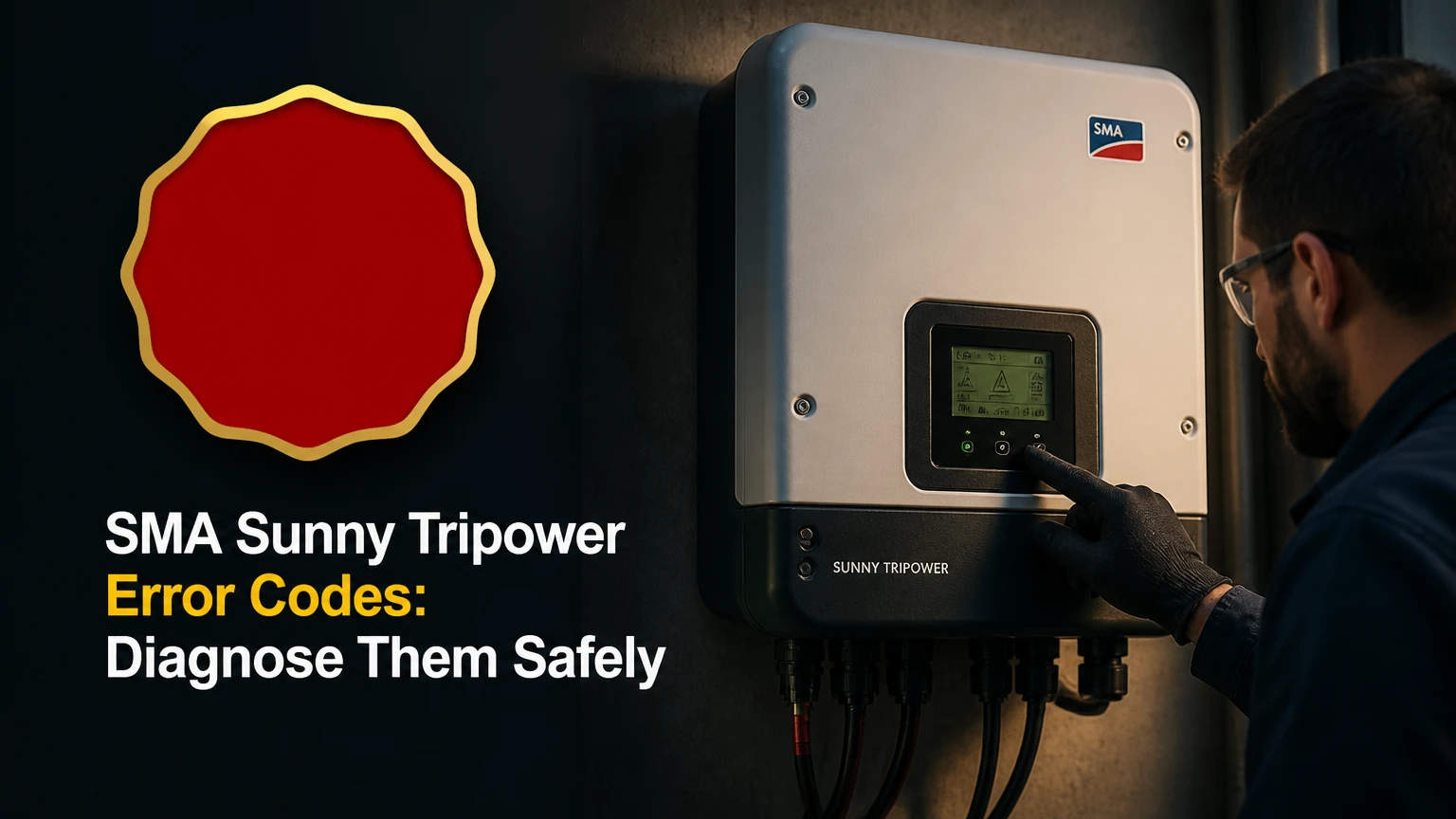
SMA Sunny Tripower error codes, formally called event numbers, identify abnormal grid, PV-array, insulation, temperature, hardware, or communication conditions. The correct response depends on the exact Tripower model, firmware, event number, and LED pattern, because SMA does not use one universal code table across every Sunny Tripower generation.
Key facts at a glance
An SMA Sunny Tripower event number is model-specific diagnostic information, not a universal fault definition.
Grid events often clear after utility voltage or frequency returns to the permitted operating range.
DC overvoltage, insulation faults, and arc-fault events require professional investigation before repeated operation.
The red LED identifies a fault state, but the event log provides the evidence needed for diagnosis.
Never disconnect MC4 connectors or other PV DC plugs while current is flowing.
The SMA installation manual and the exact event description take priority over generic code lists.
What Do SMA Sunny Tripower Error Codes Mean?
SMA Sunny Tripower error codes are event records generated when inverter measurements exceed a protection, operating, or communication limit. An event may be a temporary warning, a persistent fault, or a service message; the number alone does not prove that the inverter itself has failed.
The inverter samples AC voltage, frequency, phase relationships, DC voltage and current, insulation resistance, residual current, temperature, fan operation, switching components, and internal communications. When a measurement violates a configured condition, the inverter may stop energy conversion, open its AC switching path, limit output, or wait for the grid to stabilize.
SMA documentation uses event information to guide troubleshooting, but the available fields vary by product. Some models expose an event number, message, timestamp, measured value, and recommended action through the local user interface or SMA Sunny Portal powered by ennexOS. A third-party list can help locate a possibility, but it cannot replace the product manual.
Warning, fault, and service message differences
| Record type | Typical inverter behavior | Example evidence | Appropriate response |
|---|---|---|---|
| Grid warning | Production pauses temporarily | AC voltage or frequency outside limit | Check whether the event clears |
| PV-array fault | DC operation stops or is blocked | Insulation resistance or DC voltage event | Keep the system isolated and call an installer |
| Internal fault | Inverter remains unavailable | Self-test, relay, memory, or processor event | Record the code and arrange service |
| Communication event | Generation may continue | Portal, Wi-Fi, Ethernet, or Modbus loss | Check monitoring network separately |
An event that clears once is not automatically harmless. A grid disturbance can be genuine, while an intermittent insulation fault can disappear when dry and return after rain.
Where Can You Find the Event Number?
You can usually find an SMA Sunny Tripower event number in SMA Sunny Portal, the inverter’s local web interface, or the device display when the model includes one. Record the complete message, timestamp, LED state, serial number, and operating conditions before attempting any reset.
The most useful record includes more than a three-to-five-digit number. Capture whether the inverter was starting in the morning, operating during full sun, restarting after a blackout, or shutting down during rain. A photograph of the screen prevents transcription errors such as confusing 3001 with 3002.
Record these details before troubleshooting
- Exact model: Read the product label, such as STP 5.0-3AV-40, STP 50-40, or a Smart Energy variant.
- Event number and text: Record every active and historical event.
- Time and frequency: Note whether the event repeats at a fixed time or weather condition.
- LED pattern: Record green, red, or other indicators, including steady and flashing states.
- System condition: Note production, AC breaker position, weather, recent electrical work, and visible damage.
- Measurements: Save portal values for AC voltage, DC voltage, and inverter temperature when available.
The SMA Service Centre and product manuals are the authoritative lookup sources. Search by the exact model designation, not simply by Sunny Tripower, because a code’s meaning and corrective action can change between product families.
Which Events Indicate a Grid Problem?
Grid-related events indicate that the Sunny Tripower detected voltage, frequency, phase, impedance, or connection conditions outside its configured grid profile. Commonly reported examples include events in the 100-series and 3000-series, but the precise meaning must be checked against the model manual and country configuration.
Typical causes include a utility outage, high feeder voltage during solar export, loose AC terminals, incorrect phase wiring, voltage drop in a long cable, or a recently changed grid-protection setting. A 3001-type overvoltage or impedance event may occur even when household appliances appear to operate normally, because the inverter measures at its own terminals.
| Grid symptom | Likely area to investigate | Useful evidence | Safe first action |
|---|---|---|---|
| Inverter stops at midday | Feeder voltage or local AC rise | Portal AC-voltage graph | Wait for clearing, then contact installer if repeated |
| Event follows a blackout | Grid recovery or frequency | Utility outage time and event timestamp | Allow automatic reconnection |
| Event appears after installation | Phase, neutral, or configuration | Commissioning records and wiring test | Installer verification |
| Event occurs with long cable run | Voltage drop or high impedance | Inverter-terminal voltage under load | Qualified AC inspection |
| Event affects several inverters | Site or utility network | Correlated timestamps across devices | Facility or utility escalation |
“Fac-Bfr” and “Fac-Srr” are frequency-related status messages seen on some SMA interfaces. They generally describe frequency measurement behavior before or during reconnection, but the display wording is model-dependent and should not be treated as a single universal numeric fault.
A reported L and N swap or phase-assignment event is an installation issue until proven otherwise. Do not move conductors or alter grid parameters yourself. Grid-code settings can be protected by SMA Grid Guard, and changing them without utility authorization can make the installation non-compliant.
Which Events Indicate a PV Array Problem?
PV-array events indicate abnormal DC voltage, current, startup behavior, insulation resistance, residual current, or string operation. Examples often associated with this group include 3301-3303 for unstable operation, 3401-3407 for DC overvoltage, and 3501 or 4002 for insulation-related conditions, although exact meanings vary by model.
Low irradiance can explain a startup or unstable-operation event at dawn, in heavy cloud, under snow, or with substantial shade. It does not explain a persistent event during clear midday conditions. A string design that barely reaches the inverter’s startup voltage may also produce repeated morning events.
DC overvoltage requires a different response. Cold temperatures increase module open-circuit voltage, so a string that appears acceptable in warm weather can exceed the inverter’s maximum DC input voltage on a clear winter morning. The installer should calculate the cold-weather string voltage using the module temperature coefficient and the site’s minimum design temperature.
| PV event pattern | Common underlying condition | Installer test or calculation | Risk level |
|---|---|---|---|
| Startup event at dawn only | Low irradiance or shade | String voltage at startup and shade review | Low to moderate |
| DC voltage above design value | Excess modules in series or cold weather | Voc calculation at minimum temperature | High |
| Insulation event after rain | Wet connector, cable, junction box, or module | Insulation-resistance test by string | High |
| One string underproduces | Connector resistance, fuse, module, or cable fault | String current comparison | Moderate to high |
| Residual-current event | Leakage path or damaged insulation | Array and inverter leakage testing | High |
A portal showing zero production does not identify the failed component. The inverter may be correctly refusing to start because the PV array is unsafe.
Why Are Insulation and Ground Faults High Risk?
Insulation and ground faults indicate an unintended electrical path between a live PV conductor and earth or an exposed conductive part. Moisture, crushed cable, deteriorated module insulation, damaged connectors, animal damage, and water-filled junction boxes are common field causes.
An insulation event can clear after the array dries, then return during the next wet period. That pattern is diagnostic evidence, not a successful repair. A qualified technician should isolate strings using approved procedures and measure insulation resistance with equipment suitable for the system voltage.
Do not touch exposed metalwork, open junction boxes, or disconnect PV connectors to find the bad string. PV modules produce voltage whenever illuminated, and the DC side can remain hazardous even when the inverter display is dark.
What Should You Do About an Arc-Fault Event?
An arc-fault event requires the system to remain under professional review until the array, connectors, cabling, and terminations have been inspected. Some Sunny Tripower models or attached equipment may report arc detection through event numbers such as 4301 or 8206, but the number and AFCI behavior depend on product design and firmware.
Arcing can result from a loose connector, poorly crimped contact, damaged cable, incompatible connector pair, water ingress, or a failing module junction box. Repeatedly clearing the event without locating the source can allow a heating connection to remain in service.
A useful inspection records the affected MPPT or string, weather, inverter current, previous maintenance, and whether the event returns immediately. The technician may inspect connectors, conduct insulation and continuity tests, compare string currents, and replace damaged components with approved parts.
How Do Temperature and Fan Events Differ?
Temperature events indicate that the inverter or a measured internal component has exceeded a permitted thermal condition. Fan events indicate restricted airflow, fan failure, blocked heat sinks, a failed fan circuit, or a sensor problem, and can appear before an overtemperature shutdown.
A 7508-type fan message and an 8401-type overtemperature message are reported in some SMA product documentation and field references, but they are not guaranteed to have identical meanings across all Sunny Tripower models. Dust, direct afternoon sun, inadequate clearance, and a failed fan can produce similar symptoms.
| Thermal symptom | Likely cause | What the owner may inspect | Service decision |
|---|---|---|---|
| Output falls on hot afternoons | Thermal derating | Ventilation clearance and shading | Installer if repeated |
| Fan warning with normal output | Fan wear or sensor issue | External obstruction only | Arrange service soon |
| Overtemperature shutdown | Excess heat or failed cooling | Ambient conditions and airflow | Stop repeated resets |
| Event after enclosure cleaning | Blocked heat sink or debris | Visible external surfaces | Qualified internal service |
SMA installation manuals specify clearance, mounting orientation, and environmental limits for each model. Do not open the enclosure to clean internal heat sinks unless you are authorized to work on high-voltage equipment.
How Should You Reset a Sunny Tripower?
Reset a Sunny Tripower only when the event description permits a restart and the installation manual gives a shutdown procedure for that model. A reset may clear a transient communication or grid event, but it cannot repair overvoltage, insulation damage, arc faults, incorrect wiring, or failed hardware.
The safe principle is isolation, not a universal switch sequence. SMA manuals differ by model, external DC switch, battery configuration, and installation standard. AC and DC terminals can remain hazardous after switching off, so the waiting time in a manual is a minimum for the specified procedure, not proof that every conductor is dead.
Model-safe restart procedure
- Read the event instruction. If the message says to contact the installer, do not reset repeatedly.
- Check for immediate hazards. Stop and call an installer for smoke, burning odor, melted connectors, water ingress, exposed conductors, or arc-fault events.
- Use the designated AC isolator. Operate the labeled switch or breaker identified in the installation documentation.
- Use the designated DC disconnect. Operate it only as the manual specifies, and never unplug PV connectors under load.
- Wait for the documented interval. Many procedures specify several minutes; use the exact manual for the model.
- Restore power in the documented order. Do not substitute a generic internet sequence.
- Observe the restart. Record whether the inverter reaches normal operation and whether the same event returns.
A green LED after a restart confirms an operating state, not a certified repair. If the event returns under the same weather or load condition, stop cycling the inverter and preserve the event history.
Who Should Handle Each Fault Class?
Homeowners can record events, inspect labels, check visible ventilation, verify that an external breaker has not tripped, and review portal history. Qualified solar electricians should test AC wiring, PV strings, insulation resistance, protective devices, connectors, and inverter internals.
| Fault class | Owner action | Qualified technician action | Utility or SMA involvement |
|---|---|---|---|
| Single transient grid event | Record timestamp and wait | Check AC values if recurring | Utility if several site devices trip |
| Repeated overvoltage | Save portal graph | Measure terminal voltage under load | Utility investigation may be needed |
| DC overvoltage | Do not restart repeatedly | Recalculate string Voc and inspect design | SMA support if hardware damage is suspected |
| Insulation fault | Keep clear of array conductors | Test strings and locate leakage | SMA support for unresolved inverter-side faults |
| Arc-fault event | Stop repeated clearing | Inspect and repair array hardware | SMA support if event persists after repair |
| Internal hardware event | Record code and serial number | Perform approved diagnostics | SMA service or warranty channel |
The “primary origin” in a code list is only a starting hypothesis. A grid event can result from site wiring, and an insulation event can originate inside the inverter, so diagnosis requires measurements rather than category labels.
Why the Model Number Changes the Answer
The model number changes the answer because Sunny Tripower products use different hardware, firmware, communication systems, voltage classes, and regional grid profiles. A Sunny Tripower Core commercial inverter should not be diagnosed from a Sunny Boy residential table, even when both products display an event number with four digits.
Relevant distinctions include three-phase versus hybrid operation, battery integration, integrated or external DC switching, AFCI availability, display hardware, and SMA ennexOS monitoring. The suffix also matters because regional versions can use different protection settings and installation requirements.
| Product context | Important difference | Diagnostic source | Typical consequence |
|---|---|---|---|
| Residential three-phase Tripower | Smaller input and output ratings | Exact product manual | String limits vary |
| Tripower Smart Energy | Battery and backup functions | Inverter and battery manuals | More shutdown dependencies |
| Tripower Core | Commercial scale and multiple MPPTs | Core installation manual | String and service procedures differ |
| Regional model suffix | Grid profile and certification | Country-specific manual | Voltage and reconnection rules differ |
The event log should therefore be interpreted alongside the product label, firmware version, country setting, and installation date. Generic lists are useful for orientation only.
What Does a Recurring Event Prove?
A recurring event proves that the triggering condition remains present, repeats under a recognizable condition, or has damaged a component that cannot recover through software. The recurrence pattern often provides more diagnostic value than the first event number.
For example, a grid event at the same midday export period suggests voltage rise or impedance. An insulation event only after rain points toward moisture or wet cable hardware. A fan message during hot afternoons indicates a thermal relationship, while an internal self-test event immediately after every restart points toward inverter hardware or its power-supply path.
Use a simple event diary with four columns: timestamp, weather, inverter power, and event. After several occurrences, compare the pattern with portal AC voltage, DC voltage, and temperature data. Do not erase history before saving it.
Common interpretation errors
- Assuming every red LED means inverter failure: A red LED can represent an external grid or PV condition.
- Treating a cleared event as solved: Intermittent faults often disappear temporarily.
- Using a Sunny Boy code list: Product families and firmware versions are not interchangeable.
- Changing grid parameters to stop trips: Unauthorized settings changes can violate interconnection rules.
- Comparing string voltage without temperature context: Cold-weather Voc can exceed warm-weather measurements.
- Replacing the inverter first: A damaged connector or utility voltage problem can survive an inverter replacement.
A practitioner rule is to identify whether the event is input-side, inverter-side, or monitoring-side before selecting a repair. That classification prevents expensive component replacement based on a portal symptom alone.
What Do Diagnosis and Repair Typically Cost?
Typical diagnostic costs range from about $100-$250 for a residential site visit, while string testing, connector repair, fan replacement, or inverter replacement can raise the total substantially. Prices vary by country, roof access, warranty status, travel distance, system voltage, and whether replacement parts are available.
The figures below are planning ranges, not SMA price schedules. Local installer quotations and warranty terms control the actual cost.
| Service situation | Typical labor or total range | Typical duration | Main cost variable |
|---|---|---|---|
| Remote event review | $0-$100 | 15-60 minutes | Installer support policy |
| AC grid diagnosis | $100-$350 | 1-3 hours | Metering and utility coordination |
| PV string and insulation testing | $200-$600 | 2-5 hours | Roof access and number of strings |
| Connector or cable repair | $150-$700 | 1-6 hours | Parts, access, and damage extent |
| Fan or cooling repair | $250-$800 | 2-6 hours | Model and internal access |
| Out-of-warranty inverter replacement | $1,500-$6,000 or more | 1-3 days | Capacity, labor, and commissioning |
A replacement quote should separate inverter hardware, removal, mounting, AC and DC reconnection, commissioning, monitoring setup, disposal, and warranty. A low hardware-only price may exclude the work required to make the system operational and compliant.
Which SMA Sunny Tripower Error Codes Need Immediate Action?
Immediate action is required when the event involves DC overvoltage, insulation resistance, residual current, arc detection, smoke, burning odor, water ingress, exposed conductors, or visible thermal damage. Stop normal operation according to the model’s shutdown instructions and contact a qualified installer or emergency service when there is evidence of fire or electric shock risk.
| Priority | Event examples | Operating decision | Escalation |
|---|---|---|---|
| 1, immediate hazard | Arc, insulation, smoke, exposed DC | Do not repeatedly restart | Qualified installer immediately |
| 2, equipment risk | DC overvoltage, severe overtemperature | Keep isolated as instructed | Installer and SMA support |
| 3, recurring loss | Repeated grid or fan events | Record and arrange diagnosis | Installer, then utility if indicated |
| 4, monitoring issue | Portal or network communication | Generation may continue | Network or monitoring support |
A nuisance trip is not automatically a nuisance fault. Protective shutdown is often the inverter behaving as designed.
FAQ
Can an SMA Sunny Tripower event clear by itself?
Yes, a grid or low-irradiance event can clear when the measured condition returns to the permitted range. An event that clears is not necessarily repaired, especially when it returns after rain, at midday export, or during high ambient temperature. Save the timestamp and recurrence pattern before dismissing it.
How long should a Sunny Tripower take to restart?
A Sunny Tripower may require several minutes to initialize and verify the grid before exporting power, depending on model, grid code, irradiance, and the event type. The product manual determines the expected interval. A delay beyond the documented period, or a repeated event after restart, requires installer diagnosis.
Can I turn off a Sunny Tripower at night?
Nighttime isolation may reduce PV current, but it does not eliminate every electrical hazard and does not replace the manufacturer’s shutdown procedure. Use the labeled AC and DC isolation devices specified for the model. Never remove PV connectors as a substitute for switching off the array.
Why does the inverter show an error only when it rains?
Rain can lower insulation resistance by exposing moisture paths in cables, connectors, module junction boxes, or array wiring. Dry weather may allow the inverter to restart without removing the defect. A qualified technician should test strings and inspect water entry rather than treating the dry-weather restart as a cure.
Does an SMA inverter error always mean the inverter must be replaced?
No. Many events originate in the utility grid, AC wiring, PV strings, connectors, ventilation, or monitoring network. Replacement becomes more plausible after qualified testing identifies an internal hardware fault, the repair is uneconomical, or SMA confirms a non-serviceable failure outside warranty.
Where is the official SMA event-code list?
The official source is the operating or installation manual for the exact Sunny Tripower model and regional version, supplemented by SMA’s current Service Centre and Sunny Portal documentation. Search using the complete model designation and firmware context. Do not rely on a generic list when the event involves high-voltage DC or grid settings.
The Bottom Line
SMA Sunny Tripower error codes are model-specific event records that point toward grid, PV-array, insulation, arc, thermal, communication, or internal hardware conditions. Start by preserving the exact event number, message, timestamp, LED pattern, model, and portal measurements. Use the manual’s shutdown procedure, never disconnect DC plugs under load, and send recurring or hazardous events to a qualified installer. Accurate diagnosis begins with the model and the evidence, not with a generic code list.