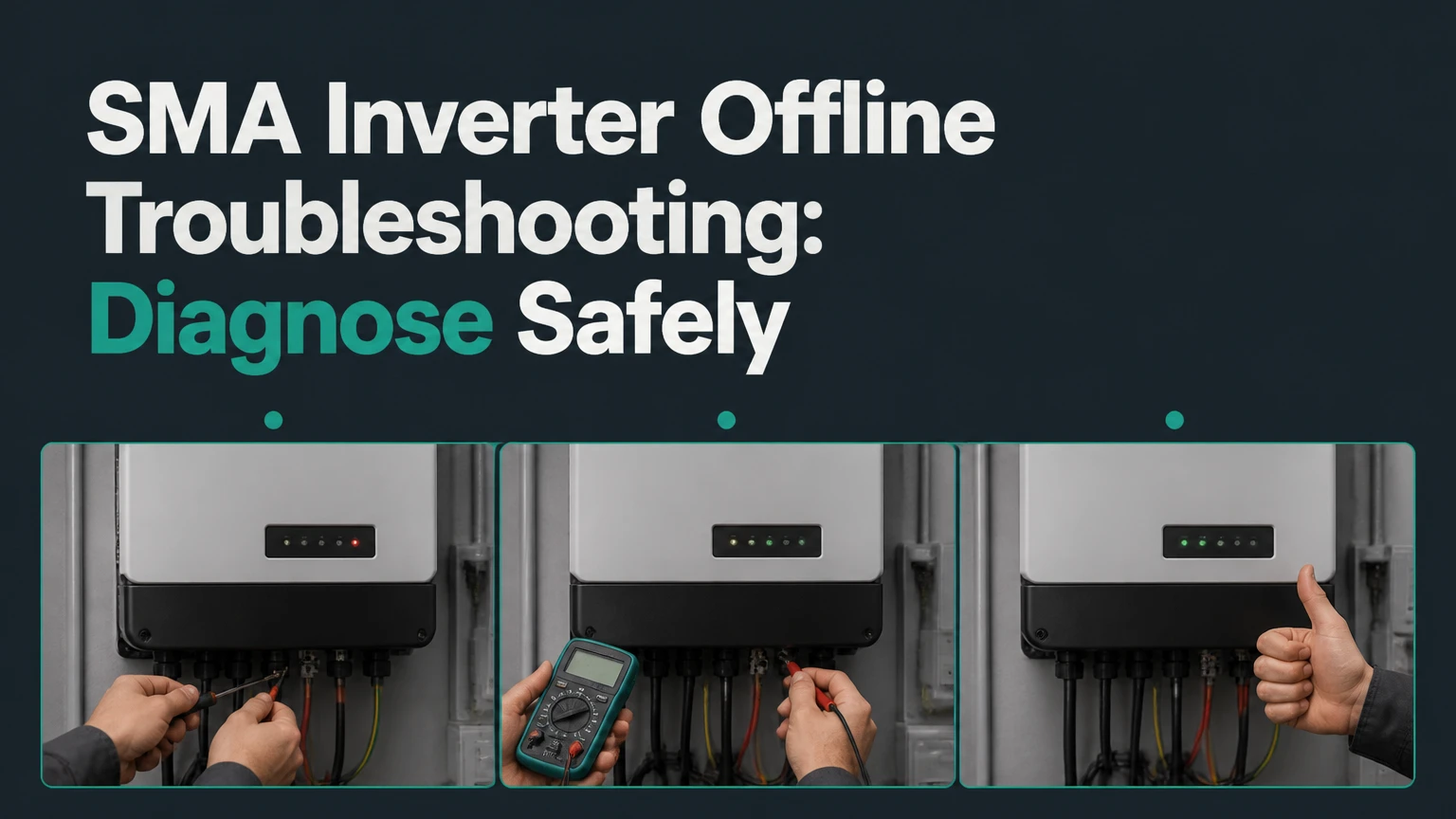
SMA inverter offline troubleshooting starts by separating a stopped inverter from a monitoring connection failure. A dark or faulted SMA inverter may lack DC power, reject the utility grid, detect an insulation or arc fault, or have an internal failure, while a producing inverter can appear offline only because Sunny Portal, ennexOS, Wi-Fi, or Ethernet communication has failed.
Key Facts at a Glance
An SMA inverter can be electrically operational while Sunny Portal reports no data.
A completely dark inverter during strong daylight usually indicates missing DC input, an open isolator, a tripped protection device, or internal hardware failure.
SMA startup voltage, MPPT voltage, and maximum DC voltage vary by model, so a universal 150 V threshold is unsafe.
Repeated arc-fault, insulation-fault, or grid-fault events require investigation rather than repeated resets.
A restart can take several minutes because the inverter checks DC conditions, grid voltage, frequency, country settings, and safety relays.
Never open the inverter enclosure or test live PV conductors unless you are trained and authorized for photovoltaic electrical work.
What Does Offline Mean on an SMA Inverter?
An SMA inverter is offline when it is not delivering power, not communicating with its monitoring platform, or both. The visible symptom is therefore ambiguous: a green operating inverter with stale portal data needs communications troubleshooting, whereas a blank display in full sun needs electrical diagnosis.
SMA systems use DC electricity from PV modules to power internal electronics and conversion stages. Grid-tied models also need acceptable AC voltage and frequency before they can close their grid relay and export energy. Battery systems add another dependency, such as battery state of charge, battery communication, backup-mode configuration, or an energy management controller.
The word “offline” in Sunny Portal does not prove that the inverter has stopped producing energy. Compare portal data with the inverter display, a revenue meter, a battery gateway, or the utility meter before arranging a replacement.
The Three Offline Conditions
| Condition | Typical physical state | Likely fault area | First verification |
|---|---|---|---|
| No power | No LEDs or display | DC isolator, string input, fuse, internal supply | Check daylight and external switches |
| Powered but stopped | Red or yellow indication | Grid, insulation, arc, temperature, hardware | Record event number and timestamp |
| Producing but unreported | Green indication, normal AC output | WLAN, Ethernet, router, portal account | Compare inverter output with portal data |
| Intermittent offline state | Repeated restarts or data gaps | Loose connection, heat, firmware, grid quality | Review event history and timing |
How Does an SMA Inverter Produce Power?
An SMA inverter first receives PV DC voltage, then tracks the array’s maximum power point and converts DC into synchronized AC. The inverter will only export when its measured utility voltage and frequency remain within the limits defined by the applicable grid profile.
PV voltage depends on module count, module temperature, irradiance, and string design. Cold modules generally produce higher open-circuit voltage, while hot modules produce lower voltage. A string can show reasonable voltage with no usable current if a connector, fuse, cable, or module interconnection is defective.
SMA product families have different electrical limits. A Sunny Boy 3.0-US, Sunny Tripower, Sunny Island, and newer hybrid models do not share one startup threshold or one communication process. Use the exact model’s installation manual and datasheet, not a generic internet voltage figure.
SMA installation documentation commonly states, “All work on the inverter must be carried out by qualified persons only.” The wording and qualification definition vary by product manual, but the safety principle applies across SMA photovoltaic equipment.
What Should You Check Before Resetting the Inverter?
Before resetting an SMA inverter, establish whether the problem is caused by darkness, a site-wide power outage, an open switch, a displayed event, or lost communications. A visual inspection and recorded event code usually provide more useful evidence than an immediate power cycle.
Before You Start
| Item | Typical requirement | Why it matters |
|---|---|---|
| Inspection time | 10-20 minutes | Allows comparison of LEDs, meter, weather, and switches |
| Reset time | 15-30 minutes | Includes shutdown, capacitor discharge, and grid reconnection |
| Tools for homeowners | Phone, flashlight, notebook | Records model, codes, labels, and switch positions |
| Professional tools | CAT-rated meter, insulation tester, clamp meter | Tests voltage, leakage, current, and string behavior |
| Required prerequisite | Dry daylight and safe ground access | Avoids false conclusions from nighttime or wet conditions |
| Electrical opening | Qualified technician only | Exposes lethal AC and DC energy |
Check these items without removing covers:
- Confirm that the array has useful daylight. Nighttime, heavy snow, severe shading, and very low irradiance can leave an inverter in standby.
- Check whether the building has utility power. A neighborhood outage or tripped main breaker can stop a grid-tied inverter normally.
- Read the front LEDs, screen, or local app and record the exact event number.
- Look for an external AC breaker, AC isolator, DC isolator, rapid-shutdown switch, battery disconnect, or gateway indicator.
- Inspect for water entry, scorching, melted insulation, unusual odor, animal damage, blocked ventilation, or a hot enclosure.
Do not reset an inverter that smells burned, shows melted wiring, has visible arcing damage, or repeatedly reports an arc or insulation fault. Isolate the area from contact and arrange qualified service.
How Do You Safely Restart an SMA Inverter?
A typical grid-tied SMA restart turns off AC first, turns off the inverter’s DC disconnect second, waits for the product-specified discharge period, then restores DC followed by AC. The exact order differs among models, battery systems, and rapid-shutdown designs, so the product manual and site labeling take priority.
Step 1: Record the Existing State
Write down the model, serial number, LED pattern, display message, event code, portal status, and time. Photograph the switch positions and warning labels before changing anything.
Success checkpoint: You have evidence that can be compared after restart.
Common mistake: Clearing an event before recording it, which removes useful diagnostic context.
Step 2: Open the AC Isolation Device
With the inverter output operating, switch off the clearly labeled inverter AC breaker or AC isolator. Do not switch a random breaker because labels can be inaccurate and multiple inverters may share equipment.
Success checkpoint: The inverter stops exporting and the AC isolation device visibly moves to OFF.
Common mistake: Treating a utility-side fault as an inverter fault when the building has no grid power.
Step 3: Open the DC Isolation Device
Move the inverter’s external DC switch to OFF only after the AC side is isolated, if the product instructions specify that sequence. Some systems include separate array, battery, and rapid-shutdown controls that must be handled according to their labels.
Success checkpoint: The DC disconnect indicates OFF without opening the enclosure.
Common mistake: Pulling PV connectors or opening a DC circuit under load.
Step 4: Wait for the Required Discharge Period
Wait the period stated in the SMA manual, commonly 5-10 minutes for a controlled shutdown. Ten minutes is a practical field interval for many installations, but it is not a universal electrical rule for every SMA product.
Success checkpoint: The inverter remains inactive and no warning indicates that another energy source is connected.
Common mistake: Assuming an unlit display proves that all internal voltage is absent.
Step 5: Restore DC, Then AC
Restore the DC disconnect first and the AC isolator second when the model manual specifies that sequence. Battery inverters, backup systems, and systems with automatic transfer equipment may require a different startup order.
Success checkpoint: The inverter begins its normal startup sequence without a new fault.
Common mistake: Switching controls rapidly, which makes the event history difficult to interpret.
Step 6: Allow Grid Reconnection
Allow 5-15 minutes for booting, measurement, relay checks, and reconnection. The display may show “Waiting for grid voltage,” “Grid monitoring,” “Waiting,” or a countdown before production begins.
Success checkpoint: The inverter shows operating status and the energy meter or portal records new output.
Common mistake: Resetting again after two minutes because the inverter has not yet completed its safety checks.
What Do SMA LED States and Event Codes Mean?
SMA LED colors provide a starting point, not a complete diagnosis. Event codes, operating conditions, model family, and the timing of the event determine the correct action.
| LED or code | Typical meaning | Safe owner action | Professional follow-up |
|---|---|---|---|
| Green, steady or pulsing | Operation or communication activity | Compare output with meter | Review only if production is abnormal |
| Yellow | Warning, startup, or communication condition | Read display and wait through startup | Check event history if persistent |
| Red | Fault or stopped operation | Record code and avoid repeated resets | Diagnose the listed electrical condition |
| 3001-3005 | Grid voltage or frequency event family | Check whether utility power is present | Electrician tests AC voltage and grid quality |
| 3501 | Arc-fault detection on supported models | Leave system off if repeated | Qualified technician inspects DC wiring |
| 4002 or insulation fault | Leakage or insulation resistance issue | Do not clear repeatedly | Technician performs insulation testing |
| 4003 or Fault 35 | Cooling or temperature-related event on some models | Clear airflow obstruction externally | Service fan, sensor, or thermal system |
| 6406 or 6415 | Internal or communication hardware event on some models | Record firmware and event history | SMA-trained service provider evaluates hardware |
Event numbers are model-dependent. SMA’s published event-code documentation and the exact product manual should take precedence over third-party code lists, especially because the same number family can carry different text across product generations.
Why Are Grid Faults Repeated?
Repeated 3001-3005 events usually indicate unacceptable AC voltage, frequency, phase wiring, loose terminals, a shared feeder problem, or a utility disturbance. The inverter is designed to disconnect rather than energize a grid outside its configured protection limits.
An electrician can measure voltage at the inverter and service equipment under load and compare the result with the approved regional grid profile. Homeowners should not change country settings, grid limits, or SMA Grid Guard parameters to suppress a legitimate fault.
What Does an Arc-Fault or Insulation Fault Require?
A repeated 3501 arc-fault event requires inspection before reset, because damaged connectors, pinched cable, rodent damage, water ingress, or poorly crimped terminals can create heat and fire risk. A 4002 insulation fault similarly requires testing rather than a portal command.
Arc-fault clearing procedures vary by SMA model. Do not use a “knocking” or improvised reset method unless the manual specifically documents it for that inverter. The safe response is to document the code, isolate the system as directed, and use a qualified PV technician.
Why Is Sunny Portal Offline While the Inverter Still Works?
Sunny Portal or ennexOS can report an SMA inverter offline when the inverter has lost its network path, the Webconnect device is disconnected, the router changed credentials, or the monitoring account no longer receives data. Production must be verified separately.
| Monitoring symptom | Likely cause | Check first | Typical resolution |
|---|---|---|---|
| All devices disappeared | Router, internet, or portal account issue | Router lights and other devices | Restore internet or account access |
| One inverter disappeared | WLAN, Ethernet, or device communication | Local inverter status | Reconnect network or communication cable |
| Data has a time gap | Intermittent network or cloud service | Gap timing and router logs | Improve signal or stabilize router |
| Inverter produces locally | Monitoring bridge failure | Meter and local display | Repair Webconnect, WLAN, or Ethernet |
| Portal shows old power | Data upload delay or gateway issue | Last update timestamp | Reboot communications equipment only |
For supported SMA models, use the local user interface or inverter access point to inspect network status. Older products may use a WLAN access point and a default access method, while newer products may require an individual password printed on the product label or supplied during commissioning. Do not assume “SMA12345” or a fixed address such as 192.168.12.3 applies to every model.
Use the model manual for the correct local address, login role, password, and reset process. Connect to a secure 2.4 GHz network when the product supports only that band, and confirm that the router permits the required outbound connection. Factory-resetting the inverter can erase configuration, so network troubleshooting should begin with status inspection rather than a full reset.
What If Only One String or MPPT Is Offline?
A partial production loss often indicates one PV string, MPPT input, fuse, connector, optimizer group, or module section has failed while the inverter remains online. Compare MPPT current and voltage in the local interface, but do not disconnect live PV connectors to investigate.
| Observation | Probable location | Interpretation | Next action |
|---|---|---|---|
| MPPT voltage near zero | Open string, fuse, isolator, connector | String circuit is incomplete | Qualified DC continuity diagnosis |
| Normal voltage, zero current | Shade, failed module, connector, irradiance issue | Voltage exists without useful power | Compare strings under similar light |
| One MPPT current much lower | String mismatch or shading | Unequal input contribution | Check layout, shade, and modules |
| All MPPTs low | Weather, grid stop, broad shading, system limit | Site-wide condition possible | Compare irradiance and AC status |
| Voltage fluctuates sharply | Loose connection or intermittent fault | Unstable DC circuit | Stop repeated resets and inspect professionally |
The open-circuit voltage of a modern PV module is often around 30-60 V, but module technology and temperature change that value. String voltage is the module voltage multiplied by module count, adjusted for conditions. The inverter’s start voltage and MPPT operating range must come from its datasheet.
What Causes an SMA Inverter to Go Offline at Specific Times?
Time patterns often identify the fault category faster than a single event code. An inverter that stops at midday differs from one that fails only after rain, during hot afternoons, or when household loads change.
| Timing pattern | Most likely causes | Useful evidence | Priority |
|---|---|---|---|
| Dawn only | Low irradiance or startup threshold | Sunrise and weather records | Low if it clears normally |
| Midday heat | Ventilation, fan, thermal derating | Enclosure temperature and airflow | Medium to high |
| After rain | Moisture, insulation fault, connectors | Weather and 4002 history | High |
| During storms | Grid disturbance or surge | 3001-3005 timing | Medium |
| Every evening | Normal shutdown or battery reserve setting | Daily production curve | Low unless premature |
| Random overnight | Communications, firmware, AC supply | Portal timestamps and router logs | Medium |
A useful practitioner rule is to compare event times against irradiance, outdoor temperature, rainfall, and utility disturbances. Correlation does not prove causation, but a fault that begins after rain and clears after drying deserves a different inspection from a fault that begins at the same thermal load every afternoon.
Should You Repair or Replace the SMA Inverter?
Repair is usually preferable when the inverter is within warranty, has a replaceable peripheral fault, and remains compatible with the array and monitoring system. Replacement becomes more rational when a 10-year-old unit has an internal power-stage failure, obsolete communications, unavailable parts, or a repair cost approaching a warranted replacement.
| Decision factor | Repair case | Replacement case | Practical threshold |
|---|---|---|---|
| Inverter age | 0-8 years | 10-15 years | Check remaining warranty |
| Fault type | Fan, connector, communication accessory | Power stage, repeated internal events | Obtain written diagnosis |
| Typical labor | $150-$500 | $500-$1,500 installation labor | Region and roof access vary |
| Equipment cost | $50-$400 peripheral | $1,500-$3,500 residential unit | Capacity and availability matter |
| Warranty position | Manufacturer coverage active | Warranty expired | Confirm transfer terms |
| Monitoring | Current platform supported | Obsolete or unavailable | Include gateway replacement |
| Efficiency impact | Existing performance retained | New model may improve conversion | Compare annual energy loss |
These are typical market ranges, not universal prices. A commercial three-phase replacement, battery-compatible inverter, permit requirement, or difficult roof access can exceed them substantially.
Replacing an inverter does not automatically fix array faults, grid voltage problems, damaged DC wiring, or poor network coverage. A replacement decision should follow a diagnosis that identifies the original failure mode.
Common SMA Offline Troubleshooting Mistakes
Repeatedly Clearing an Arc or Insulation Event
A reset removes the symptom while leaving the damaged conductor, connector, or wet junction in place. Repeated clearing can increase fire risk and destroy evidence needed by the technician.
Applying a Universal DC Voltage Threshold
The claim that every SMA inverter needs more than 150 V DC to boot is too broad. Some models have lower or higher startup requirements, and an inverter can have adequate voltage but insufficient current or a disconnected MPPT.
Calling a Portal Outage an Inverter Failure
Sunny Portal data is a communications layer. Check local generation, the utility meter, and the inverter display before purchasing hardware.
Opening the Enclosure as a Homeowner
PV arrays can remain energized in daylight, and capacitors can retain dangerous energy after shutdown. External switches do not make internal work safe for an unqualified person.
Resetting During a Grid Outage
A grid-tied SMA inverter will normally remain disconnected while utility power is absent. Resetting cannot make a standard grid-tied unit supply a building unless an approved backup architecture is installed.
What Will Professional Diagnosis Cost and How Long Will It Take?
A simple visual check and controlled restart typically take 15-30 minutes, while a complete electrical diagnosis commonly takes 1-2 hours on site. Typical homeowner costs range from $150-$300 for a diagnostic visit, excluding repairs, permits, replacement equipment, and difficult access.
| Service | Typical duration | Typical cost | Result |
|---|---|---|---|
| Visual and event-code diagnosis | 30-60 minutes | $100-$250 | Fault category and next test |
| Network reconnection | 30-90 minutes | $100-$300 | Restored portal communication |
| DC insulation testing | 1-2 hours | $200-$600 | Faulted string or cable evidence |
| Fan or ventilation service | 1-2 hours | $150-$500 | Cooling fault repair |
| Inverter replacement | 4-8 hours | $2,000-$5,000 installed | New unit, commissioning, and testing |
Regional labor, currency, model capacity, warranty coverage, and electrical code requirements change these figures. Ask whether the quotation includes commissioning, monitoring transfer, firmware configuration, disposal, permits, and post-repair production verification.
When Should You Call an Electrician or SMA Service Provider?
Call a qualified solar electrician or SMA service provider when a red fault returns after one documented restart, the display remains blank in strong daylight, an arc or insulation event appears, grid faults repeat, or any wiring shows heat or water damage.
Provide the technician with the model number, serial number, event code, LED pattern, weather conditions, switch positions, portal screenshots, and the time production stopped. Those details can reduce diagnostic time because the technician can bring the correct test equipment and replacement parts.
Homeowners can safely inspect labels, observe LEDs, check unrelated household power, verify router operation, and compare portal timestamps. Homeowners should not remove covers, pull PV connectors, alter grid parameters, measure live DC circuits, or bypass protection devices.
SMA Inverter Offline Troubleshooting FAQ
Why Is My SMA Inverter Offline at Night?
An SMA grid-tied inverter commonly stops reporting production after sunset because PV voltage falls below its operating range. Some models continue limited communications from AC power, while others become unreachable until morning. If the inverter remains offline after full daylight, check the LEDs, event history, AC and DC isolators, and portal timestamp.
How Long Does an SMA Inverter Take to Restart?
An SMA inverter commonly needs 5-15 minutes after power restoration to complete startup and grid checks. Cold boot time, firmware, grid conditions, battery equipment, and the model family affect the result. A unit that remains in “Waiting” beyond normal daylight startup should be assessed using its event code and input readings.
Can Wi-Fi Make the Inverter Stop Producing Power?
A lost Wi-Fi or Ethernet connection normally prevents monitoring data from reaching Sunny Portal, but it does not directly stop a healthy grid-tied SMA inverter from converting power. Production can stop when a communications gateway also controls system operation, so compare local inverter status and meter output before assuming the network is irrelevant.
Why Is My SMA Inverter Green but Sunny Portal Offline?
A green LED usually indicates an operating or available inverter state, while Sunny Portal offline status points toward a network, Webconnect, gateway, router, or account problem. Check the last update time, local output, router connectivity, and inverter network status. Reconfigure the supported interface only after recording existing settings.
Is It Safe to Turn Off an SMA Inverter?
Using labeled external AC and DC disconnects can be appropriate for a homeowner following the exact SMA manual, but opening the enclosure or disconnecting PV connectors is not a homeowner task. Stop immediately for burning odor, visible damage, repeated arc faults, insulation faults, or uncertainty about which switch controls the system.
The Bottom Line
SMA inverter offline troubleshooting should first identify whether the inverter stopped producing, lost grid permission, or merely lost portal communication. Record the event, check daylight and external switches, perform only the model-approved restart, and allow the full reconnection period. The exact model, event code, LED behavior, and timing determine the next safe step, not a generic voltage threshold or repeated reset.