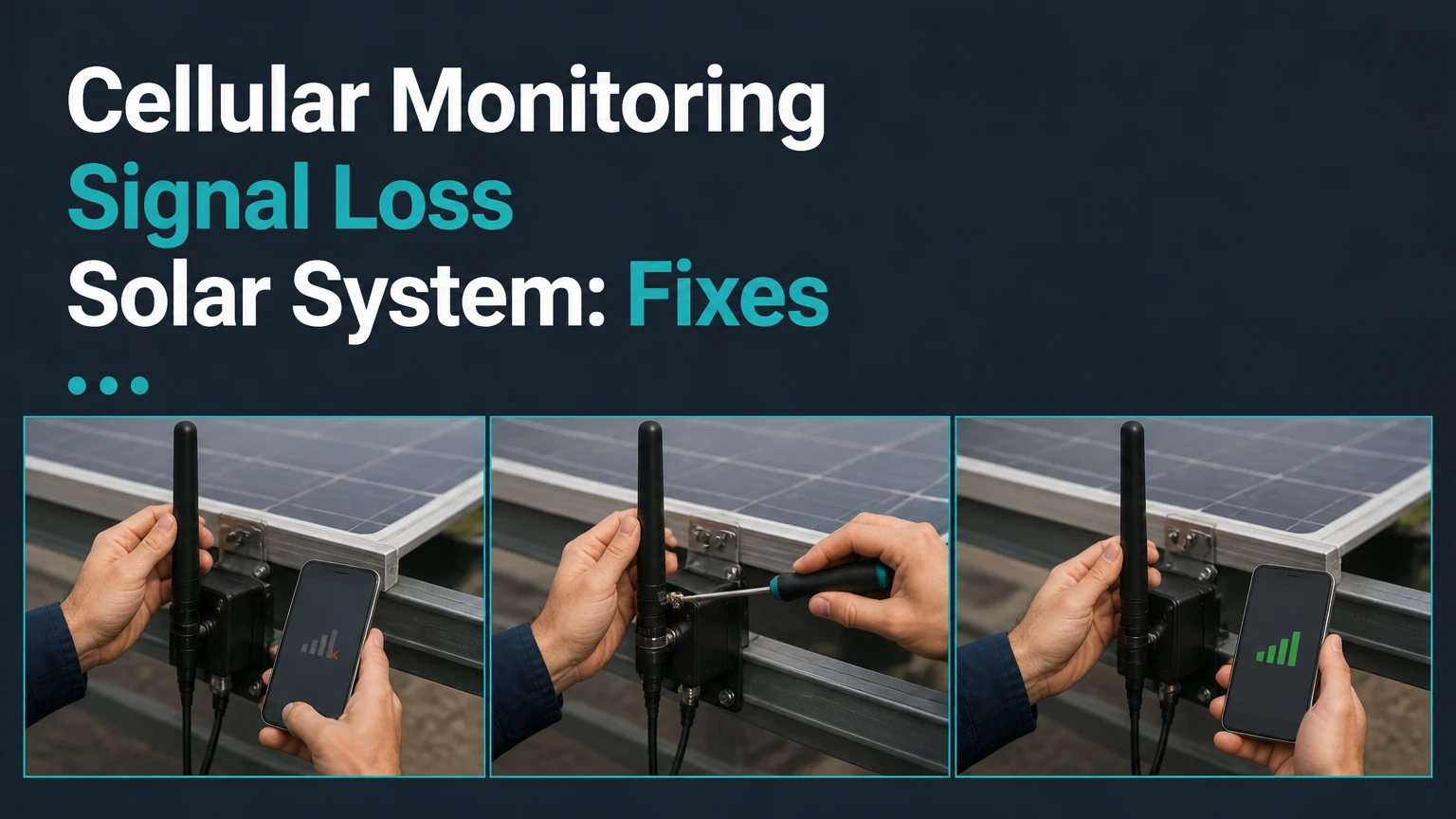
Cellular monitoring signal loss in a solar system means the inverter or communications gateway cannot send production and fault data to its cloud platform. The panels may continue producing electricity, but remote dashboards, alerts, and historical updates can remain incomplete until communication returns.
Key Facts at a Glance
- Cellular monitoring signal loss usually affects visibility, not photovoltaic electricity production.
- A solar gateway may store production data locally, but cache duration and backfill behavior vary by manufacturer.
- A 3G modem cannot regain service through a reset when the carrier has permanently retired its network.
- RSSI alone does not prove a reliable connection because noise, band selection, and uplink quality also matter.
- Cellular monitoring requires gateway power, an active SIM or data plan, carrier coverage, and a correctly configured modem.
- A Wi-Fi or Ethernet replacement can remove cellular subscription costs, but it introduces dependence on the property’s network and power.
What Cellular Monitoring Signal Loss Means
A solar monitoring signal loss event is a communications fault between a photovoltaic system’s gateway and the manufacturer’s cloud service. The fault can occur in the modem, SIM, antenna, carrier network, gateway power supply, internet path, or cloud account, so the dashboard message identifies a symptom rather than one guaranteed failed component.
The U.S. Department of Energy describes the basic electrical function directly: “A photovoltaic (PV) system converts sunlight into electricity.” Monitoring is a separate data function. An inverter can therefore show normal DC input and AC output locally while its cellular modem reports “Device Offline,” “通信 error,” “Signal Loss,” or a similar status.
A monitoring outage becomes an electrical concern only when local inverter indicators also show a fault, the inverter has shut down, grid voltage is absent, or production measurements have stopped. A red cloud icon alone does not prove that the array has stopped generating power.
What the alert does not tell you
| Dashboard symptom | Likely communication meaning | Electrical conclusion |
|---|---|---|
| Device offline for 30 minutes | Temporary carrier or gateway interruption | No conclusion about production |
| Signal loss for 24 hours | Repeated failed modem sessions | Panels may still operate normally |
| No production and no gateway heartbeat | Gateway or inverter power problem | Requires local inverter inspection |
| Production gap followed by backfill | Local logging succeeded during outage | Energy data was probably retained |
| Production gap with no backfill | Cache limit, clock error, or logger failure | Historical data may be unrecoverable |
How Solar Monitoring Communication Works
A solar monitoring system measures inverter and array data, packages selected values, and sends them through a communications gateway to a vendor cloud platform. Typical telemetry includes AC power, daily and lifetime kilowatt-hours, DC voltage, inverter temperature, grid conditions, device status, and fault codes.
The normal path is:
- Measurement: The inverter records DC input, AC output, voltage, current, and internal status.
- Local transfer: Microinverters or power optimizers send data to an Envoy, combiner, inverter gateway, or data logger.
- Packet creation: The gateway groups readings into short data messages, often at intervals of 5-15 minutes.
- Cellular uplink: The modem authenticates its SIM and connects to a permitted carrier band.
- Cloud ingestion: The manufacturer platform stores and processes the received records.
- Dashboard display: The homeowner, installer, or operator sees production charts and alerts.
When the cellular link fails, many gateways continue local logging. That does not guarantee unlimited retention. Flash storage, firmware behavior, clock accuracy, and the vendor’s backfill process determine whether the missing period later appears in the portal.
How long can a gateway retain data?
Typical residential cache capacity ranges from several days to roughly 30 days, but the exact value is model-specific and should come from the installation manual or manufacturer support team. Some platforms preserve interval data locally, while others retain only summarized readings or stop recording when the gateway loses power.
| Data condition | Typical behavior | Main limitation | Verification method |
|---|---|---|---|
| Cellular link fails, gateway remains powered | Local readings continue | Cache capacity varies | Compare local and cloud timestamps |
| Link returns within 1-7 days | Automatic backfill often occurs | Firmware may retry slowly | Check historical graph |
| Link returns after cache fills | Oldest records may be overwritten | Exact loss depends on logger | Request vendor data export |
| Gateway loses power | Logging may stop entirely | Battery backup is uncommon | Inspect inverter and gateway power |
| SIM is re-provisioned | New session may restore uploads | APN or account pairing can fail | Confirm IMEI, ICCID, and APN |
Which Cellular Technology Does a Solar System Use?
Solar systems commonly use 4G LTE, LTE-M, or NB-IoT cellular hardware, while older installations may contain 3G or 2G modems. Network technology is determined by the modem and carrier profile, not by the solar panels, inverter output, or strength of a homeowner’s phone signal.
| Technology | Typical solar use | Data behavior | Upgrade implication |
|---|---|---|---|
| 4G LTE | Commercial and residential gateways | Higher bandwidth and broad carrier support | Usually supported by current replacement kits |
| LTE-M | Low-bandwidth residential telemetry | Low power demand and moderate coverage | Requires carrier and modem compatibility |
| NB-IoT | Specialized fixed IoT deployments | Low bandwidth and deep indoor reach | Limited roaming and device support |
| 3G | Older systems installed before many network sunsets | Legacy packet data | Requires a compatible 4G replacement |
| 2G | Very old telemetry equipment | Extremely limited data rate | Generally unsuitable after network retirement |
A 3G shutdown creates permanent signal loss, not a temporary weak-signal event. The Federal Communications Commission has documented carrier retirements of legacy networks, but the exact date and affected bands differ by country and carrier. A homeowner should identify the modem model, IMEI, carrier, and supported bands before purchasing an upgrade.
Why a phone can work when the gateway cannot
A smartphone and solar modem may use different carrier agreements, frequency bands, antennas, roaming permissions, and authentication settings. A phone showing four bars therefore does not prove that an embedded gateway has usable service. IoT SIMs can also be restricted to a carrier partner that has poor coverage at the property.
Which Hardware Can Lose Cellular Service?
Cellular monitoring loss can originate in an integrated modem, a standalone gateway, an external antenna, a SIM, a power adapter, or the inverter-to-gateway communications link. The physical design determines which checks are safe for a homeowner and which require a qualified solar technician.
| Hardware arrangement | Common examples | Exposed failure point | Homeowner-safe check |
|---|---|---|---|
| Inverter-integrated modem | SolarEdge cellular plug-in | Modem, SIM, internal antenna | Read status screen only |
| Separate communications gateway | Enphase Envoy or IQ Combiner | Gateway power, modem, antenna | Check LEDs and supply power |
| External LTE router | Industrial cellular gateway | SIM, APN, router firmware | Inspect router status page |
| Remote data logger | Commercial plant logger | Logger battery, antenna, backhaul | Review logger diagnostics |
| Cellular modem with roof antenna | Rural or detached-array setup | Coax, connector, lightning damage | Inspect visible connector |
Metal enclosures, concrete walls, underground equipment rooms, foil-backed insulation, and dense vegetation can reduce radio performance. Long coaxial cables can also consume signal through cable loss, especially when installers use thin cable or unnecessary length.
Expert insight: the antenna is part of the radio system
Moving an antenna several feet higher can help, but blindly adding a high-gain antenna can worsen performance if the cable is long, poorly terminated, or aimed at the wrong sector. A short, low-loss cable and a properly mounted wideband antenna often outperform a nominally higher-gain antenna connected through excessive coax.
What Signal Level Is Acceptable?
A typical LTE installation becomes increasingly unreliable as received signal strength approaches approximately -100 dBm, but no universal RSSI threshold guarantees stable solar telemetry. RSRP, RSRQ, SINR, band selection, and uplink performance provide more useful evidence than a single signal-bar display.
| Diagnostic value | Typical interpretation | Practical response | Important qualification |
|---|---|---|---|
| RSSI above -85 dBm | Strong total received power | Keep existing antenna | Noise may still impair service |
| RSSI from -85 to -95 dBm | Usually workable | Monitor reconnect frequency | Quality metrics still matter |
| RSSI from -95 to -105 dBm | Marginal for reliable sessions | Improve antenna placement | Carrier band affects result |
| RSSI below -105 dBm | Weak and interruption-prone | Test external antenna or carrier | Replacement may not fix coverage |
| SINR below 0 dB | Signal is heavily impaired | Investigate interference or band | Strong RSSI can coexist with poor SINR |
Manufacturers may label the value as RSSI, RSRP, or signal strength, and those measurements are not interchangeable. SolarEdge SetApp, Enphase local interfaces, industrial modem pages, and installer diagnostic tools may expose different metrics.
Should You Use Cellular, Wi-Fi, or Ethernet?
Cellular is usually the best choice for a property that lacks dependable internet or has a remote inverter, while Ethernet is the strongest choice for a permanently occupied network location. Wi-Fi costs less to operate but fails when credentials change, coverage is weak, or the home router loses power.
| Connection | Typical ongoing cost | Normal range or constraint | Main failure mode | Best fit |
|---|---|---|---|---|
| Cellular LTE or LTE-M | $25-$40 per year after included term | Carrier-dependent, often 5-20 MB monthly | Coverage, SIM, carrier retirement | Rural or rental property |
| Wi-Fi | $0 separate monitoring fee | Usually 20-50 m indoors, less through masonry | Password or router change | Gateway near stable router |
| Ethernet | $0 separate monitoring fee | Up to 100 m per copper segment | Cable, switch, conduit damage | Commercial or high-availability site |
| Mesh or wireless bridge | $0-$100 per node typical | 10-50 m per hop indoors | Pairing or node power loss | Detached structures |
| Industrial dual-SIM LTE | $120-$500 hardware typical | Two carrier profiles | Hardware or both networks unavailable | Commercial remote arrays |
Cellular does not remain active during a grid outage unless the gateway, inverter communications equipment, and modem receive backup power. A home may have a cellular signal while the gateway is electrically off. That distinction matters in battery-backed systems and commercial sites that require outage telemetry.
How Much Does Cellular Monitoring Repair Cost?
A cellular monitoring repair commonly costs $0 for a reset or account correction, $25-$40 per year for a renewed data plan, and approximately $200-$450 for a manufacturer replacement kit before labor. Antenna work, a service visit, conduit installation, or a complete industrial gateway can increase the total substantially.
| Repair or upgrade | Typical material cost | Typical time | When it makes sense |
|---|---|---|---|
| Gateway reboot or account correction | $0-$50 | 5-30 minutes | Temporary session or provisioning error |
| New SIM or data activation | $10-$75 | 24-48 hours | Valid modem with failed provisioning |
| Manufacturer 4G or LTE-M kit | $200-$450 | 1-3 hours | 3G retirement or failed modem |
| External antenna and low-loss cable | $75-$300 | 1-4 hours | Marginal signal at inverter |
| Ethernet installation | $150-$1,000+ | 2-8 hours | Stable network path is available |
| Industrial dual-SIM gateway | $300-$1,200+ | 2-8 hours | Remote commercial monitoring |
Subscription terms vary widely. Some manufacturers include cellular service for 5-12 years, while others charge annual fees from the start. Confirm whether the quoted replacement includes the SIM, activation, carrier service, labor, and removal of the old modem.
How Do You Fix Cellular Monitoring Signal Loss?
Fix cellular monitoring signal loss by confirming inverter operation, checking gateway power and antenna connections, reviewing modem diagnostics, and only then resetting or replacing communications hardware. The process usually takes 15-60 minutes for basic checks, while a carrier activation or 4G upgrade can take 24-48 hours.
Before you start
- Time: 15-60 minutes for diagnosis.
- Difficulty: Basic for status checks, advanced for enclosure work.
- Cost: $0 for inspection, $200-$450 for a typical replacement kit.
- Tools: Inverter manual, phone camera, flashlight, model number, and service account details.
- Safety: Do not remove inverter covers or touch DC conductors. Solar equipment can remain energized in sunlight.
Step 1: Confirm the inverter still operates
Check the inverter display, status LEDs, local app, or production meter. Record the time, fault code, AC output, and whether the system reports grid connection.
Success checkpoint: The inverter shows normal operation or a valid production state while the cloud portal shows communication loss.
Common mistake: Treating a cloud alert as proof of an array fault. If the local inverter reports a ground fault, isolation fault, arc-fault event, or grid error, stop communications troubleshooting and address the electrical alarm.
Step 2: Check gateway power
Confirm that the monitoring gateway has power and that its dedicated outlet, breaker, transformer, or communications supply has not tripped. A gateway without power cannot register with a tower, retain new data, or upload cached records.
Success checkpoint: Gateway LEDs illuminate according to the installation manual.
Common mistake: Resetting the modem while the inverter or gateway remains in a broader power outage. Restore the correct supply first.
Step 3: Inspect the antenna and visible connections
Hand-check the external antenna connector only when the equipment design permits it and no energized enclosure must be opened. Look for a loose threaded connector, crushed coax, water entry, corrosion, or an antenna enclosed by sheet metal.
Success checkpoint: The connector is secure, the cable is undamaged, and the antenna has a clear practical path.
Common mistake: Installing an extension cable before measuring signal quality. Extra cable can reduce received power.
Step 4: Read modem and platform diagnostics
Record the modem technology, carrier, SIM status, IMEI, APN, RSSI or RSRP, RSRQ, SINR, registration state, and last successful upload. For SolarEdge equipment, SetApp may show server communication and status information; Enphase systems expose gateway and cloud indicators through local or installer interfaces.
Success checkpoint: The modem is registered, authenticated, and reporting a recent upload timestamp.
Common mistake: Confusing “registered” with “data session working.” A modem can attach to a network while its APN or cloud authentication remains incorrect.
Step 5: Reboot the communications gateway safely
Follow the manufacturer’s shutdown sequence. For a plug-in gateway, disconnect its approved power source, wait at least 60 seconds, reconnect it, and allow 10-15 minutes for network registration before judging the result.
Success checkpoint: The gateway obtains service and the last-contact timestamp advances.
Common mistake: Cycling the main inverter disconnect during firmware updates or without the manual’s sequence. An interrupted update can create a genuine hardware service problem.
Step 6: Test provisioning, coverage, and hardware age
Ask the manufacturer or installer to verify the SIM account, data subscription, APN, carrier compatibility, supported bands, and network retirement status. A 3G-only modem, inactive SIM, or unsupported carrier profile requires replacement or re-provisioning rather than repeated resets.
Success checkpoint: Support confirms a current network path and identifies a valid modem session.
Common mistake: Buying a generic SIM before checking whether the gateway accepts third-party profiles. Many manufacturer gateways require a specific carrier plan or locked firmware.
Which Problems Look Like Signal Loss?
Power, provisioning, antenna, network, and cloud-account failures can all produce the same “offline” message. The fastest diagnosis compares the local inverter state, gateway LEDs, modem registration, last upload time, and carrier account rather than relying on one dashboard label.
| Failure mode | Distinguishing clue | Corrective action | Expected result |
|---|---|---|---|
| Grid or gateway power loss | No LEDs or local gateway response | Restore approved power | Logging resumes if hardware is intact |
| 3G network retirement | Modem is 3G-only and never registers | Install supported 4G or LTE-M kit | Service returns after activation |
| Expired cellular plan | SIM recognized, data rejected | Renew or replace service | Registration follows provisioning |
| Loose antenna connector | Signal changes when cable moves | Secure or replace connector | More stable registration |
| APN or account error | Network registered, cloud session absent | Correct APN or vendor profile | Cloud uploads resume |
| Cloud account mismatch | Gateway online, portal has no device | Reassociate serial number | Dashboard updates |
| Firmware fault | Repeated boot loop or failed update | Manufacturer recovery or replacement | Gateway becomes operational |
What Happens in Rural, Off-Grid, and Commercial Systems?
Rural systems should measure carrier performance at the inverter location before selecting a modem or antenna, because terrain, foliage, distance, and tower congestion can outweigh the advertised gain of a replacement device. Off-grid systems also need a power budget for the modem, while commercial plants benefit from redundant communications and remote management.
A high-gain antenna is useful when a measurable weak-signal condition exists and the antenna can be mounted with suitable cable, grounding, and weather protection. It cannot create coverage where the carrier has no usable service. A different carrier, directional antenna, elevated mounting position, or dual-SIM gateway may be more effective.
Commercial operators should consider Ethernet where a reliable network connection exists, or an industrial LTE gateway with automatic carrier failover at unmanned sites. Residential plug-in gateways are inexpensive, but they often lack dual-SIM switching, remote reboot, surge monitoring, and detailed logs.
When Should You Replace the Modem?
Replace a solar cellular modem when the hardware is limited to a retired network, fails to register with a confirmed active plan and coverage, repeatedly reboots, or cannot complete cloud authentication after correct provisioning. Do not replace a modem solely because the dashboard was offline for a short period.
Use this decision sequence:
- The inverter produces normally, but the gateway has no power: repair power first.
- The modem is 3G-only: replace it with a manufacturer-approved 4G, LTE-M, or compatible device.
- The modem registers but cannot upload: verify APN, SIM, account association, and firmware.
- Signal is below approximately -100 dBm: test antenna placement or another carrier before buying hardware.
- A new modem still fails at the same location: investigate coverage, obstruction, and installation wiring.
A replacement kit may restore communication without changing inverter settings, but compatibility must be confirmed by model number and firmware version. Installers should also document the new modem’s IMEI, SIM identifier, carrier, activation date, and warranty.
Frequently Asked Questions
Do solar panels produce electricity when monitoring is offline?
Solar panels can continue producing electricity when cellular monitoring is offline if the inverter remains connected to the grid or approved microgrid and has no electrical fault. The cloud dashboard cannot confirm that condition remotely, so inspect local inverter status or a separate production meter before assuming generation continues.
Can missing solar data be recovered after signal restoration?
Missing solar data can often be recovered when the gateway remained powered and retained interval records during the outage. Recovery is not guaranteed after the local cache fills, the logger loses power, timestamps fail, or the manufacturer platform does not support backfill. Compare the dashboard graph with the inverter’s local totals.
Why did cellular monitoring stop after a storm?
A storm can interrupt cellular monitoring through a local power outage, water intrusion, antenna damage, surge damage, tower disruption, or carrier congestion. Check the inverter and gateway for power first, then inspect only accessible external cabling. Do not open energized equipment after suspected lightning damage.
Can I replace a solar modem with any cellular SIM?
A generic cellular SIM may not work in a solar modem because the gateway can require a manufacturer account, approved carrier, specific APN, supported frequency bands, or an IoT data plan. Confirm compatibility with the inverter manufacturer before purchasing a consumer phone SIM or changing the existing subscription.
Is Wi-Fi more reliable than cellular for solar monitoring?
Wi-Fi is more reliable than cellular when the gateway has strong coverage, the router has stable power, and credentials rarely change. Cellular is more reliable for remote or rental properties that lack dependable internet. Ethernet generally provides the most stable local connection when installation is practical.
How long can a solar monitoring signal remain offline?
A solar monitoring signal can remain offline for minutes because of a transient registration failure, or indefinitely when a 3G modem, inactive SIM, failed gateway, or unsupported carrier is involved. A practical escalation point is 24 hours, especially when local production cannot be verified or the gateway shows no power.
The Bottom Line
Cellular monitoring signal loss in a solar system is usually a communications problem, not proof that the panels or inverter have stopped producing electricity. Verify local inverter operation, gateway power, antenna condition, modem registration, SIM provisioning, and network generation in that order. Restore service with a reset for temporary faults, an antenna or carrier change for coverage problems, and a manufacturer-approved 4G or LTE-M replacement for obsolete hardware. The correct repair depends on the failed link, not on the dashboard alert alone.