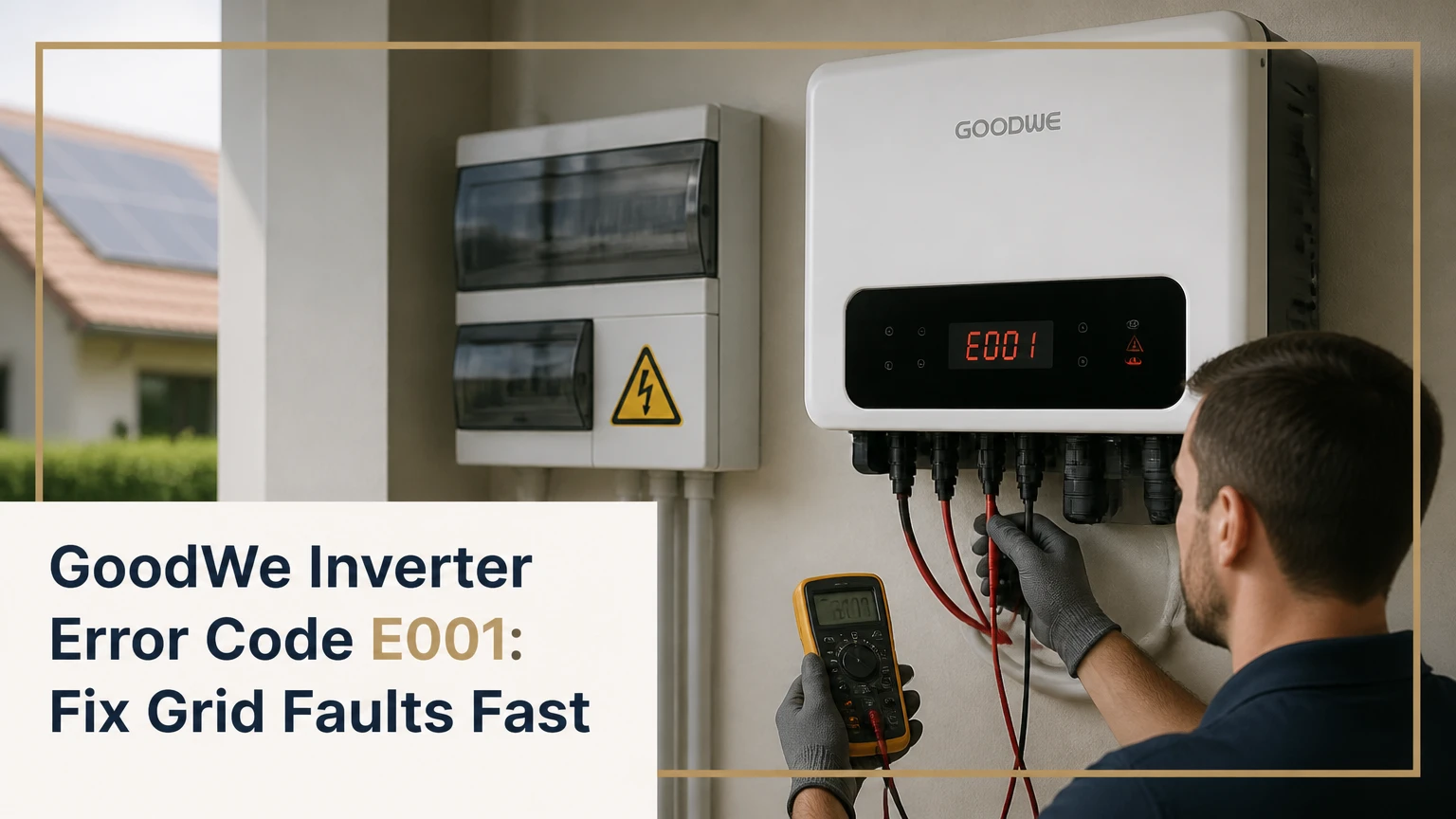
GoodWe inverter error code E001 is a model-dependent protection fault that commonly refers to an AC HCT check failure, grid-frequency failure, or broader grid-connection fault. The exact meaning may appear as Error 01, E1, Fac Failure, or Grid Fault, so the inverter model, firmware, display label, and event log must be checked before diagnosing a failed circuit board.
Key Facts at a Glance
- GoodWe inverter error code E001 does not have one universal meaning across every GoodWe product family.
- An E001 that appears before grid relays close is more consistent with an internal startup check or an AC-side connection problem.
- An E001 that appears during operation can result from grid voltage, frequency, wiring, isolation, or internal measurement faults.
- SolarGo, PV Master, and SEMS Portal can provide useful event timing and running data, but they cannot prove an HCT component has failed.
- Homeowners should not open the inverter or measure live AC terminals; qualified electrical personnel must perform internal and live-voltage testing.
- One manufacturer-compliant restart can clear a transient event, but repeated resets will not repair a persistent hardware fault.
What Does GoodWe Inverter Error Code E001 Mean?
GoodWe inverter error code E001 identifies a failed condition in the inverter’s AC measurement or grid-connection checks, but the precise label changes by model series and software version. In some GoodWe manuals and service references, the related condition is described as an AC HCT check failure; other interfaces display a frequency or grid fault label.
HCT means Hall current transformer. The component measures current without using a conventional direct-current sensing connection, allowing the control system to compare expected AC output with measured current. A failed sensor, control-board fault, wiring issue, or abnormal electromagnetic environment can interrupt that check.
The same visible code can therefore lead to different repairs. A grid event may disappear when utility conditions normalize, while a genuine internal fault usually returns at every startup. GoodWe’s official model manual and local grid code take priority over generic code lists because DNS, XS, SDT, ET, EH, ES, and newer families do not necessarily share identical fault nomenclature.
Which labels can represent the same event?
GoodWe displays may use E001, Error 01, E1, Fac Failure, Vac Failure, Grid Fault, or a longer HCT-related description. The label depends on whether the information comes from a front-panel LCD, SolarGo, PV Master, SEMS Portal, or an installer service interface.
| Display or source | Possible wording | Diagnostic value | Limitation |
|---|---|---|---|
| LCD panel | Error 01 or E1 | Confirms an active local alarm | May omit the detailed sub-fault |
| SolarGo app | Fac Failure or grid fault | Adds event time and running values | App label remains model-dependent |
| PV Master app | AC or grid alarm | Useful on selected older and hybrid models | Not supported by every current inverter |
| SEMS Portal | Historical alarm record | Shows recurrence and outage pattern | Remote data may be delayed |
| Installer log | HCT or internal check fault | Stronger evidence for warranty review | Usually requires qualified access |
How Does the Inverter Detect the Fault?
A GoodWe inverter checks grid presence, voltage, frequency, phase relationships, and internal current measurements before connecting its output relays. The inverter opens its connection when a measured value falls outside the programmed protection window or when its internal readings fail a plausibility check.
The sequence protects against energizing an unstable network and prevents unintentional islanding during a utility outage. Frequency is commonly shown as Fac, while AC voltage may appear as Vac. A value such as 50 Hz or 60 Hz is only meaningful when compared with the local grid standard and the GoodWe country setting.
Published protection values are not universal. For example, a manual may show a nominal 230 V, 50 Hz system, while a North American configuration may use a nominal 240 V, 60 Hz supply. The permitted trip and reconnection thresholds can also depend on national certification, firmware, phase arrangement, and utility requirements. Never change those limits merely to suppress E001.
What is the difference between HCT and grid-frequency protection?
An HCT check evaluates the inverter’s internal AC current measurement path, while frequency protection evaluates the utility waveform entering the inverter. Both checks can prevent grid connection, but they produce different investigation paths.
| Diagnostic feature | HCT or internal check | Frequency or grid fault |
|---|---|---|
| Typical timing | Immediately at startup | During startup or live operation |
| Relay behavior | Relays may never close | Relays may open after a grid event |
| App evidence | HCT, internal, or AC measurement alarm | Fac, grid, or frequency alarm |
| External measurement | Grid may measure normally | Fac may be outside local limits |
| Likely resolution | Service, board repair, or replacement | Utility, wiring, breaker, or configuration work |
The timing is informative, not conclusive. A loose neutral can cause an immediate startup alarm, and a temperature-sensitive internal sensor can fail only after operation begins.
Is E001 a Grid Fault or an Inverter Fault?
E001 is more likely to be grid-related when it appears during local outages, clears without intervention, or coincides with abnormal Vac or Fac readings. E001 is more likely to indicate an inverter-side fault when it returns immediately after every compliant startup while independently verified grid measurements remain normal.
| Observation | More likely explanation | Next verification |
|---|---|---|
| Alarm during a neighborhood outage | Utility loss or abnormal grid | Confirm supply and check event time |
| Alarm at sunrise every day | Startup self-check, cold sensor, or wiring | Compare morning readings and relay sequence |
| Alarm during high export | Voltage rise, weak feeder, or thermal connection | Measure voltage while exporting |
| Alarm after heavy rain | Moisture, isolator leakage, or insulation issue | External inspection by an electrician |
| Alarm after installation | Country code, phase, neutral, or wiring error | Installer commissioning review |
| Alarm remains after normal grid testing | Internal HCT or control-board fault | GoodWe service or warranty case |
A practical rule is to collect evidence before replacing hardware. An installer can compare the inverter’s Vac and Fac records with calibrated measurements at the correct test points, under the conditions when E001 occurs.
What grid values should be checked?
Check nominal voltage, actual voltage, frequency, phase sequence where applicable, neutral integrity, and voltage behavior during inverter export. A generic 47.5-50.5 Hz or 57-60.5 Hz range should not be treated as a universal GoodWe limit because certified settings differ by country and product.
| Measurement | Common nominal example | What abnormal behavior suggests | Who should test |
|---|---|---|---|
| Single-phase L-N voltage | 230 V or 240 V | Overvoltage, undervoltage, neutral issue | Licensed electrician |
| Three-phase phase-to-neutral | 230 V | Phase imbalance or neutral fault | Licensed electrician |
| Grid frequency | 50 Hz or 60 Hz | Utility instability or configuration mismatch | Licensed electrician |
| Phase-to-earth voltage | Installation-specific | Earthing or leakage concern | Licensed electrician |
| Voltage during export | Rises above idle value | High-impedance feeder or long cable run | Licensed electrician |
The GoodWe app’s running-data screen is a screening tool, not a certified test instrument. A stable app reading does not rule out a brief event between data uploads.
How Can You Reset GoodWe E001 Safely?
A controlled restart can clear one transient grid event, but the exact shutdown and startup order must follow the model manual and the installer’s electrical design. The usual process isolates AC, PV DC, and battery circuits, waits for the inverter to discharge, then restores power in the specified sequence.
Before starting
| Item | Typical requirement | Important condition |
|---|---|---|
| User time | 10-20 minutes | Includes waiting and observation |
| Capacitor waiting period | At least 5 minutes where specified | Use the manual’s longer period if stated |
| Tools | None for a basic isolation restart | Do not remove covers |
| Battery system | Battery breaker or isolator | Follow hybrid-model instructions |
| Access | Inverter and switchboard | Keep children away from equipment |
Do not restart an inverter if there is smoke, burning odor, water ingress, arcing, a hot isolator, damaged cable, or repeated breaker tripping. Isolate the system only if the equipment can be operated normally and safely from its external switches.
Step 1: Record the fault
Photograph the LCD or app alarm, record the time, note whether the sun was rising or the inverter was exporting, and save the model and serial number. Event timing often separates a utility disturbance from a repeatable startup failure.
Success checkpoint: You have the exact displayed wording and timestamp.
Common mistake: Clearing the alarm before saving the event history.
Step 2: Stop the connected circuits
Use the external AC isolator or breaker, PV DC isolator, and battery isolator where fitted, following GoodWe’s model-specific sequence. Do not pull MC4 connectors, remove covers, or touch terminals while the inverter is energized.
Success checkpoint: The inverter’s normal shutdown sequence begins and no external switch is hot or damaged.
Common mistake: Assuming every GoodWe hybrid inverter uses the same battery-first or AC-first order.
Step 3: Wait for the specified discharge period
Wait at least five minutes when the manual specifies that interval, and use a longer period if the model documentation requires it. Internal capacitors and PV strings can retain hazardous energy even after the display goes dark.
Success checkpoint: The display is off and the required waiting time has elapsed.
Common mistake: Treating a dark screen as proof that internal voltage is absent.
Step 4: Restore power according to the manual
Restore battery, PV DC, and AC isolation in the sequence specified for the exact GoodWe model. If the inverter starts normally, allow its grid-check and reconnection delay to complete without forcing another reset.
Success checkpoint: The inverter reaches normal operation without E001.
Common mistake: Turning switches on and off repeatedly when the alarm returns.
Step 5: Monitor recurrence
Check SEMS Portal or the supported GoodWe app after 15-30 minutes, then again during the next morning startup and the next high-export period. A cleared code that returns under the same condition is not a successful repair.
Success checkpoint: No repeated alarm appears across the relevant operating condition.
Common mistake: Concluding the issue is fixed from one normal restart.
What Should You Inspect Outside the Inverter?
External inspection should cover the switchboard breaker, AC isolator, visible cable glands, weather seals, battery isolator, and signs of heat or moisture. Homeowners may look for obvious external damage, but only qualified personnel should open enclosures or test live conductors.
Look for discoloration, melted plastic, cracked isolator housings, insect nests, corrosion, condensation, loose conduit, and water tracks. A damaged AC isolator can create intermittent resistance that appears only when solar current rises. A poor neutral connection can produce unstable measurements and repeated grid alarms.
| External finding | Typical operating symptom | Correct response |
|---|---|---|
| Tripped AC breaker | No grid connection | Qualified reset and circuit investigation |
| Brown or melted isolator | Alarm under export load | Stop operation and replace damaged hardware |
| Water marks or condensation | Rain-related recurrence | Isolate safely and arrange inspection |
| Loose visible gland | Cable movement or moisture entry | Installer resealing and torque verification |
| Repeated battery breaker trip | Hybrid shutdown or AC alarm | Battery-system diagnostic visit |
| No visible defect | E001 remains persistent | Electrical measurements and GoodWe escalation |
The installer should verify terminal torque, conductor sizing, phase and neutral continuity, protective devices, and voltage drop under load. Those checks require appropriate isolation and test equipment.
Which App or Portal Helps Diagnose E001?
SolarGo, PV Master, and SEMS Portal help establish when E001 occurred and what the inverter reported, but none alone can distinguish every internal HCT fault from a short grid disturbance. The most useful record includes the alarm label, Vac, Fac, operating state, export power, battery state, and recurrence time.
| Interface | Best use | Useful fields | Main limitation |
|---|---|---|---|
| SolarGo | Current commissioning and diagnostics | Alarm text, Vac, Fac, power, firmware | Support varies by model |
| PV Master | Selected older or hybrid systems | Grid status, battery values, alarms | Not a universal GoodWe app |
| SEMS Portal | Remote history | Alarm timestamps and daily recurrence | Upload interval can hide brief events |
| Installer service tools | Detailed commissioning | Country code, protection settings, registers | Qualified access may be required |
Capture screenshots before clearing an alarm. Check whether the event is listed as active, historical, acknowledged, or recovered. A recovered alarm still matters when it repeats at a predictable time.
Why Does E001 Happen Only in the Morning?
Morning-only E001 commonly points to a startup condition, temperature-dependent component behavior, overnight moisture, or a grid event that occurs when the inverter first requests connection. The pattern does not automatically prove that the HCT sensor is defective.
At sunrise, PV voltage rises through the inverter’s startup range, internal temperature is low, and the inverter performs its connection checks. If the alarm clears after a later restart, the cause may be marginal wiring or a changing grid condition. If the alarm returns before relay closure every morning, service testing should focus on the inverter’s self-check and AC input circuit.
Why does E001 occur during high solar production?
High production can raise voltage at the inverter terminals, especially on long or undersized AC runs or high-impedance rural feeders. The inverter may disconnect to comply with its configured grid protection settings, even when the utility voltage appears normal at the main switchboard.
An electrician should measure at the inverter and switchboard while export is occurring, then compare cable voltage drop and phase balance. Changing protection limits without utility approval is not a valid solution.
What Changes on GoodWe Hybrid Inverters?
On GoodWe ET, EH, ES, and related hybrid systems, E001 can involve the grid input even when the battery continues operating backup loads. Battery status does not prove that the AC grid path is healthy, because the battery inverter stage and grid relay path perform different checks.
| System state | Possible E001 interpretation | Immediate implication |
|---|---|---|
| Grid-connected, battery charging | Grid measurement or relay check | Grid-side diagnosis is needed |
| Grid-connected, battery idle | AC sensing or frequency issue | Battery state is not decisive |
| Backup mode after outage | Utility absent or isolated | Wait for stable grid before reconnection |
| Alarm while exporting | Voltage rise or connection resistance | Test under load |
| Alarm with battery breaker open | Grid path fault remains possible | Battery is not the only suspect |
Do not repeatedly operate backup transfer switches to clear E001. Hybrid systems can contain separate grid, backup, PV, and battery isolation points, and an incorrect sequence can create additional alarms.
How Much Does E001 Repair Cost?
A professional diagnostic visit commonly costs about $150-$300, while a warranted repair may cost the owner nothing apart from access or service charges. Out-of-warranty board replacement or complete inverter replacement often falls in the typical $1,200-$2,200 range for residential equipment, excluding unusual rewiring, scaffolding, freight, or battery work.
These are practitioner cost ranges, not GoodWe price guarantees. Local labor rates, model capacity, country, warranty status, and whether the problem is a utility defect can change the final invoice.
| Resolution path | Typical cost range | Typical timeframe | Main cost driver |
|---|---|---|---|
| Remote evidence review | $0-$150 | Same day to 3 days | Installer support policy |
| Electrician diagnostic visit | $150-$300 | 1-7 days | Travel and live-load testing |
| AC isolator or connection repair | $150-$600 | 1-14 days | Access and replacement parts |
| Warranty inverter exchange | $0-$500 owner cost | 2-4 weeks | Freight and installation labor |
| Out-of-warranty replacement | $1,200-$2,200 | 1-6 weeks | Capacity, brand, labor, stock |
A warranty claim is stronger when the service record includes the exact model, serial number, firmware, alarm screenshot, grid measurements, installation date, and evidence that external switches and wiring were checked.
When Should You Stop Troubleshooting?
Stop user-level troubleshooting immediately when E001 accompanies heat, smoke, arcing, water ingress, damaged insulation, electric shock, a burning smell, or a breaker that will not remain set. Persistent E001 after one correctly performed restart also warrants installer or GoodWe service involvement rather than more resets.
The inverter enclosure must not be opened by a homeowner. PV strings can remain energized in daylight, and internal capacitors may retain dangerous voltage after isolation. Hall sensors, control boards, and protection circuits require manufacturer-level diagnosis.
A useful practitioner rule is: one controlled restart for a transient event, one evidence-gathering cycle for recurrence, then escalation. Repeated power cycling is diagnostic noise and can mask the original timing pattern.
What evidence should go in a service request?
Send the model designation, serial number, installation date, country, firmware version, exact alarm text, timestamp, screenshots, weather conditions, operating power, battery state, and whether the fault clears after isolation. Include electrician measurements with test location and instrument details.
| Evidence item | Example value | Why it matters |
|---|---|---|
| Model | GoodWe ET Plus 10 kW | Identifies the correct code table |
| Alarm time | 06:18 local time | Shows startup relationship |
| Fac reading | 49.96 Hz at event review | Tests frequency hypothesis |
| Vac reading | 246 V at inverter under export | Tests voltage-rise hypothesis |
| Recurrence | Every second morning | Supports repeatable failure analysis |
| Installation date | 18 months ago | Frames warranty and component history |
Do not send only a screenshot of “E001.” The event context often determines whether GoodWe authorizes a replacement or requests grid verification first.
E001 Versus Similar GoodWe Faults
E001 should not be diagnosed from the number alone because nearby codes can represent different AC, insulation, relay, or DC conditions. The visible wording and model manual are more reliable than an internet fault-code table copied across product families.
| Fault category | Typical displayed concept | Primary circuit | First investigation |
|---|---|---|---|
| E001 or Error 01 | HCT, Fac, or grid fault | AC measurement and grid interface | Model manual, Vac, Fac, timing |
| Isolation fault | Insulation or ISO alarm | PV DC to earth | Qualified insulation testing |
| Relay fault | Relay check or relay failure | AC contactors | Service diagnostics |
| DC overvoltage | PV input too high | Solar string input | String voltage and design |
| Arc or leakage alarm | Arc, residual current, or leakage | PV and protective circuits | Isolate and inspect safely |
A generic list can incorrectly map a code from one GoodWe family to another. The code dictionary must match the exact model and firmware generation.
Expert Rules That Prevent Misdiagnosis
Grid values must be captured at the right moment. A normal reading ten minutes after E001 does not disprove a brief frequency or voltage excursion. The most useful measurement occurs during startup, export, or the weather condition that triggers the alarm.
The alarm’s first appearance is more valuable than its existence. E001 after a new isolator, roof work, battery installation, firmware update, or utility connection points toward a commissioning or external change before an unexplained board failure.
Do not widen protection limits to improve uptime. Grid-protection settings exist for safety and compliance. A setting change can hide a feeder problem, breach interconnection rules, or prevent the inverter from disconnecting during an abnormal supply event.
Frequently Asked Questions
Can I keep using a GoodWe inverter with intermittent E001?
Do not treat intermittent E001 as harmless. If the alarm clears and the system resumes, record every occurrence and arrange an installer inspection, particularly when the pattern involves heat, rain, high export, or repeated morning startup. Persistent recurrence can indicate a deteriorating connection, unstable grid, moisture, or an internal measurement fault.
Will replacing the AC isolator fix E001?
Replacing an AC isolator fixes E001 only when the isolator has heat damage, high resistance, moisture ingress, or a mechanical failure that interrupts the grid connection. An intact isolator will not repair an HCT sensor or utility-frequency problem. A qualified electrician should test and identify the defective component before replacement.
Can a firmware update remove E001?
A firmware update may address a documented software or compatibility issue, but it cannot repair a failed Hall current transformer, damaged relay, loose neutral, or abnormal utility supply. Ask the installer or GoodWe support whether the exact model has a relevant firmware bulletin, and preserve the original alarm record before updating.
Does E001 reduce solar production?
E001 can reduce or stop grid-connected production because the inverter opens its AC connection while the fault condition remains active. A hybrid GoodWe system may continue supplying designated backup loads from a battery or PV array, but available operation depends on the model, backup wiring, battery state, and the nature of the grid fault.
Is GoodWe E001 covered by the inverter warranty?
Coverage depends on the product’s warranty terms, installation country, registration, commissioning records, and cause of failure. Internal component defects are often evaluated differently from damage caused by surge, water ingress, incorrect wiring, unauthorized modification, or grid conditions. Submit the serial number and installer evidence before approving paid replacement.
The Bottom Line
GoodWe inverter error code E001 is a model-specific AC or grid protection alarm, not a diagnosis that automatically means the inverter must be replaced. Start by recording the exact label and timing, then perform only the external, manufacturer-approved isolation and restart procedure. If E001 returns while independently verified Vac and Fac values are normal, request qualified HCT, relay, wiring, and control-board diagnosis through the installer or GoodWe warranty channel.