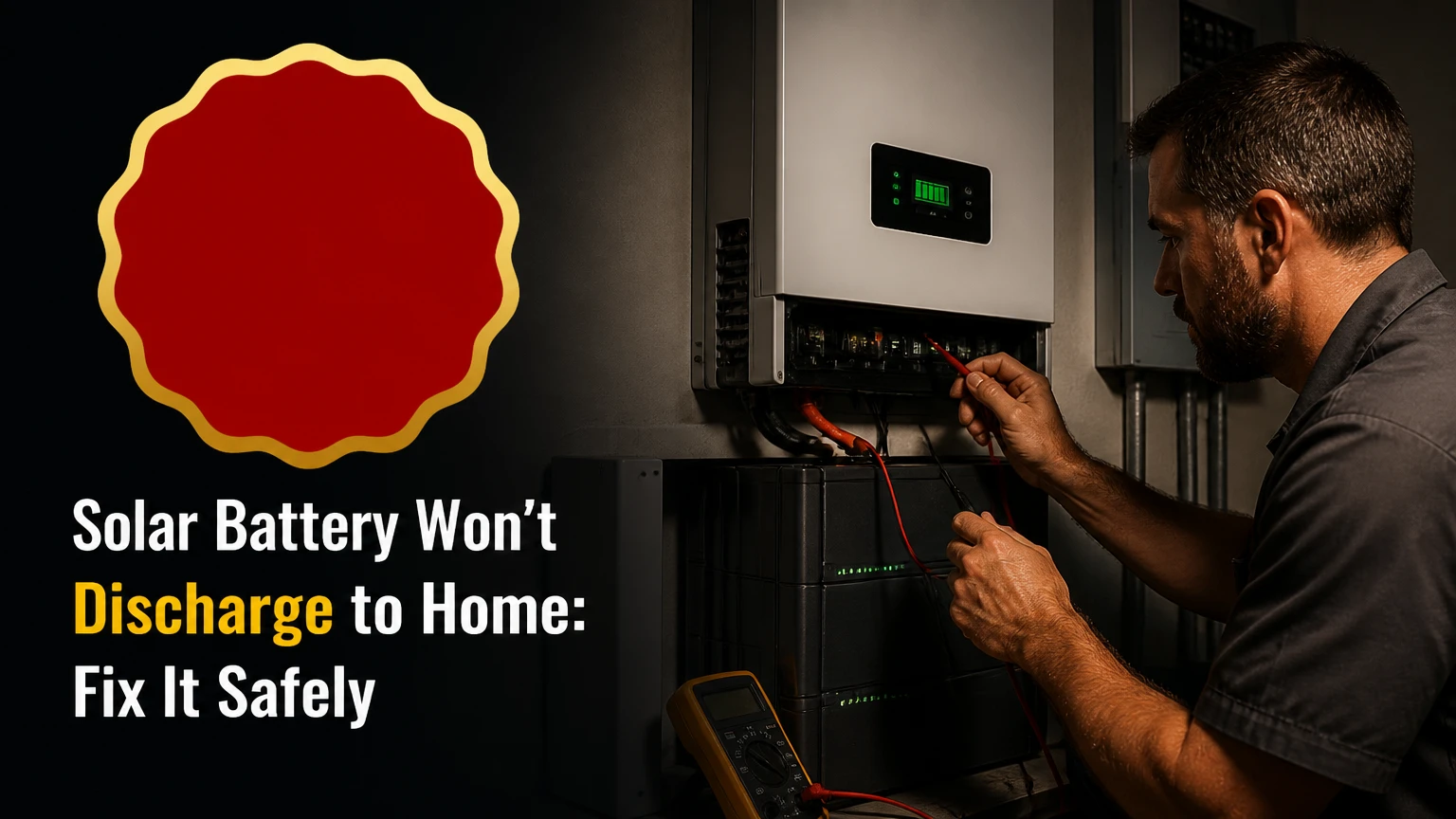
A solar battery that will not discharge to home usually has permission to hold its energy, but the inverter is blocking output because of an operating mode, reserve limit, safety condition, or communication fault. Check settings and state of charge first, then inspect alerts and temperatures; never open battery enclosures or bypass protective devices.
Key facts at a glance
A battery at its backup-reserve percentage is designed to stop discharging to household loads.
Self-consumption or load-shifting mode normally permits discharge, while backup-only mode may reserve energy for an outage.
A reversed or misplaced CT clamp can make an inverter misread home demand and prevent discharge.
A battery management system can stop discharge when cell temperature, voltage, current, or communication values are unsafe.
A power cycle is not universal. The inverter and battery manual determines the safe shutdown and restart order.
Persistent BMS, insulation, overcurrent, arc-fault, or battery-temperature alarms require qualified service.
What Does a Solar Battery That Will Not Discharge Mean?
A solar battery non-discharge event occurs when the battery reports stored energy but supplies little or no power to the home while the grid carries the load. The battery may be healthy, or it may be in standby because the inverter has denied discharge permission.
The energy path normally has four decision points:
- Solar panels or the grid provide DC or AC energy.
- A hybrid or battery inverter converts energy and manages power flow.
- The battery management system, or BMS, approves current limits.
- The switchboard receives AC power for household circuits.
The inverter must see both battery availability and household demand. If a current transformer, or CT, is installed on the wrong conductor, the inverter can believe the home is exporting power even when the utility meter records import. That condition commonly produces a charged battery with zero discharge.
| What you observe | Most likely category | First check | Safe owner action |
|---|---|---|---|
| Battery shows 80-100%, discharge stays at 0 W | Configuration | Operating mode and reserve | Review the app |
| Discharge begins after a scheduled time | Time control | TOU schedule | Compare schedule with tariff |
| Battery stopped after an outage | Recovery state | Inverter and BMS alerts | Follow the manual |
| Discharge stops in a hot or freezing garage | Temperature protection | Battery temperature | Improve ventilation, do not bypass |
| App shows offline or stale data | Communications | Gateway and network status | Restart network equipment only |
| Grid import is visible but battery sees export | Metering | CT position and arrow direction | Call the installer |
How Does the Inverter Decide to Discharge?
The inverter requests discharge only when household demand, operating rules, and battery safety limits agree. A typical request requires the home to consume more than solar generation, the battery to exceed its reserve, and the BMS to report valid voltage, temperature, and communication data.
At night, a 1.5 kW household load may appear to be an obvious discharge request. The inverter can still hold the battery if a 30% reserve is configured, a utility program has issued a dispatch command, or a time-of-use schedule prohibits discharge before a specified hour.
AC-coupled systems measure power at the switchboard with CT clamps or a meter. DC-coupled systems often measure power inside the hybrid inverter, although many installations still use external metering for whole-home control. Export limits, phase mapping, backup circuits, and zero-export settings can alter the result.
A battery also has a maximum discharge rate. A 10 kWh battery does not necessarily deliver 10 kW. Usable energy, power rating, reserve, inverter capacity, and load distribution are separate specifications.
What Should Normal Power Flow Look Like?
Normal nighttime operation shows solar production near zero, household consumption above zero, grid import near zero or reduced, and battery discharge matching part or all of the household load. A small residual grid import can be normal because many systems use a control deadband to avoid rapid oscillation.
| System condition | Solar output | Home load | Battery power | Expected grid result |
|---|---|---|---|---|
| Sunny midday, surplus solar | 4.5 kW | 1.2 kW | Charge 3.3 kW | 0 kW import |
| Sunny midday, high load | 4.5 kW | 6.0 kW | Discharge 1.5 kW | 0 kW import |
| Night, battery permitted | 0 kW | 2.0 kW | Discharge 1.8 kW | 0.2 kW import |
| Night, reserve reached | 0 kW | 2.0 kW | 0 kW | 2.0 kW import |
| Night, backup-only mode | 0 kW | 2.0 kW | 0 kW | 2.0 kW import |
| Night, communications fault | 0 kW | 2.0 kW | 0 kW or locked state | 2.0 kW import |
How Do You Fix a Solar Battery That Will Not Discharge to Home?
Use the following diagnostic order: confirm the operating mode, compare battery charge with reserve, record alerts, check visible environmental conditions, and perform only the manufacturer-approved restart. The fastest successful diagnosis usually comes from the inverter app’s power-flow screen and event log, not from the battery percentage alone.
Step 1: Check the Operating Mode and Schedule
Open the inverter or battery app and identify the active energy mode. Select self-consumption, self-use, load shifting, or an equivalent mode when the goal is ordinary household discharge.
| Setting or command | Intended behavior | Why discharge may stop | Correct verification |
|---|---|---|---|
| Self-consumption | Supplies home loads from solar and battery | Reserve or fault can still override it | Battery output rises after solar falls |
| Backup-only | Holds energy for an outage | Routine grid-connected discharge is blocked | App identifies outage reserve mode |
| Time-of-use | Charges and discharges by schedule | Current time is outside discharge window | Schedule matches local clock |
| Grid charge first | Prioritizes utility charging | Battery may remain reserved or full | Disable unless tariff requires it |
| Export control | Limits power sent to grid | Metering or export rules may restrict output | Check export and load readings |
| Manual charge or discharge | Forces a temporary action | Expired command or priority conflict | Cancel stale commands |
Disable temporary test commands such as “charge only,” “hold,” “backup reserve,” or “manual dispatch” only when the manufacturer permits it. Interfaces differ substantially between Tesla, Enphase, SolarEdge, Sungrow, BYD, and Victron systems.
You will know Step 1 worked when: the app changes to a permitted mode and shows a discharge target or available battery output.
Common mistake: changing the reserve to zero immediately. Keep a reserve while testing, because an outage during diagnosis can leave the home without intended backup energy.
Step 2: Compare State of Charge With the Reserve
A battery at or below its backup reserve will not normally discharge to household loads. For example, a 13.5 kWh battery set to 30% reserve may hold approximately 4.05 kWh before conversion losses and usable-capacity limits are considered.
Check both displayed state of charge, or SoC, and the reserve percentage. A battery can also stop above the visible reserve when its usable energy estimate, cell voltage, or BMS calibration has reached a protective threshold.
Do not confuse reserve with depth of discharge. A 20% reserve permits roughly 80% of nominal capacity to be used, while a 30% reserve permits roughly 70%, subject to the manufacturer’s usable-energy specification.
You will know Step 2 worked when: the battery is above reserve by a meaningful margin and the app no longer labels it reserved, idle, or backup-only.
Common mistake: testing with a tiny load. A 30 W router may fall within the inverter’s minimum discharge threshold, so use a stable 500-1,500 W load for a short diagnostic observation.
Step 3: Read the Inverter, Battery, and Gateway Alerts
Record exact alert text, timestamps, and battery percentage before clearing anything. “Battery unavailable,” “BMS communication lost,” “DC overvoltage,” “insulation resistance,” and “overtemperature” point to different components and should not be treated as one generic battery fault.
Check whether the app data is live. If the displayed power has not changed for several minutes, the gateway may have stale data even though the physical system is operating. Confirm the utility meter separately when possible.
A BMS communications alarm often causes a conservative lockout because the inverter cannot receive allowable voltage, current, and temperature limits. CAN or RS485 wiring is model-specific; a cable that fits an RJ45-style socket is not automatically wired correctly.
You will know Step 3 worked when: the event log contains no active discharge-blocking alarm and battery telemetry updates in real time.
Common mistake: repeatedly clearing the alarm without correcting its cause. Repeated resets can erase useful diagnostic history and do not repair a failed communications link.
Step 4: Check Temperature, Ventilation, and Visible Isolation Devices
Battery temperature protection can stop discharge in very cold or hot conditions. Exact thresholds differ by chemistry and model, but many lithium systems restrict charging near 0°C and reduce or stop operation at elevated internal temperatures; the manufacturer’s specification controls.
Inspect the app for cell temperature rather than relying only on room temperature. A battery in direct sun can be much hotter than the surrounding air, while an unheated enclosure can expose cells to freezing conditions overnight.
Look for a clearly labeled battery isolator or breaker in its normal position, but do not remove covers or touch exposed conductors. A tripped protective device may indicate a genuine fault, and repeatedly resetting it can increase risk.
You will know Step 4 worked when: the temperature is within the operating range and no overtemperature, undertemperature, isolation, or breaker alert remains active.
Common mistake: bypassing a thermal sensor or ventilation interlock. Protective controls exist to prevent cell damage, fire, electric shock, and equipment failure.
Step 5: Perform Only the Approved Power Cycle
There is no safe universal power-cycle sequence for every solar battery. Tesla, Enphase, SolarEdge, Sungrow, Victron, and other manufacturers use different shutdown requirements, and some systems require an installer or utility-controlled procedure.
Use the exact sequence in the owner or installer manual. Before starting, save screenshots, confirm the grid is available, turn off sensitive loads, and identify whether the battery supplies an essential-loads panel. Never disconnect live DC wiring.
A typical manufacturer-directed sequence may involve stopping the inverter, opening a specified AC breaker, isolating the battery, waiting several minutes, and restarting in a specified order. The common online instruction to switch AC, solar DC, and battery devices in one fixed sequence is not reliable across brands.
You will know Step 5 worked when: the inverter completes startup, the battery changes from standby to available, and the power-flow screen responds to a stable home load.
Common mistake: using a battery power button as a routine reset while an active fault remains. Photograph the labels and consult the manual first.
Which System Fault Usually Causes the Problem?
The inverter, metering system, battery BMS, communications link, and grid connection can each block discharge. The most useful isolation question is whether the app sees home consumption accurately and whether the battery reports an active permission to discharge.
| Suspected component | Diagnostic clue | Typical repair action | Owner access |
|---|---|---|---|
| Inverter settings | Correct SoC, no fault, “hold” or “backup” status | Change mode or schedule | Usually accessible |
| CT clamp or energy meter | Grid import differs from app load reading | Reposition, re-phase, or reconfigure meter | Installer |
| BMS | Battery available energy but active protection alarm | Inspect cells, limits, and fault history | Qualified technician |
| CAN or RS485 link | Offline battery, stale SoC, communication alarm | Correct cable, termination, firmware | Installer |
| Inverter DC stage | DC overcurrent or isolation alarm | Electrical testing and component repair | Qualified technician |
| Grid or backup interface | Discharge works in some circuits only | Check phase mapping and backup panel | Installer |
| Cloud gateway | Local screen works, app is stale | Network or gateway repair | Owner or installer |
The CT clamp is especially deceptive. If the clamp is backward, its arrow points the wrong way, or it measures only one phase of a multi-phase service, the inverter can make the wrong control decision while every battery indicator appears normal.
What Are the Main Battery and Coupling Differences?
Battery chemistry affects usable energy, temperature behavior, and service life, but chemistry alone does not explain a non-discharge event. Inverter firmware, BMS compatibility, metering, and installation topology usually determine whether stored energy reaches the home.
| Architecture or chemistry | Typical characteristic | Non-discharge clue | Practical limitation |
|---|---|---|---|
| LiFePO4 | 90-100% manufacturer-rated usable DoD | BMS temperature or voltage lockout | Charging restrictions below freezing |
| NMC lithium-ion | 85-95% usable DoD | Thermal or cell-protection alarm | Greater thermal-management sensitivity |
| Lead-acid | Often 50% recommended DoD | Low-voltage cutoff under load | Lower cycle life and efficiency |
| DC-coupled | Fewer conversion stages during solar charging | Hybrid inverter or DC bus fault | Retrofit compatibility can be limited |
| AC-coupled | Independent battery inverter | CT meter or phase-mapping error | Additional conversion losses |
| Solid-state | Limited mainstream residential availability | Product-specific, not a standard diagnosis | Do not assume 2026 availability or performance |
Typical round-trip efficiency is approximately 90-98% for modern lithium systems and 75-85% for many lead-acid installations, but nameplate values vary. NREL’s storage research emphasizes that usable capacity, power capability, degradation, and operating conditions must be evaluated together rather than inferred from nominal kWh.
How Much Does Repair or Replacement Usually Cost?
A settings correction may cost nothing for a homeowner or fall within a service-call charge, while CT rewiring, communications repair, inverter replacement, and battery replacement occupy very different cost bands. Prices vary by country, labor rates, permitting, warranty status, access, and whether the system is grid-connected.
| Work item | Typical scope | Typical time | Typical installed cost, US market |
|---|---|---|---|
| Remote settings diagnosis | App review and event-log analysis | 15-45 minutes | $0-$150 |
| Installer service visit | Inspection and reset | 1-2 hours | $150-$400 |
| CT or energy-meter correction | Rewire, re-phase, configure | 1-4 hours | $250-$900 |
| Communications repair | Cable, termination, firmware checks | 2-6 hours | $300-$1,200 |
| Hybrid inverter replacement | Residential 5-10 kW unit | 1 day | $3,000-$8,000 |
| Battery replacement | Residential 10-15 kWh lithium unit | 1-2 days | $10,000-$20,000 |
These are typical planning ranges, not quotes. A battery under warranty may reduce equipment cost substantially, although labor, travel, diagnostic fees, and permitting can remain chargeable.
A full replacement is rarely the first remedy for a battery that reports normal SoC and no hardware fault. Request the installer’s fault code, test result, warranty decision, and proposed part before approving replacement.
When Should You Stop Troubleshooting?
Stop owner-level troubleshooting when the system shows smoke, odor, swelling, hissing, heat damage, arcing, repeated breaker trips, electrolyte leakage, or an alarm that instructs immediate shutdown. Move people away, avoid operating electrical equipment near the battery, and contact emergency services or the installer according to local safety guidance.
Qualified service is also appropriate when:
- The battery enclosure must be opened.
- DC terminals, busbars, or high-voltage connectors require testing.
- The BMS reports an internal cell, isolation, or overcurrent fault.
- A breaker trips again after one manufacturer-approved reset.
- The inverter and battery show incompatible firmware or model settings.
- The system remains idle after settings, reserve, temperature, and telemetry checks.
The U.S. Department of Energy and NFPA guidance both place installation, maintenance, and manufacturer instructions at the center of residential energy-storage safety. UL Solutions similarly states that equipment should be “installed, operated, and maintained in accordance with the manufacturer’s instructions.” That instruction matters more than a generic internet reset sequence.
What Information Should You Give an Installer?
Provide the battery brand and model, inverter model, installation date, operating mode, displayed SoC, reserve percentage, exact alert text, and the time the symptom began. Include screenshots showing solar production, house consumption, battery power, grid import, and system status on the same screen.
Also report whether the issue occurs continuously, only after sunset, only during high loads, after a firmware update, after a grid outage, or during extreme temperatures. A night-only problem often points toward scheduling, reserve, metering, or minimum-load behavior; a fault after an outage more often warrants inspection of recovery and communication states.
| Installer evidence | Why it matters | Example |
|---|---|---|
| App power-flow screenshot | Tests measurement consistency | Home load 2.1 kW, battery 0 W |
| Event-log timestamp | Links fault to an event | BMS offline at 18:42 |
| Battery temperature | Tests protection status | Cell temperature 4°C |
| Reserve and SoC | Identifies intentional hold | SoC 31%, reserve 30% |
| Utility-meter reading | Validates CT accuracy | Grid importing 1.9 kW |
| Firmware versions | Tests compatibility | Inverter and BMS versions |
FAQ
Why does my solar battery discharge only after sunset?
A solar battery may wait until solar production falls below household demand because self-consumption controls prioritize direct solar energy. If discharge starts only after sunset, that behavior can be normal. If the battery remains idle at night, check the reserve, TOU schedule, minimum-load threshold, and grid-import reading.
Can a full solar battery power a washing machine?
A full solar battery can power a washing machine when the inverter’s continuous and surge ratings exceed the appliance load and the battery is above its reserve. A typical washing machine may draw 400-2,000 W depending on heating, while a heating cycle can exceed a small inverter’s output capacity.
Why does the battery discharge to some circuits but not others?
The battery may be connected only to an essential-loads or backup panel, not the entire switchboard. Large fixed loads such as electric water heaters, heat pumps, and EV chargers may remain grid-connected. Ask the installer for the single-line diagram and confirm which circuits the battery inverter supplies.
Does a firmware update stop battery discharge?
A firmware update can temporarily suspend discharge, change reserve behavior, or expose an incompatibility between the inverter and BMS. Check the update timestamp against the first failure, then verify the manufacturer’s supported firmware combination. Do not downgrade firmware without installer or manufacturer approval.
Is a battery with 100% charge always ready to discharge?
A 100% state-of-charge reading does not prove discharge permission. The BMS may have locked the battery because of temperature, voltage imbalance, communications loss, isolation resistance, or a scheduled operating mode. Battery availability, power limit, and SoC are separate status values.
The Bottom Line
A solar battery that will not discharge to home is most often being held by configuration, reserve logic, inaccurate load measurement, or a safety and communications interlock. Check self-consumption settings, schedules, reserve percentage, live power readings, alerts, and temperature in that order. Use only the manufacturer’s power-cycle procedure, and escalate any electrical, BMS, thermal, or repeated-breaker fault to a qualified installer. Once those checks are complete, the exact inverter model, battery model, event code, and CT-meter readings usually identify the repair path. A solar battery that will not discharge to home should not be forced to operate by bypassing its protective controls.