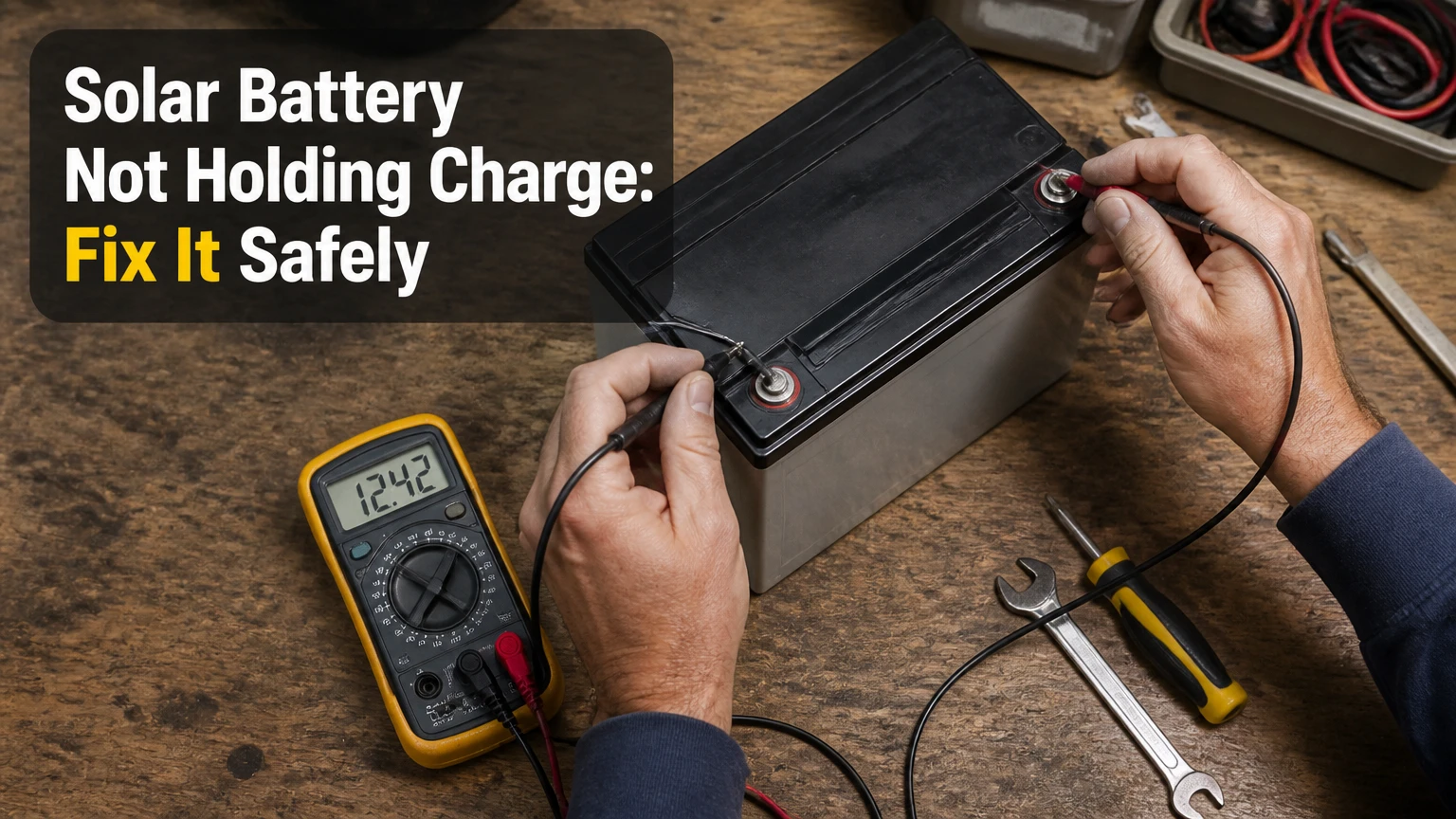
A solar battery not holding charge usually has a settings, charging-input, temperature, wiring, battery-management, or capacity problem. First confirm whether the battery is failing to charge or charging and then discharging too quickly. Check the monitoring app, solar surplus, operating temperature, visible connections, and battery age before arranging professional service.
Key Facts at a Glance
- A battery can show 100% state of charge while holding far less energy because usable capacity has degraded.
- “Not charging” and “not holding charge” are different faults that require different tests.
- Backup-only settings can deliberately prevent normal daily cycling, while a reserve setting can make the battery appear inactive.
- Lithium batteries may stop charging in freezing conditions because the battery management system protects the cells.
- Lead-acid batteries commonly lose capacity after repeated partial charging, deep discharge, or sulfation.
- A high-voltage home battery enclosure should never be opened or tested internally by a homeowner.
What Does a Solar Battery Not Holding Charge Mean?
A solar battery not holding charge means the stored energy falls faster than expected, the battery reaches empty prematurely, or its measured capacity is much lower than its rated capacity. A battery that never receives enough charging energy has an input problem; a battery that reaches full and empties quickly has a capacity, load, conversion, or measurement problem.
A useful first distinction is timing. If the battery percentage rises only during strong sunshine, the solar array may not produce enough surplus after household consumption. If the percentage reaches its normal upper limit but drops sharply overnight with modest loads, degraded cells, hidden consumption, incorrect state-of-charge calibration, or an inverter fault becomes more likely.
Which symptoms point to which fault?
| Observed symptom | Likely cause | Safe first check | Typical escalation |
|---|---|---|---|
| Battery remains at 0-5% during sunny hours | No surplus PV, shutdown, or charge lockout | Compare PV output with house load | Installer or electrician |
| Battery reaches 100%, then empties in 1-3 hours | Capacity loss or high overnight load | Review overnight energy graph | Capacity test |
| App shows 100%, but backup lasts minutes | State-of-charge calibration error | Compare watts and runtime | Manufacturer service |
| Battery stops charging below 5°C | Lithium charge-temperature protection | Read temperature status | Wait for warming or service |
| Lead-acid voltage falls below 12.0 V at rest | Deep discharge or damaged cell | Check electrolyte and resting voltage | Battery technician |
| Inverter reports isolation or ground fault | Electrical safety fault | Stop troubleshooting and isolate system | Qualified professional |
| Battery charges only from the grid | Mode, tariff, or PV-input configuration | Check time-of-use schedule | Installer configuration |
How Does a Solar Battery Charge and Discharge?
Solar panels produce direct current, while most homes use alternating current. A charge controller or hybrid inverter converts and manages energy so surplus photovoltaic production can enter the battery, and the inverter later converts stored DC energy for household AC loads.
The battery does not automatically receive every watt produced by the panels. Household loads take priority in many self-consumption systems. For example, a 6 kW solar array producing 4 kW while the house uses 3.5 kW has only about 0.5 kW of immediate surplus before conversion losses, export rules, and battery charge limits.
What is the difference between rated and usable capacity?
| Capacity term | Meaning | Example value | Practical consequence |
|---|---|---|---|
| Nameplate capacity | Total chemical storage rating | 10 kWh | Not all energy is normally accessible |
| Usable capacity | Energy available within manufacturer limits | 8-9 kWh | Depends on permitted depth of discharge |
| Round-trip efficiency | Energy recovered after charging and discharging | 85-95% | 10 kWh input may return 8.5-9.5 kWh |
| Continuous output | Power the battery can provide steadily | 5 kW | Limits simultaneous appliance use |
| Peak output | Short-duration discharge capability | 7 kW for 10 seconds | Helps start motors and pumps |
| Reserve percentage | Energy held for outage protection | 20% | Reduces daily cycling capacity |
A 10 kWh battery with 90% usable capacity and 90% round-trip efficiency may deliver roughly 8.1 kWh of recovered AC energy under ideal conditions. The value changes with temperature, power level, age, inverter losses, and the manufacturer’s warranty definition.
How Do You Troubleshoot a Solar Battery Not Holding Charge?
A safe diagnosis takes about 20-45 minutes when the monitoring app is available, although a capacity test can require a full day. The most important factor is identifying whether the battery receives adequate surplus energy before blaming the battery itself.
Do not remove covers, disconnect high-current conductors, bypass a fuse, or force a lithium battery to charge after a protection shutdown. Homeowners can inspect software, energy graphs, labels, ambient conditions, and exposed equipment without accessing energized components.
Before you start
| Item | Typical requirement | Why it matters | Safe limit |
|---|---|---|---|
| Monitoring access | 10-15 minutes | Shows faults and energy flow | Use the official app |
| Energy data window | 24-72 hours | Reveals repeatable patterns | Compare similar days |
| Ambient temperature check | 1-2 readings | Identifies thermal lockout | Do not heat battery directly |
| Visual inspection | 5 minutes | Finds obvious damage | Do not touch damaged cables |
| Professional visit | 1-2 hours | Performs electrical testing | Required for internal faults |
| Capacity test | 4-24 hours | Measures delivered energy | Follow manufacturer procedure |
Step 1: Check the monitoring app and fault history
Open the inverter or battery application and record state of charge, battery power, PV production, household demand, grid import, and error codes for the same timestamp. A battery fault, communication loss, inverter standby state, or “charge inhibited” message can explain an apparently empty battery without proving cell failure.
Do not clear a fault repeatedly without recording it. Some systems retain event codes only briefly, and a reset can remove useful diagnostic history.
You will know this step is useful when the app identifies a repeatable code or shows that battery power is actually zero while PV production is available. A common mistake is treating the displayed percentage as a direct capacity measurement.
Step 2: Verify operating mode, reserve, and charging schedule
Set the system to its normal self-consumption or solar-priority mode if daily cycling is the intended use. Check whether backup-only mode, a 100% reserve, a high reserve threshold, or a time-of-use schedule is preventing solar charging.
Review these settings:
- Minimum state of charge, often 10-30%.
- Backup reserve, commonly 20-40%.
- Grid-charge permission and scheduled charging hours.
- Maximum battery charge power, often 3-5 kW for residential units.
- Export control or zero-export settings.
- Installer lockouts and firmware update status.
You will know the setting is relevant when the battery begins accepting solar power after the mode or schedule changes. Never disable a reserve requirement if an outage protection contract, utility program, or installer design depends on it.
Step 3: Compare solar production with household demand
Check whether the panels produce enough surplus to charge the battery. A simple calculation is:
Available charging power = PV production – household load – export or conversion losses.
For example, 3.2 kW of PV production and 2.8 kW of household demand leave only about 0.4 kW before losses. Charging an 8 kWh usable battery at that rate would require roughly 20 hours of perfect conditions, so the battery may remain low even though the solar system is operating normally.
| Condition | PV output | House load | Approximate surplus | Diagnosis |
|---|---|---|---|---|
| Bright midday | 5.0 kW | 1.5 kW | 3.5 kW | Suitable charging window |
| Cloudy afternoon | 1.8 kW | 2.2 kW | 0 kW | No battery surplus |
| Winter morning | 0.9 kW | 1.4 kW | 0 kW | Normal load priority |
| New shade obstruction | 2.4 kW | 1.6 kW | 0.8 kW | Check trees and structures |
| Large heat-pump load | 4.0 kW | 4.5 kW | 0 kW | Battery cannot charge |
| Battery near full | 4.5 kW | 1.5 kW | Limited by charge control | May taper normally |
Inspect panels from the ground for heavy dirt, bird fouling, snow, new shade, or visible damage. Do not climb onto a roof to clean or inspect modules without appropriate equipment and training.
Step 4: Inspect exposed connections without touching them
Look for disconnected plugs, corrosion, water ingress, melted insulation, scorch marks, rodent damage, or a tripped external disconnect. Compare the equipment condition with the installer’s photographs if available.
Stop immediately if you see smoke, arcing, swelling, a burning smell, liquid leakage, or damaged high-voltage cable insulation. Keep people away from the equipment and contact the installer or emergency service according to the manufacturer’s instructions.
You will know a visual inspection has found a meaningful issue when physical damage matches an app fault or sudden performance change. Do not tighten terminals or spray cleaner inside an enclosure while the system is energized.
Step 5: Check temperature and ventilation conditions
Lithium batteries commonly restrict or stop charging near freezing temperatures, depending on cell chemistry and the manufacturer’s limits. Heat also reduces service life and can trigger protective shutdowns, while lead-acid batteries require ventilation because charging can produce hydrogen gas.
| Battery condition | Typical operating concern | Likely system response | Correct action |
|---|---|---|---|
| Lithium cell below 0°C | Charging may damage cells | Charge inhibited | Allow controlled warming |
| Lithium enclosure above 45°C | Thermal protection risk | Power reduction or shutdown | Improve approved ventilation |
| Lead-acid below 10°C | Reduced effective capacity | Lower voltage and runtime | Use temperature compensation |
| Lead-acid above 35°C | Faster aging and water loss | Shorter service life | Improve ventilation |
| Flooded lead-acid low electrolyte | Plate exposure | Permanent capacity loss | Service with correct water |
| Any battery with swelling | Internal damage | Immediate shutdown risk | Isolate professionally |
Never place a heater directly against a battery, use an unapproved enclosure fan, or charge a frozen flooded battery. Temperature limits vary by model, so the installation manual controls.
Step 6: Separate measurement error from capacity loss
A battery percentage is an estimate calculated from voltage, current, charge history, and battery-management data. An inaccurate estimate can show 100% prematurely, especially after a firmware change, communication fault, replacement inverter, or long period without a complete balancing charge.
A practical capacity check uses a known load and measured energy, but high-voltage home systems require an installer to perform it. For a low-voltage 12 V or 24 V lead-acid bank, a trained operator can test resting voltage and specific gravity where the manufacturer permits it.
| Test result | Likely interpretation | What it does not prove | Next action |
|---|---|---|---|
| 100% followed by rapid drop | Calibration or degraded capacity | It does not prove every cell is bad | Compare delivered kWh |
| Normal voltage under no load | Surface charge may remain | It does not prove usable capacity | Test under controlled load |
| One lead-acid cell has low specific gravity | Cell imbalance or failure | It does not identify the exact repair | Service the bank |
| Lithium battery reads 0 V externally | BMS may be disconnected | It does not mean the cells are safe | Do not jump-start |
| Capacity below 70-80% of rated warranty value | Significant degradation | Warranty terms vary by cycle count | Check warranty claim |
| Voltage collapses under load | High resistance or weak cell | Open-circuit voltage may look normal | Professional load test |
A zero-volt lithium reading can result from a protective BMS shutdown, blown fuse, disconnected contactor, or internal failure. It is not a safe invitation to apply an external voltage source.
Step 7: Check overnight loads and inverter standby use
A battery can hold energy correctly while the home consumes it faster than expected. Electric water heaters, heat pumps, pool pumps, refrigerators, server equipment, vehicle chargers, and poorly timed backup circuits can turn a normal overnight discharge into an apparent battery failure.
Use the monitoring graph to compare battery output with household demand in 15-minute intervals. Turn off one suspected nonessential circuit at a time, never disconnecting medical equipment, fire systems, or critical refrigeration.
You will know the battery is probably supplying a real load when discharge power remains elevated after sunset. A common mistake is comparing battery percentage rather than kWh, because a percentage can fall quickly when the usable capacity is small or the display is uncalibrated.
Which Battery Types Lose Capacity Differently?
Lithium iron phosphate, lithium nickel manganese cobalt oxide, lead-acid, and nickel-cadmium batteries have different failure mechanisms and operating limits. LFP is common in modern residential storage because it combines high cycle capability with lower thermal risk than NMC, while lead-acid remains practical for low-cost or intermittent off-grid systems.
| Battery type | Typical service life | Usable DoD | Round-trip efficiency | Main capacity risk |
|---|---|---|---|---|
| LFP lithium | 10-15 years | 80-95% | 90-97% | Heat, imbalance, calendar aging |
| NMC lithium | 8-12 years | 80-90% | 90-95% | Heat and high-rate cycling |
| AGM lead-acid | 3-7 years | 40-60% | 75-85% | Sulfation and deep discharge |
| Flooded lead-acid | 3-7 years | 40-60% | 70-85% | Water loss and sulfation |
| Gel lead-acid | 4-8 years | 40-60% | 75-85% | Overcharge and chronic undercharge |
| Nickel-cadmium | 15-25 years | 70-90% | 60-80% | Memory effects and cost |
Depth of discharge is the percentage of rated capacity removed during a cycle. A lead-acid battery routinely discharged to 80% DoD usually loses practical life faster than the same battery operated around 50% DoD, whereas many lithium systems are designed for 80-90% daily DoD.
The AI Overview’s general distinction is sound, but cycle-life figures are not interchangeable. A manufacturer’s cycle count may assume a particular temperature, charge rate, discharge rate, and end-of-life capacity threshold, often 70% or 80% of beginning capacity.
Why Does a Lead-Acid Battery Stop Holding Charge?
Lead-acid batteries most often lose usable capacity through sulfation, stratification, water loss, corrosion, or repeated deep discharge. Sulfation occurs when lead sulfate crystals remain on the plates after prolonged undercharging, reducing the chemical area available for future charge acceptance.
Green or white terminal deposits indicate corrosion, not proof of sulfation. Baking soda can neutralize acid residue on external surfaces, but it cannot restore damaged plates, and flooded batteries require distilled water only after checking the manufacturer’s level instructions.
A battery bank that remains partially charged for weeks may accept surface voltage quickly while delivering little energy under load. Equalization charging can help some flooded batteries, but it is unsafe or unsuitable for AGM, gel, and lithium batteries unless the manufacturer specifically permits it.
Can a Lithium Battery Be Recovered After Reaching Zero?
A lithium battery that reaches its displayed minimum state of charge may recover when the BMS reconnects after a suitable charging condition, but a battery showing a protection fault, zero volts, swelling, smoke, or overheating requires professional isolation. Do not bypass the BMS or connect a generic charger.
LFP batteries can be damaged by charging below their approved temperature range. A BMS may disconnect the battery to prevent cell over-discharge, overcurrent, overtemperature, or low-temperature charging. The correct recovery process depends on the model, inverter, firmware, and manufacturer service procedure.
Lithium batteries are often unsuitable for casual DIY repair because cells can remain energized even when the display is off. A qualified technician can check isolation, fuses, contactors, communication wiring, and cell-level data without guessing from voltage alone.
Is the Battery Too Small for the Solar Array or Home?
Incorrect sizing can make a healthy battery appear defective. A small battery may fill early and discharge before morning, while an oversized battery may rarely reach a full balancing condition because the solar array cannot provide enough energy after household loads.
| System example | Daily household use | Usable battery | Solar array | Likely result |
|---|---|---|---|---|
| Small cabin | 5 kWh | 10 kWh | 3 kW | Seasonal undercharging possible |
| Efficient home | 12 kWh | 10 kWh | 6 kW | Usually balanced |
| Electric-home load | 25 kWh | 10 kWh | 6 kW | Battery empties quickly |
| Oversized storage | 10 kWh | 20 kWh | 4 kW | Frequent partial charging |
| Night-rate system | 15 kWh | 13.5 kWh | 5 kW | Grid schedule affects behavior |
| Backup-focused system | 12 kWh | 10 kWh | 4 kW | Reserve may limit daily use |
As a practical example, a home using 14 kWh overnight with a battery providing 8 kWh usable energy will still import approximately 6 kWh, even if the battery is operating perfectly. The solution may involve load reduction, more PV, a larger battery, or a different dispatch schedule.
Adding panels is not always the best answer. If the battery’s measured capacity is below its warranty threshold, additional solar generation will not repair the cells.
How Much Does Diagnosis or Replacement Cost?
Typical residential costs range from about $0 for app-based diagnosis to $8,000 or more for a complete battery replacement, depending on region, system voltage, capacity, access, permits, and whether the inverter also requires replacement. These are planning ranges, not fixed quotations.
| Service or component | Typical cost range | Typical time | Usually required when |
|---|---|---|---|
| App and settings diagnosis | $0-$150 | 15-45 minutes | No hardware fault is present |
| On-site electrical inspection | $150-$500 | 1-2 hours | Fault codes or wiring concerns appear |
| Lead-acid bank replacement | $800-$3,000 | 2-6 hours | Individual batteries are aged |
| 10-15 kWh lithium battery | $6,000-$14,000 installed | 4-10 hours | Capacity or cells have failed |
| Hybrid inverter replacement | $2,000-$6,000 installed | 4-8 hours | Inverter causes charge or discharge fault |
| Capacity and diagnostic test | $250-$800 | 4-24 hours | App percentage conflicts with runtime |
| Additional PV capacity | $2,000-$8,000 | 1-3 days | Array cannot supply required energy |
Warranty coverage may reduce the battery cost, but labor, shipping, inspection, permits, and an incompatible replacement model can remain chargeable. Save screenshots of state of charge, fault codes, daily kWh, installation date, and serial numbers before contacting the manufacturer.
When Should You Repair, Reconfigure, or Replace the Battery?
Reconfigure the system when settings, schedules, reserve thresholds, or communication errors explain the behavior. Repair or service is appropriate when a fuse, contactor, sensor, terminal, firmware issue, or inverter communication link has failed. Replace the battery when measured capacity is materially below warranty limits, cells are damaged, or safety protection repeatedly activates.
Use these decision rules:
- Settings problem: Battery begins normal charging after mode correction, with no recurring fault code.
- Solar-input problem: PV output is low compared with historical production or neighboring weather-adjusted days.
- Load problem: Overnight demand explains the measured discharge in kWh.
- Calibration problem: Delivered energy is normal, but the percentage changes abruptly or inaccurately.
- Battery-aging problem: A controlled capacity test shows substantially reduced usable energy.
- Safety problem: Heat, swelling, smoke, liquid, arcing, or isolation faults appear.
A battery that is seven years old is not automatically defective, especially if it is a lithium system with a long warranty and moderate cycling. Conversely, a three-year-old lead-acid bank can be unusable after chronic undercharging or repeated deep discharge.
Common Mistakes That Make the Problem Worse
Resetting before recording the fault
A reset may clear the event history that identifies the original failure. Capture screenshots, timestamps, temperatures, and power readings first.
Charging a frozen lithium battery
Cold lithium cells can suffer permanent damage when charged below the approved limit. Let the battery warm naturally within the permitted ambient range, then follow the manufacturer’s restart procedure.
Treating 100% as proof of full capacity
State of charge is an estimate, not a laboratory capacity measurement. A degraded battery can reach 100% quickly because its remaining capacity is small.
Replacing the battery before checking solar surplus
A healthy battery cannot charge from energy that household loads already consume. Compare PV output and home demand at the same moment.
Mixing old and new lead-acid batteries
A new battery paired with older units can produce imbalance, uneven charging, and accelerated failure. Replace a matched bank according to the manufacturer’s configuration.
Using a generic charger on a home lithium system
Generic charging can bypass communication, voltage, temperature, and current protections. Manufacturer-approved service equipment is required for most residential lithium batteries.
What Alternatives Can Restore Better Backup Performance?
The best alternative depends on the diagnosed constraint. Load shifting can reduce discharge without hardware changes, additional PV can improve daytime surplus, and a correctly sized replacement battery can restore nighttime energy if capacity has degraded.
| Alternative | Best use case | Typical benefit | Main limitation |
|---|---|---|---|
| Move water heating to midday | Large daytime controllable load | 2-6 kWh shifted daily | Requires compatible control |
| Add PV modules | Battery rarely reaches charge target | 2-5 kWh extra daily in good sun | Roof, inverter, and export limits |
| Replace lead-acid with LFP | Frequent cycling and low maintenance | 80-95% usable DoD | Higher initial cost |
| Reduce standby loads | Unexpected overnight drain | 0.2-2 kWh saved nightly | Requires circuit monitoring |
| Increase reserve setting | Outage priority | More emergency energy retained | Less daily savings |
| Add a larger battery | High overnight usage | 3-10 kWh more usable energy | Does not fix faulty PV or inverter |
An honest limitation matters here: a larger battery is not good for a system that already lacks solar surplus. Oversizing storage can increase cost while leaving the battery chronically undercharged.
Frequently Asked Questions
Why does my solar battery lose charge overnight?
A solar battery may lose charge overnight because household loads exceed expected demand, the battery reserve is configured incorrectly, or the battery has degraded capacity. Review overnight kWh rather than percentage alone, then identify water heating, heating and cooling, pumps, refrigeration, chargers, and inverter standby consumption.
Should I leave my solar battery at 100%?
Leaving a lithium home battery at 100% for occasional backup readiness is normally permitted when the manufacturer allows it, but daily operation at maximum state of charge can increase calendar aging. Lead-acid batteries need regular full charging to limit sulfation, so the correct practice depends on chemistry and the manual.
How long should a solar battery hold its charge?
A healthy residential battery commonly supplies several hours of household demand, but runtime depends on usable capacity and load. An 8 kWh usable battery powering a continuous 500 W load could theoretically run about 16 hours before conversion losses and reserve limits reduce that figure.
Can solar panels charge a battery during a power outage?
Solar panels can charge a battery during an outage only when the inverter and battery system support intentional islanding. Standard grid-tied solar shuts down when the grid fails for anti-islanding protection, while approved backup systems create a controlled local grid.
Why does my solar battery charge from the grid instead of solar panels?
Grid charging can occur because the system uses a time-of-use schedule, backup reserve, low PV surplus, an export-control rule, or a solar-input fault. Compare the battery’s charging source, PV production, household demand, and schedule during the same interval before changing tariff settings.
Is a solar battery worth replacing if it still works?
Replacement is usually justified when a capacity test falls below the warranty threshold, safety faults recur, or usable energy no longer meets the intended backup requirement. If the battery still delivers its rated usable capacity, correcting settings, loads, temperature, or solar production is usually more economical.
The Bottom Line
A solar battery not holding charge is not automatically a dead battery. Start with the monitoring app, operating mode, reserve percentage, solar surplus, overnight loads, temperature, and visible equipment condition; then use an approved capacity test to distinguish calibration from cell degradation. Never bypass a BMS, open a high-voltage enclosure, or force-charge a damaged lithium battery. The correct repair may be a setting change, load reduction, inverter service, additional solar generation, or a warranted battery replacement.