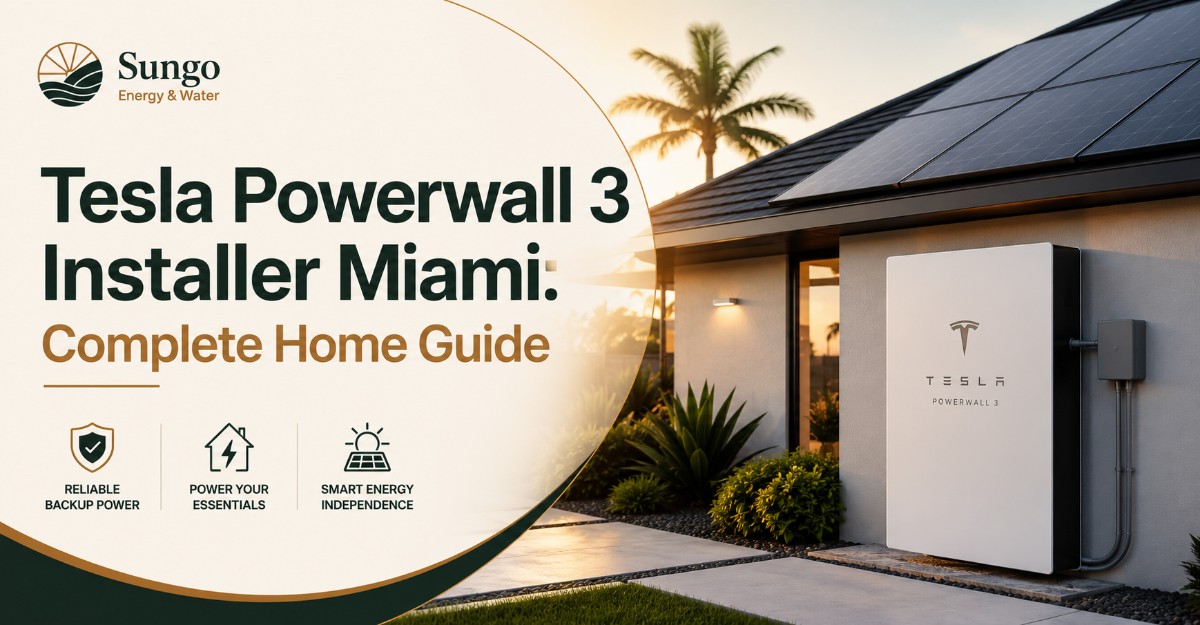
A Tesla Powerwall 3 installer in Miami is a qualified electrical and energy-storage contractor who designs, permits, installs, commissions, and supports a Powerwall system for local homes. The right installer sizes the battery around your electrical loads, air conditioning, solar production, flood exposure, FPL requirements, and desired hurricane-outage runtime.
Tesla lists Powerwall 3 with 13.5 kWh of energy capacity, 11.5 kW of continuous on-grid and backup power, six solar inputs with Maximum Power Point Trackers, and the ability to start loads rated up to 185 LRA. Tesla permits up to four full Powerwall 3 units and up to three Expansion units in a supported system configuration.
Those ratings do not automatically mean one battery will operate every device in every Miami home. An installer must evaluate simultaneous power demand, daily energy consumption, compressor starting behavior, panel architecture, solar recharge, and the loads that should remain disconnected during an outage.
What Does a Tesla Powerwall 3 Installer in Miami Do?
A Tesla Powerwall 3 installer in Miami converts a battery purchase into a code-compliant backup-power system. The contractor should manage electrical design, equipment selection, permitting, installation, inspection, commissioning, customer training, and post-installation service rather than treating the battery as a stand-alone appliance.
The installer’s work normally includes:
- Reviewing 12 months of electricity use
- Recording the main-service rating and panel condition
- Measuring or estimating critical-load demand
- Identifying air-conditioner running amps and locked-rotor amps
- Evaluating existing solar equipment
- Selecting whole-home or partial-home backup
- Choosing Powerwall, Gateway, Backup Switch, and expansion hardware
- Preparing electrical drawings and equipment schedules
- Submitting permits to the correct authority having jurisdiction
- Coordinating FPL interconnection when renewable generation is involved
- Commissioning the system through Tesla’s installer platform
- Testing backup operation with the grid disconnected
The mistake most homeowners make is comparing installers only by the number of batteries in the proposal. Two quotes for “two Powerwalls” may represent very different systems if one includes whole-home backup, panel replacement, surge protection, load controls, solar integration, permit fees, and post-installation monitoring while the other does not.
How Does Powerwall 3 Work During a Miami Outage?
Tesla Powerwall 3 stores electricity from solar panels or the utility grid and supplies that energy when the home needs it. During a grid outage, compatible Tesla control equipment isolates the home from the utility, prevents unsafe backfeed, and creates a local electrical system powered by the battery and available solar production.
The energy path depends on the installation:
- Solar panels produce direct-current electricity.
- The integrated solar inverter converts solar electricity for household use.
- Excess solar production charges the battery.
- The home imports utility electricity when solar and stored energy are insufficient.
- During an outage, the system disconnects from the grid.
- Powerwall supports the approved backup loads.
- Daytime solar can recharge the battery when weather and system design permit.
FPL confirms that ordinary grid-connected rooftop solar does not keep operating during an outage without additional equipment such as battery storage. The disconnection requirement protects utility workers and the public from energized conductors.
Tesla’s Storm Watch feature can increase the backup reserve when qualifying severe-weather alerts are issued. Homeowners should still review the reserve setting before hurricane conditions arrive because alert coverage, internet access, system connectivity, and storm classification can affect automatic activation.
Powerwall 3 Specifications That Affect Miami Homes
Powerwall specifications must be interpreted as a connected set of energy, power, solar-input, environmental, and control attributes. Energy capacity determines approximate runtime, while continuous output and surge capability determine which appliances can operate together and whether motors can start.
| Attribute | Powerwall 3 value | Practical meaning |
|---|---|---|
| Nominal battery energy | 13.5 kWh | About 10.8 hours at a constant 1.25 kW load before reserve and losses |
| Continuous output | Up to 11.5 kW | Supports up to 48 amps at 240 volts under its highest configuration |
| Motor-start capability | Up to 185 LRA for 1 second | May start large compressors when the complete electrical design permits |
| Solar inputs | 6 MPPT inputs | Supports strings on different roof planes or electrical conditions |
| Solar-to-grid efficiency | Up to 97.5% | Measures inverter conversion efficiency under specified conditions |
| Full Powerwall scalability | Up to 4 units | Adds both storage capacity and inverter power |
| Expansion scalability | Up to 3 Expansion units | Adds 13.5 kWh per unit without duplicating all control hardware |
| Warranty term | 10 years under applicable terms | Includes specified capacity-retention and operating conditions |
Tesla’s current warranty states that eligible backup, solar self-consumption, and time-based-control applications receive 70% energy-retention coverage at 10 years. The exact operating limitation depends on how the system is used.
Energy Capacity Is Not the Same as Power
Energy capacity is measured in kilowatt-hours. It answers, “How long can the battery supply a load?” Power is measured in kilowatts. It answers, “How much equipment can the battery operate at one moment?”
A 13.5 kWh battery could theoretically support:
| Average backed-up load | Approximate theoretical duration | Typical load example |
|---|---|---|
| 0.75 kW | 18 hours | Refrigerator, internet, lights, fans |
| 1.5 kW | 9 hours | Essentials plus intermittent appliances |
| 3.0 kW | 4.5 hours | Essentials plus moderate cooling |
| 5.0 kW | 2.7 hours | Heavy cooling or several large loads |
| 8.0 kW | 1.7 hours | Multiple high-demand appliances |
These figures are mathematical starting points, not guaranteed runtimes. Actual results depend on reserve settings, conversion losses, temperature, compressor cycling, solar production, battery condition, and changing household behavior.
Does One Powerwall 3 Run Central Air Conditioning?
One Powerwall 3 may run a compatible central air conditioner, but the installer must confirm both starting demand and sustained demand. Tesla’s 185 LRA rating is a short-duration motor-start capability, not permission to ignore conductor sizing, breaker ratings, voltage drop, compressor condition, other running loads, or local design requirements.
In practice, the installer should record:
- Air-conditioner tonnage
- Compressor locked-rotor amps
- Rated-load amps
- Air-handler demand
- Auxiliary heat demand, when present
- Starting condition with other household loads operating
- Desired overnight cooling schedule
A soft starter is not automatically required for every air conditioner. It may still be recommended when the compressor is older, starting current is high, voltage sag is significant, or several motor loads could start close together.
How Many Powerwalls Does a Miami Home Need?
A Miami home needs enough Powerwall capacity to meet its selected outage loads for the target number of hours, plus enough inverter power to start and operate those loads. Square footage and the monthly electric bill can guide the first estimate, but neither replaces a circuit-level load analysis.
Use this basic planning formula:
Required usable storage = average backup load × desired hours ÷ planned usable fraction
For example, a home expecting a 2.2 kW average outage load for 10 hours needs 22 kWh before allowing for reserve and operating losses. That requirement is larger than one 13.5 kWh unit, so the design may use two full Powerwalls or one Powerwall plus an Expansion unit, depending on required power output and solar configuration.
| Configuration | Total nominal storage | Maximum added inverter output | Suitable planning use |
|---|---|---|---|
| 1 Powerwall 3 | 13.5 kWh | Up to 11.5 kW | Essentials, selected appliances, some HVAC designs |
| 1 Powerwall + 1 Expansion | 27 kWh | Up to 11.5 kW from leader | Longer runtime without doubling inverter power |
| 2 Powerwall 3 units | 27 kWh | Up to 23 kW combined | Higher simultaneous loads and more runtime |
| 2 Powerwalls + 1 Expansion | 40.5 kWh | Up to 23 kW combined | Larger outage load with extended storage |
| 3 Powerwall 3 units | 40.5 kWh | Up to 34.5 kW combined | Multiple HVAC zones or high-demand homes |
| 4 Powerwalls + 3 Expansions | 94.5 kWh | Up to 46 kW combined | Maximum supported architecture, subject to design limits |
Tesla states that Expansion units connect to the designated leader Powerwall. Up to three Expansion units may be used, while the supported maximum includes four full Powerwall 3 units and three Expansion units.
Full Powerwall or Expansion Unit?
Choose another full Powerwall when the home needs additional output power, additional solar-inverter capability, or a system architecture that benefits from multiple full units. Choose an Expansion unit when the primary shortage is stored energy rather than instantaneous power.
This distinction is counterintuitive. Two systems may each store 27 kWh, yet a system with two full Powerwalls can deliver more combined continuous power than one Powerwall with one Expansion unit.
Whole-Home Backup Versus Partial-Home Backup
Whole-home backup connects most or all household circuits to the backed-up electrical system, while partial-home backup isolates selected circuits in a protected loads panel. Whole-home designs offer convenience, but partial-home designs can produce longer runtime and more predictable performance with fewer batteries.
| Design | Backed-up circuits | Main advantage | Main limitation |
|---|---|---|---|
| Essential-load backup | Refrigerator, lights, internet, outlets | Longest runtime per battery | No central HVAC unless specifically included |
| Managed partial backup | Essentials plus selected HVAC and pumps | Better comfort with controlled demand | Requires load planning or controls |
| Whole-home backup | Most household circuits | Minimal manual circuit management | Users can drain storage quickly |
| Whole-home with load shedding | Most circuits with automatic priorities | Protects battery from overload | More design and control complexity |
A whole-home label does not mean every appliance can operate indefinitely. Electric water heaters, pool heaters, EV chargers, ovens, dryers, well pumps, and multiple air conditioners can consume storage rapidly or exceed available power when operated together.
The practitioner rule is simple: back up the electrical functions that protect safety, food, communications, humidity control, and reasonable comfort. Treat discretionary high-energy loads separately.
Installing Powerwall 3 With New or Existing Solar
Powerwall 3 is especially efficient for new solar projects because it includes a solar inverter. Existing solar projects require closer review because the correct integration method depends on the present inverter, array design, warranty status, service equipment, and whether the homeowner wants existing solar to operate during an outage.
New Solar and Battery Installation
A new installation allows the designer to coordinate panel strings, MPPT allocation, battery size, inverter capacity, roof planes, rapid shutdown equipment, and backup loads from the beginning. Tesla identifies six solar inputs with MPPT functionality, which can help with arrays distributed across multiple roof orientations.
The installer should still model shading and string voltage. Six inputs do not correct poor roof placement, undersized strings, incompatible electrical characteristics, or tree growth.
Existing String-Inverter Solar
An existing string-inverter system may require replacement, reconfiguration, or AC-coupled integration. The best approach depends on the inverter age, solar-array voltage, remaining warranty, string layout, and cost of altering the original system.
Replacing a functional inverter can increase project cost. Keeping it can introduce additional equipment and design constraints.
Existing Microinverter Solar
Homes with Enphase or another microinverter platform need an installer experienced in AC-coupled storage. The contractor must explain how existing solar will behave during an outage, how production will be controlled when the battery approaches full charge, and which monitoring systems will remain active.
A proposal that says only “compatible with existing solar” is incomplete. Compatibility must include the wiring method, outage behavior, production control, monitoring, warranty responsibility, and permit drawing.
Can Powerwall 3 Be Installed Without Solar?
Powerwall 3 can store grid electricity and provide backup without a solar array, subject to system configuration and utility rules. A battery-only system can protect essential loads, but it cannot recharge from sunlight during a prolonged outage.
Without solar, outage duration is limited to stored energy. After depletion, the battery generally remains unavailable until grid power returns or another approved charging source is available.
Miami Permitting and Site Requirements
A Miami battery installation must comply with the authority having jurisdiction for the property, applicable electrical rules, equipment instructions, and utility requirements. The responsible jurisdiction may be Miami-Dade County or a municipal building department, so the installer should verify the property address before quoting permit timing.
Miami-Dade states that permits are required for solar photovoltaic systems and identifies electrical documentation within its permitting process. Eligible small PV projects may receive expedited review, but batteries, service upgrades, structural work, revisions, and incomplete plans can change the timeline.
Where Should the Battery Be Installed?
Powerwall placement should protect the equipment from flooding, direct drainage, vehicle impact, blocked airflow, excessive heat, and unsafe working conditions. Tesla instructs owners to install Powerwall 3 where flooding will not damage it and warns against locations where gutters or faucets discharge water onto the unit.
| Location factor | Preferred condition | Installer check |
|---|---|---|
| Flood exposure | Above credible floodwater level | FEMA zone, local history, finished-floor elevation |
| Drainage | No roof or gutter discharge onto equipment | Downspouts, scuppers, irrigation |
| Working access | Required code and manufacturer clearance | Front, side, top, and service access |
| Heat exposure | Shaded or thermally suitable location | Direct afternoon sun and ventilation |
| Coastal conditions | Protected from concentrated salt spray | Fasteners, conduit, enclosure location |
| Vehicle exposure | Outside impact path or protected | Garage bollard or mounting position |
| Communications | Reliable internet connection | Wi-Fi strength or approved networking method |
Tesla notes that temperature extremes may cause Powerwall 3 to limit charging or discharging to protect battery life. Shade and airflow can therefore affect performance even when the enclosure is rated for outdoor use.
FPL Interconnection and Net-Metering Rules
FPL net metering applies to qualifying customer-owned renewable generation, not to unrestricted export of electricity previously stored in a home battery. FPL currently states that a behind-the-meter battery may operate while interconnected, but the customer may not export power from the battery to the grid.
For solar projects, FPL requires the customer to apply for net metering and execute the applicable interconnection agreement before receiving net-metering benefits. FPL also explains that tier classification is based on the system’s AC gross power rating.
The installer should identify:
- Solar AC gross power
- Applicable FPL interconnection tier
- Required disconnects and labeling
- Insurance requirements, when applicable
- Inspection documentation
- Meter replacement or reprogramming
- Battery non-export configuration
- Permission-to-operate responsibility
A battery does not create extra solar net-metering credits by itself. It shifts when energy is consumed and protects loads during outages.
What Does Powerwall 3 Installation Cost in Miami?
A Miami Powerwall project price includes more than the battery. Equipment quantity, backup architecture, electrical-panel condition, conductor length, installation location, permitting, solar integration, service upgrades, load controls, and contractor scope can change the total substantially.
The following are planning ranges rather than Tesla-published fixed prices:
| Project type | Typical planning range | Main cost variables |
|---|---|---|
| One Powerwall, straightforward installation | $13,000-$18,000 | Gateway, conduit, permit, distance, wall construction |
| One Powerwall with electrical modifications | $16,000-$24,000 | Panel work, service equipment, load center |
| Two full Powerwall units | $24,000-$34,000 | Backup scope, conductors, mounting, controls |
| One Powerwall plus Expansion | $20,000-$28,000 | Expansion price, harness, placement, labor |
| Existing-solar retrofit | Add $2,000-$8,000 | AC coupling, inverter changes, redesign |
| Main-service or panel upgrade | Add $3,000-$10,000+ | Utility coordination, equipment, trenching, code work |
A low quote may exclude permit fees, engineering, gateway equipment, monitoring setup, drywall repair, surge protection, panel work, or utility coordination. Request a line-item scope before comparing totals.
Is There a Federal Tax Credit in 2026?
Homeowners should not assume a Powerwall installed in 2026 receives the former 30% Residential Clean Energy Credit. Current IRS guidance says eligible Section 25D expenditures received a 30% credit from 2022 through 2025, and an IRS FAQ addressing the 2025 law change explains that property installed after December 31, 2025 does not qualify merely because it was paid for earlier.
This directly contradicts the scraped AI Overview supplied for this article. Obtain project-specific advice from a qualified tax professional because contract date, payment date, installation completion, placed-in-service status, ownership, and future legislative changes can affect tax treatment.
How Long Does Installation Take?
A straightforward physical installation may be completed in one or two working days, but the full project commonly takes several weeks because design, permits, revisions, inspection, equipment availability, utility processing, and corrective work occur outside the installation day.
A practical sequence is:
- Consultation and data collection: 1-7 days
The contractor gathers bills, equipment photos, load information, solar records, and outage goals. - Site assessment and design: 3-10 business days
The designer confirms service capacity, backup architecture, mounting location, equipment, and conductor routes. - Permit preparation and review: 1-8 weeks
Timing depends on jurisdiction, project complexity, plan quality, revisions, and review workload. - Equipment installation: 1-3 days
Complex panel upgrades, long conduit runs, stacked units, or solar work may require more time. - Inspection and corrections: 3 days to several weeks
Failed inspection, missing labels, plan deviations, or inaccessible equipment can add delay. - Utility processing and final activation: Several days to several weeks
Solar interconnection may require FPL documentation and meter work.
Do not accept a guaranteed permit or utility approval date unless the contract identifies what happens when third-party processing exceeds that date.
How to Choose a Qualified Miami Installer
A qualified installer should demonstrate electrical competence, storage-system experience, local permitting knowledge, and responsibility for the complete result. Tesla product familiarity is important, but a training credential does not replace the contractor licensing, insurance, design quality, and field supervision required for the project.
Ask each contractor for:
- Florida electrical-contractor license details
- General liability and workers’ compensation coverage
- Tesla Powerwall training or installer status
- Recent local battery permits
- Experience with your municipality
- Experience with FPL interconnection
- Existing-solar integration experience
- Written workmanship warranty
- Monitoring and service response procedure
- Complete equipment schedule
- Permit and engineering responsibility
- Change-order policy
Questions Every Proposal Should Answer
- Which circuits will remain powered during an outage?
- What is the calculated peak backup demand?
- What is the estimated overnight energy consumption?
- Can each air conditioner start while other loads are operating?
- Is the design whole-home, partial-home, or load-managed?
- Does an Expansion unit add power, energy, or both?
- How will existing solar operate when the grid is down?
- Is battery export to FPL disabled?
- Who submits permits and responds to plan comments?
- What electrical upgrades are excluded from the quoted price?
- What internet connection supports monitoring and warranty compliance?
- Who provides service after commissioning?
An installer who cannot answer these questions has probably priced hardware rather than designed a backup system.
Powerwall 3 Compared With Other Backup Options
Powerwall 3 is strongest when a homeowner wants automatic, quiet battery backup, Tesla app controls, and integrated solar capability. It is less suitable when the primary goal is the lowest-cost way to support very large loads for several cloudy days without increasing battery capacity.
| Option | Stored energy or fuel | Typical strength | Main limitation |
|---|---|---|---|
| Powerwall 3 | 13.5 kWh per unit | High power, integrated solar inverter, Tesla ecosystem | Runtime limited by stored energy and recharge |
| Powerwall 3 Expansion | 13.5 kWh added per unit | Lower-complexity capacity expansion | Does not add equal inverter output |
| Enphase IQ Battery system | Modular battery blocks | Strong microinverter ecosystem integration | Different power and capacity profile |
| FranklinWH aPower system | Whole-home storage ecosystem | Load controls and system-level integration | Installer availability and pricing vary |
| Standby generator | Natural gas or propane | Long runtime while fuel remains available | Noise, maintenance, emissions, fuel dependence |
| Portable generator | Gasoline or propane | Lower initial equipment cost | Manual operation and major safety risks |
Powerwall 3 Versus a Generator
Powerwall 3 changes over automatically, operates quietly, requires no stored liquid fuel, and can recharge from solar. A generator may run longer during an extended outage when fuel remains available, but it requires engine maintenance, produces exhaust, creates noise, and must be installed with safe transfer equipment.
Some Miami homes benefit from a hybrid resilience strategy. The correct design depends on outage duration, fuel availability, solar recharge, medical loads, cooling requirements, and budget.
Common Design and Installation Mistakes
The most expensive errors usually happen before installation. Incorrect load assumptions, unsuitable placement, incomplete retrofit planning, and vague contract scopes create more problems than the physical act of mounting the battery.
Sizing by Monthly Bill Alone
An electric bill reports total energy consumed over a billing period. It does not reveal which appliances run simultaneously or how much energy the homeowner wants during a nighttime outage.
Use interval data, circuit measurements, equipment nameplates, and an outage-load schedule.
Calling One Unit Whole-Home Backup Without Conditions
One Powerwall 3 has substantial output, but whole-home performance depends on actual loads. A home with one variable-speed air conditioner differs greatly from a property with two conventional compressors, an electric water heater, pool equipment, an EV charger, and an electric range.
“Whole home” must describe the connected circuits and control strategy.
Installing Too Low in a Flood-Prone Area
Tesla’s enclosure rating does not replace flood planning. The manufacturer instructs installers to choose a location that prevents flood damage rather than relying on a claimed immersion depth.
Ignoring Internet Reliability
Tesla states that Powerwall 3 needs reliable internet connectivity for remote firmware updates and warns that prolonged loss of connectivity may reduce warranty coverage to four years under the conditions described in its documentation.
Assuming FPL Allows Battery Export
FPL currently permits behind-the-meter battery operation but prohibits exporting stored battery electricity to the grid. The installer must commission the system accordingly.
Commissioning and Homeowner Acceptance Test
Commissioning should prove that the installed system performs the functions described in the contract. A screenshot showing the battery online is not a complete acceptance test.
Before final payment, verify:
- Powerwall, Gateway, solar, grid, and home flows appear correctly
- Battery charge and discharge respond as expected
- Grid-outage simulation transfers the approved loads
- Air conditioners and pumps start under backup power
- Non-backed-up loads remain disconnected
- Solar production continues appropriately during simulated outage conditions
- Battery reserve settings are explained
- Storm Watch is available and configured
- Utility import and export measurements point in the correct direction
- Equipment serial numbers and warranty registration are documented
- Breakers, disconnects, conduits, and labels match the approved plans
- The owner receives permits, inspection results, manuals, and support contacts
In practice, incorrect current-transformer orientation is one of the most common commissioning faults. The app may display reversed grid flow or impossible energy values even though the battery charges. The installer should correct metering before leaving the property.
Frequently Asked Questions About Tesla Powerwall 3 Installer Miami
Can Powerwall 3 recharge during a hurricane outage?
Powerwall 3 can recharge from a properly integrated solar array while the grid is unavailable, provided sunlight, system controls, available battery capacity, and safe operating conditions permit production. Heavy cloud cover and high household consumption can reduce or eliminate net charging, so solar does not guarantee unlimited backup duration.
Does Powerwall 3 need a Tesla solar roof?
No. Powerwall 3 can be designed with conventional photovoltaic modules, a compatible existing solar system, new Tesla solar equipment, or no solar. The integration method depends on whether solar connects through the Powerwall’s integrated inverter or through an approved AC-coupled architecture.
Can a homeowner install Powerwall 3 without a certified contractor?
Powerwall 3 requires professional electrical design, permitted installation, commissioning, and utility coordination where applicable. Tesla documentation is written for trained installers, and local work must comply with licensing and inspection requirements. A homeowner should not treat the system as a plug-in appliance or attempt internal electrical work.
Will one Powerwall last all night?
One 13.5 kWh Powerwall may last through the night when the average protected load is modest. At 1 kW, 10 hours uses 10 kWh before losses and reserve. At 3 kW, the same period requires 30 kWh, so runtime depends more on load management than the word “night.”
Can Powerwall 3 charge an electric vehicle during an outage?
Powerwall 3 can supply an EV charger when the charger is included in the backed-up system and available battery power supports it. EV charging can consume 7-11.5 kW or more depending on settings, which may use most of one battery’s output and deplete 13.5 kWh quickly.
What records should the installer provide after completion?
The installer should provide the signed contract, final equipment list, approved permit drawings, inspection approval, warranty registration, commissioning results, serial numbers, electrical-panel schedule, utility documents, monitoring access, operating instructions, and service contact. These records are valuable for warranty claims, insurance, home sales, and future system expansion.
Conclusion
Choosing a Tesla Powerwall 3 installer in Miami requires more than confirming product availability. The contractor must translate your outage goals into a load-based design, obtain local approvals, protect the equipment from Miami’s flood and heat exposure, configure FPL-compliant operation, and prove the system through a real backup test.
Powerwall 3 offers 13.5 kWh per full or Expansion unit, up to 11.5 kW continuous output per full unit, integrated solar conversion, strong motor-start capability, and flexible capacity growth. Its limits are equally important: stored energy is finite, Expansion units do not add equal inverter power, existing-solar retrofits can be complex, battery export to FPL is restricted, and 2026 installations should not be quoted with an assumed 30% residential federal credit.
The best proposal identifies backed-up circuits, calculated demand, expected runtime, solar behavior, permit responsibility, exclusions, warranty support, and the exact acceptance test. That level of detail separates a battery sales quote from a dependable hurricane-backup design.