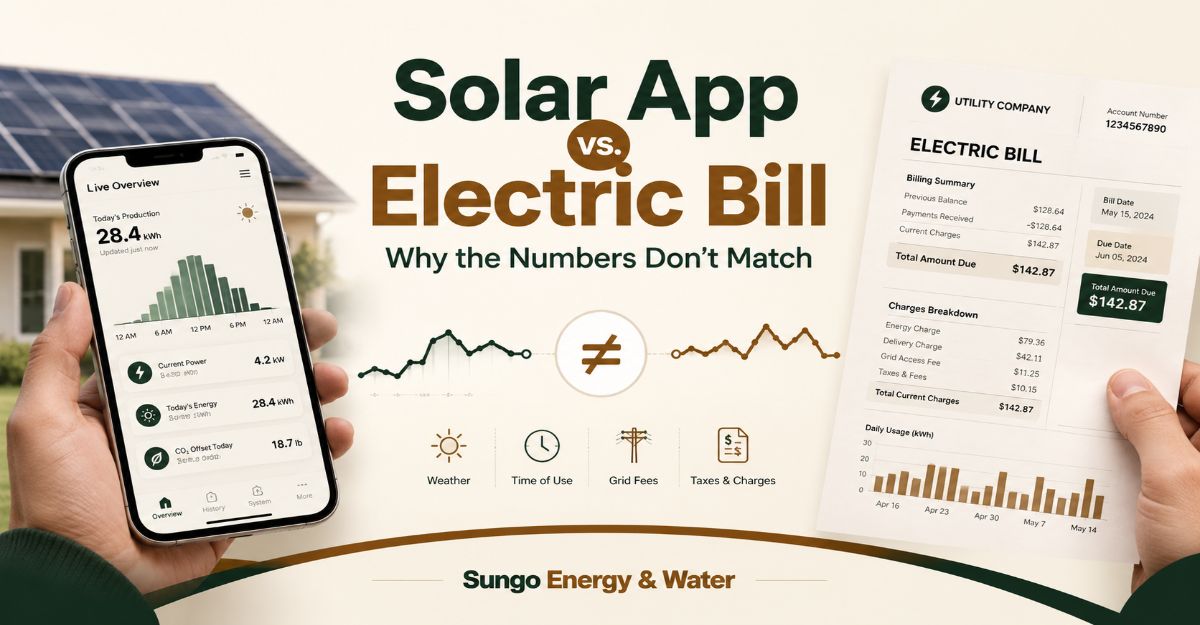
Your solar app and your electric bill will never match perfectly because they measure entirely different things. The app tracks the raw power your panels create (Gross Generation), while the utility bill only tracks what crosses their meter after your house has taken what it needs (Net Metering).
For homeowners on 1:1 net metering, the free Standard Inverter App is all you need. However, if you are on a complex Time-of-Use plan or a restrictive tariff like California’s NEM 3.0, you absolutely need to upgrade to Consumption CT Clamps to track your instant home usage and stop losing money to the grid.
Quick Verdict:
- For basic 1:1 net metering: Stick with Standard Inverter Monitoring. It’s free and sufficient.
- For NEM 3.0, TOU rates, or battery owners: Upgrade to Consumption CT Clamps. You need real-time data to shift your usage.
- For granular appliance tracking: Buy a Smart Home Energy Monitor (like Emporia Vue) to see exactly which breaker is pulling power.
Solar Net Metering Reconciler Solar Net Metering Reconciler
Metric kWh Source/Logic Solar Generation 900 Solar App Grid Exported 500 Utility Bill BTM Consumption 400 Gen – Export Grid Imported 600 Utility Bill True Consumption 1,000 BTM + Import BTM CONSUMPTION (KWH)400TRUE HOME CONSUMPTION (KWH)1,000Solar Generation (kWh)900Grid Export (kWh)500Grid Import (kWh)600
Master Comparison: Tracking Options
| Feature | Standard Inverter App (e.g., Enphase) | Consumption CT Clamps | Smart Home Monitor (e.g., Emporia) |
| Data Captured | Gross solar generation only | Gross generation + total home consumption | Gross generation + circuit-level consumption |
| Helps Shift Loads? | No | Yes (Shows real-time net flow) | Yes (Shows exact appliance usage) |
| Install Complexity | Zero (Built-in) | Moderate (Electrician installs at main panel) | High (Requires installing sensors on multiple breakers) |
| Typical Cost | $0 (Included) | $250 – $600 (Hardware + Labor) | $350 – $750 (Hardware + Labor) |
The Root Cause: Behind-the-Meter (BTM) Consumption
The fundamental disconnect between your phone screen and your monthly invoice comes down to the physical layout of your electrical system.
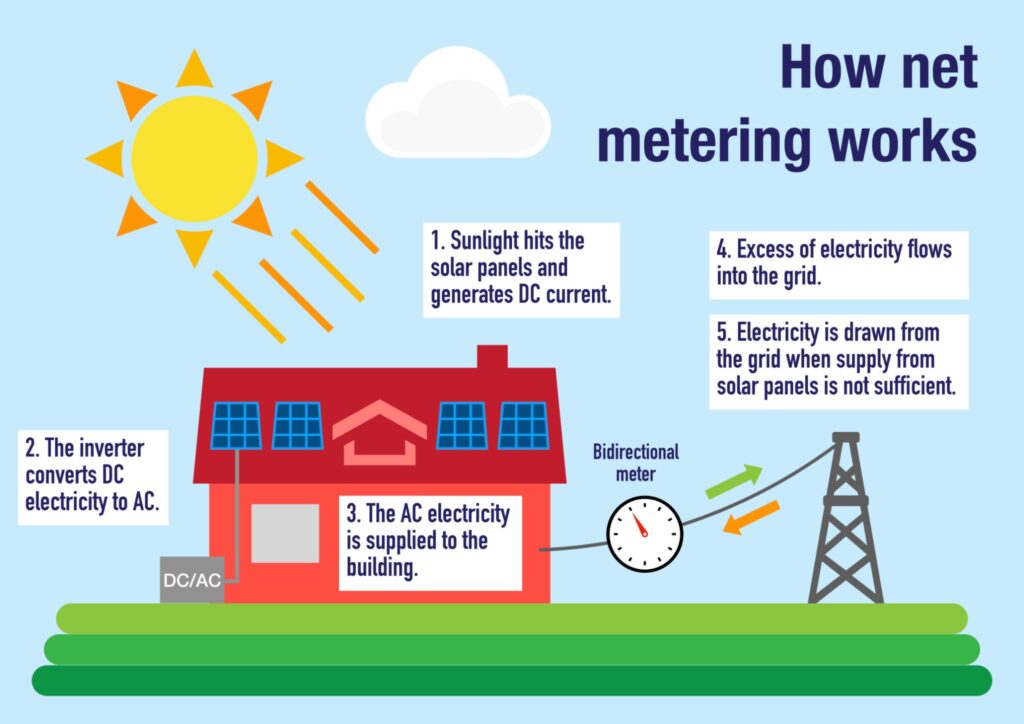
Electricity follows the path of least resistance. When your inverter converts the DC power from your roof into usable AC power, that electricity hits your main breaker panel first. If your air conditioner, refrigerator, or TV is running, they instantly consume that solar power. This is known as Behind-the-Meter (BTM) consumption.
- The App: Your Enphase, SolarEdge, or Tesla app sits at the inverter. It counts every single kilowatt-hour (kWh) produced, regardless of where it goes.
- The Bill: Your utility company only sees the leftovers. The bidirectional utility meter only spins backward when your solar production exceeds your home’s instant consumption.
If your panels generate 5 kW, but your house is using 2 kW, only 3 kW crosses the meter to the grid. Your app says “5”, your utility says “3”, and both are technically correct.
Data Granularity vs. Cost
Standard Inverter Monitoring ($0)
Every major solar system comes with basic monitoring built into the inverter. It tells you if the panels are working and provides gross production data (usually updated in 15-minute intervals).
However, it is completely blind to your house. It cannot tell you if you are importing power from the grid at night or if you are maximizing your solar during the day.
Verdict: The best choice for homeowners with straightforward 1:1 net metering where a kWh exported is worth the same as a kWh imported.
Consumption CT Clamps ($250 – $600)
Current Transformer (CT) clamps are physical rings that an electrician wraps around the main service mains coming into your electrical panel.
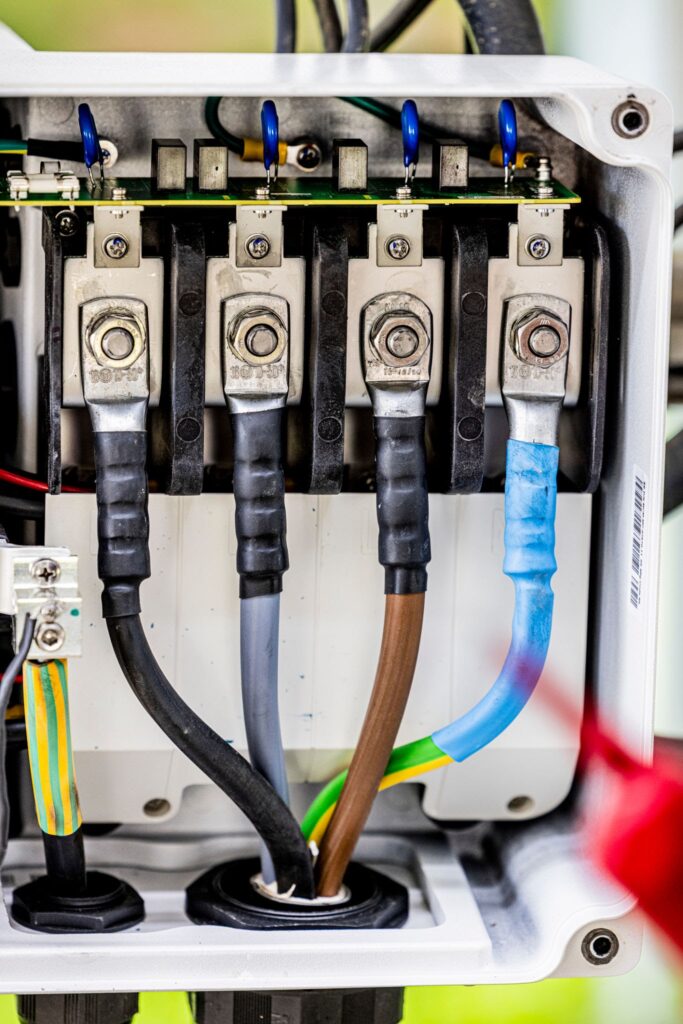
These clamps measure exactly how much power your entire house is pulling at any given second. When integrated with your solar app, you get a single unified graph showing production, consumption, and whether you are pulling from or pushing to the grid.
Verdict: Mandatory for anyone under NEM 3.0 (Net Billing Tariff) or strict Time-of-Use rates. You need this data to manually align your heavy power usage (laundry, EV charging, dishwashers) with peak solar production hours.
Smart Home Energy Monitors ($350 – $750)
Third-party hardware like the Emporia Vue or Sense takes CT clamps to the extreme. Instead of just two clamps on the main mains, these systems put individual clamps on the specific circuit breakers inside your panel.
This tells you not just that your house is using 4 kW, but that the HVAC is pulling 3 kW and the dryer is pulling 1 kW.
Verdict: The right choice for data enthusiasts and those actively trying to hunt down “vampire loads,” but generally overkill for basic solar reconciliation.
Which Should You Choose?
For the “Set-It-and-Forget-It” Owner (1:1 Net Metering)
Stick with the Standard Inverter App. If you live in a state that still mandates 1:1 net metering, the utility treats the grid like a perfect battery. You don’t need to stress about precisely timing your dishwasher runs. Use the free app to ensure the panels aren’t broken, and let the annual true-up bill handle the math.
For the Load Shifter (NEM 3.0 or TOU Rates)
You must install Consumption CT Clamps. Under California’s NEM 3.0, the electricity you export to the grid is worth roughly 75% less than the electricity you buy from it. Sending power to the grid is now a waste of money. You need CT clamps to see your real-time consumption so you can maximize “Self-Consumption Mode”—running appliances only when the sun is shining to keep that power behind the meter.
For the Data Nerd
Invest in an Emporia Vue. If you want to integrate your energy usage into Home Assistant, trigger smart plugs based on solar production, or know exactly how much your pool pump costs to run in August, standard CT clamps aren’t granular enough. A dedicated circuit-level monitor provides the actionable data you need.
The Honest Limitations: Where the Systems Fail
- Billing Cycle Mismatches: Even with CT clamps, your app and your bill won’t align perfectly on the first of the month. Solar apps default to calendar months (Oct 1-31). Utility companies read meters on staggered 28-33 day cycles (e.g., Oct 12 – Nov 14). You must use the custom date range tool in your app to match the invoice dates exactly.
- Inverter Inefficiencies: Inverters lose roughly 2% to 5% of energy when converting DC to AC power. Some cheaper apps report the raw DC production, which will always be slightly higher than the usable AC power your home actually receives.
- CT Clamp Installation Risks: It is incredibly common for installers to place CT clamps backward or on the wrong electrical phase. If your app shows your house consuming power at exactly the same curve as your solar production, or if it shows negative consumption at night, your clamps are installed backward.
FAQ
Why am I still getting a bill if my app says I offset 100% of my usage?
Even if you generate enough solar to cover all your energy needs, you are still connected to the grid. Utilities charge mandatory fixed connection fees (often $10–$25/month) to maintain the infrastructure, which solar cannot offset.
How do I calculate my actual home usage using my bill and app?
Take the “Total Generation” from your app, subtract the “Exported Power” on your utility bill, and then add the “Imported Power” from that same bill. This gives you your true total household consumption.
Do I need an electrician to install CT clamps?
Yes. Installing CT clamps requires opening the main electrical panel and working near the live mains. This is a fatal shock hazard and requires a licensed professional.
Why did my true-up bill suddenly spike in the spring?
If your system was installed late in the year, you didn’t have the long summer months to build up excess generation credits. You relied on grid power through the low-production winter, resulting in a balance due at your annual true-up.