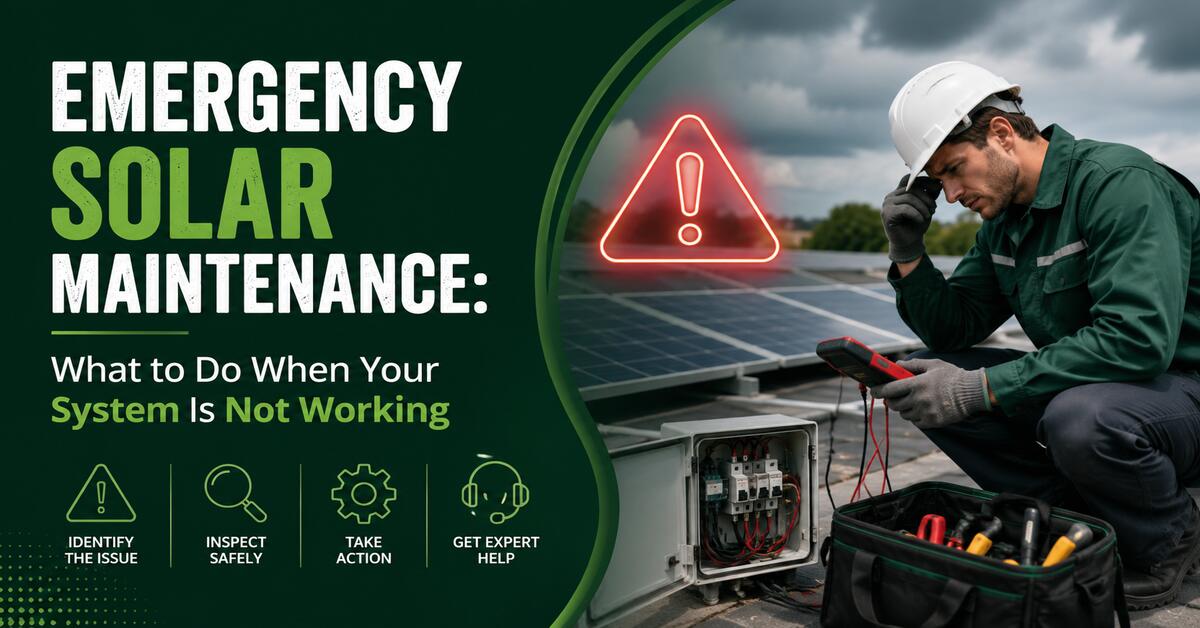
Emergency solar maintenance begins by determining whether the problem is a dangerous electrical or battery event, a complete production failure, or only a monitoring interruption. Check for smoke, unusual heat, odors, damaged wiring, flooding, and fault alerts first; avoid roof access and electrical repairs, and follow the equipment manufacturer’s shutdown instructions when professional service is required.
Key Facts: At a Glance
- Smoke, fire, arcing sounds, melted insulation, flooding, or a hot battery enclosure requires immediate isolation from the area and emergency assistance.
- A solar monitoring outage does not necessarily mean the photovoltaic system has stopped producing electricity.
- A standard grid-tied solar system normally shuts down during a utility outage unless it has approved backup equipment.
- A tripped solar breaker may be reset once only when no hazard is present and the manufacturer permits it.
- Ground-fault, isolation-fault, arc-fault, and repeated breaker alerts require professional electrical diagnosis.
- Solar panels can remain electrically energized in daylight even after an inverter or AC breaker has been switched off.
Before You Start
Time: 10–20 minutes for safe homeowner-level checks
Difficulty: Basic observation only
Typical immediate cost: $0 unless professional dispatch is required
Useful items: Phone, monitoring-app login, utility account access, flashlight, binoculars, equipment manuals, and a camera
Do not use: Multimeters, insulation testers, improvised connectors, ladders, or tools for opening electrical equipment
Photovoltaic systems expose qualified workers to shock, arc-flash, burn, and fall hazards. OSHA therefore treats work near exposed energized components as qualified-person work, not routine homeowner maintenance.
What Counts as a Solar Emergency?
A solar problem becomes an emergency when it creates an immediate threat to people, the building, the utility connection, or an energy-storage system. Low production on a cloudy day is not normally an emergency; smoke from an inverter, exposed storm-damaged wiring, or a flooded battery installation is.
| Symptom | Urgency | Immediate response |
| Fire, smoke, popping, or visible arcing | Critical | Move everyone away, call emergency services, and disclose that solar and batteries are present |
| Strong chemical or melting-plastic odor | Critical | Leave the affected area and follow the manufacturer’s emergency shutdown instructions only when safely accessible |
| Battery enclosure unusually hot, swollen, leaking, or making abnormal noise | Critical | Do not touch it; isolate the area and contact emergency services/manufacturer support |
| Floodwater touching an inverter, battery, gateway, disconnect, or wiring | Critical | Stay out of the water and do not re-energize the equipment |
| Hanging cable, shattered module, or displaced array after a storm | Urgent | Keep people away and arrange same-day professional assessment |
| Ground-fault, isolation-fault, or arc-fault alert | Urgent | Leave the system off if it has shut down and contact a qualified technician |
| Breaker trips again after one permitted reset | Urgent | Keep it off and schedule electrical diagnosis |
| Zero production with no visible hazard | High priority | Complete the safe checks below |
| Monitoring portal offline but no production alarm | Moderate | Check internet and gateway communication before assuming a generation failure |
| Gradual seasonal production decline | Routine | Compare weather-adjusted production and schedule maintenance if the loss persists |
What should you do if there is fire or smoke?
Move away from the equipment, evacuate anyone at risk, and call the local emergency number. Tell responders that the property contains a photovoltaic array and whether it has lithium-ion battery storage.
Do not approach a burning or smoking battery, climb onto the roof, open an inverter, or rely on a generic internet instruction about which extinguisher to use. Fire-response methods depend on the equipment, fire size, building conditions, and manufacturer guidance. Tesla’s industrial battery guidance, for example, tells people to treat smoke or suspicious odor as a thermal event, evacuate non-emergency personnel, and avoid approaching or opening the unit.
The claim that water must never be used around every solar or battery fire is too broad. Tesla’s Powerwall 2 documentation lists water, carbon dioxide, and ABC extinguishers as acceptable for that product, illustrating why equipment-specific guidance and trained emergency response take priority over universal rules.
Step 1: Check for Immediate Hazards
Inspect the system only from a safe ground-level position. Look for smoke, scorch marks, shattered glass, detached conduit, hanging cables, water entry, roof damage, animal damage, or an inverter or battery that appears physically distorted.
Do not touch module frames, racking, conduit, disconnect enclosures, or exposed conductors. Switching off the AC side does not necessarily remove daylight-generated DC voltage from conductors between the array and conversion equipment.
Success checkpoint: No smoke, heat, odor, flooding, exposed conductors, structural damage, or abnormal sound is present.
Common mistake: Assuming the array is harmless because the house breaker is off.
Step 2: Determine Whether Production Actually Stopped
Open the solar monitoring app and compare three separate data categories:
- Current production: How many watts or kilowatts is the system generating?
- Device status: Are the inverter, microinverters, gateway, meter, and battery communicating?
- Historical production: When did the graph first change?
A “gateway not reporting” message often indicates a lost Wi-Fi, Ethernet, power, or communications connection rather than a dead array. Enphase states that an offline gateway may prevent cloud reporting while the solar system continues producing.
Record the following before changing anything:
- Exact alert and error-code wording
- Time and date the issue began
- Current weather and daylight conditions
- Screenshot of today’s production graph
- Screenshot of the device or array view
- Battery state of charge and operating mode
- Whether utility power is available
- Recent storms, electrical work, internet changes, or roof work
Success checkpoint: You can identify whether the issue affects generation, monitoring, storage, or the whole energy system.
Common mistake: Treating “not reporting” and “not producing” as the same fault.
Step 3: Perform a Safe Ground-Level Inspection
Check the components you can observe without removing covers or crossing restricted areas:
- Inverter display or indicator lights
- Gateway or combiner status lights
- Solar disconnect position
- Clearly labeled solar breaker position
- Battery status light
- Utility meter and utility-outage notices
- Visible roof condition from the ground
- Internet router status
Use binoculars rather than climbing to inspect modules. Never walk on a wet, damaged, icy, or storm-affected roof for solar troubleshooting.
Which indicator lights matter?
Indicator meanings vary by manufacturer and model. A red LED may indicate a fault on one inverter but have a different meaning on a gateway or battery, so read the label and model-specific manual before interpreting it.
Take a photograph of the indicator pattern. Flashing cadence matters: three flashes followed by a pause may identify a different condition from a continuously illuminated red light.
Step 4: Rule Out Normal Shutdown Conditions
A solar system may correctly show zero or low output because of darkness, dense cloud cover, snow coverage, utility interruption, export restrictions, scheduled battery behavior, or a temporary grid-voltage condition.
Why does solar stop during a grid outage?
A conventional grid-tied inverter shuts down during a utility outage to prevent unintentional islanding. The shutdown protects utility personnel and prevents the home’s solar system from energizing power lines expected to be de-energized.
Solar panels may still receive sunlight, but an ordinary grid-tied system cannot power the house during an outage without compatible islanding controls, transfer equipment, and—depending on the design—battery storage. Enphase confirms that typical grid-connected residential solar stops supplying power during an outage unless the system includes suitable backup capabilities.
Check the utility’s outage map or ask whether nearby properties have power before diagnosing the inverter.
Could weather explain the production drop?
Yes. Compare the affected day with a similarly sunny day rather than with the system’s annual peak. Clouds, haze, high module temperature, snow, shading, and seasonal sun angle can reduce output without indicating a failed component.
A sudden sustained drop is more suspicious than an expected weather-shaped curve. The U.S. Department of Energy notes that a year-over-year production reduction greater than 10% can indicate a maintenance issue, although weather and site conditions must also be considered.
Step 5: Reset Only When the Manual Permits It
Use only the shutdown and restart sequence published for the exact inverter, battery, gateway, and system design. There is no universal requirement to turn off every system in the same order or wait exactly five minutes.
Some equipment requires AC to be disconnected before DC; other products specify different switches, delays, commissioning states, or battery steps. An incorrect sequence can erase useful fault evidence, interrupt firmware activity, damage equipment, or expose the user to unnecessary risk.
Can you reset a tripped solar breaker?
A homeowner may reset a clearly identified breaker once when all of these conditions are true:
- No smoke, odor, heat, water, damage, or abnormal noise is present.
- The breaker and panel appear dry and undamaged.
- The equipment manual or installer instructions permit a homeowner reset.
- The user can operate the breaker without removing a panel cover.
- The cause may reasonably be temporary rather than an active electrical fault.
Move the breaker fully to OFF, then back to ON. If it trips immediately or trips again later, leave it off. Repeatedly resetting a breaker defeats the warning provided by the protective device and can worsen a wiring, inverter, overcurrent, or insulation fault.
Enphase’s homeowner guidance similarly recommends checking breakers but says resets should be performed only when the user is comfortable and that persistent problems should be referred to solar support.
Success checkpoint: The system restarts, completes its grid-check delay, and returns to normal production without another alarm.
Common mistake: Cycling breakers repeatedly until the inverter stays online.
Step 6: Interpret the Fault Category
The error category narrows the likely fault, but it does not authorize component-level DIY repair.
| Error or symptom | Common interpretation | Appropriate action |
| Grid lost, grid unavailable, or AC voltage fault | Utility outage, open AC disconnect, breaker problem, or unacceptable grid voltage/frequency | Confirm utility status and accessible switch positions; call the installer if the grid is available |
| Ground fault or isolation fault | Damaged insulation, moisture entry, wiring contact with grounded metal, module fault, optimizer fault, or inverter fault | Keep the system off and arrange qualified testing |
| Arc fault | Loose, damaged, separated, or improperly terminated DC connection may be producing an electrical arc signature | Do not repeatedly restart; request urgent inspection |
| Inverter fault | Internal electronics, temperature, firmware, grid, fan, relay, or DC-input issue | Record the code and contact manufacturer/installer support |
| One panel or microinverter offline | Local device fault, connector/wiring issue, communication failure, shade, or mapping error | Monitor briefly if no hazard exists, then arrange panel-level diagnosis |
| Gateway not reporting | Router change, weak signal, lost gateway power, Ethernet fault, or communications issue | Restore network connection using official instructions |
| Battery not reporting | Communications, firmware, breaker, controller, or battery fault | Follow manufacturer support instructions |
| Battery unavailable during outage | Low state of charge, reserve setting, operating mode, transfer-system problem, overload, or installation configuration | Reduce backed-up loads and contact support if the system does not transfer correctly |
SolarEdge documentation explains that isolation faults can result from poor isolation to ground and may require inverter diagnostics or specialized insulation-resistance testing. That work belongs to a qualified technician using appropriate equipment.
Step 7: Handle Battery Problems Separately
A solar battery problem requires stricter escalation than a routine monitoring fault. Unusual heat, smoke, odor, coolant leakage, flooding, swelling, or abnormal noise requires immediate manufacturer-specific emergency action.
Tesla’s Powerwall 3 instructions direct owners who detect smoke or an unusual smell to shut down specified solar, Powerwall, and Gateway circuits when safely possible and to ventilate the area. The exact controls differ by installation, so owners should use their system’s current manual rather than copying a generic sequence.
Why did the battery fail to provide backup power?
The most common non-hazard explanations are:
- The battery reached its minimum reserve.
- Backup reserve was configured too low before the outage.
- The system was operating in a mode that prioritized savings.
- The battery was awaiting a firmware or protection reset.
- The automatic transfer equipment did not establish an island.
- The backup panel was overloaded.
- The required load was not connected to the backed-up circuits.
- The outage began while the battery was depleted.
Check the app’s battery percentage, reserve setting, operating mode, event history, and backed-up-load panel. Do not open the battery or transfer equipment.
Step 8: Contact the Right Service Provider
Call the original installer first when the company is operating and the workmanship warranty remains active. The installer normally has access to the design, permit set, commissioning records, monitoring platform, and equipment serial numbers.
Contact the manufacturer when:
- The installer has closed.
- The monitoring portal identifies a product fault.
- A warranty authorization or replacement part is required.
- Monitoring ownership must be transferred.
- The manufacturer can perform remote diagnostics.
Use a licensed electrician or qualified solar O&M provider when the fault involves AC wiring, breakers, service equipment, ground faults, damaged conductors, or an abandoned system. Some electrical contractors do not service rooftop DC equipment, so confirm solar-PV experience before dispatch.
What information should you give the technician?
Provide a compact diagnostic package:
- Property address and safe access instructions
- Inverter, battery, and gateway make and model
- Serial numbers when accessible without opening equipment
- Exact error-code text
- Screenshots of production and device status
- Date and time the issue began
- Utility outage status
- Recent storm, hail, lightning, roofing, pest, or electrical events
- Photographs of visible damage and indicator lights
- Warranty, installation, and permission-to-operate documents
This evidence often enables remote triage, correct parts ordering, and fewer repeat service visits.
How Do Failure Patterns Differ by System Type?
System architecture determines whether one failed device affects a single module, a string, the entire array, or the home’s backup supply.
| System design | Typical failure pattern | Monitoring clue | Main service concern |
| String inverter | Central inverter failure can stop most or all solar production | Whole-system output falls to zero | High-voltage DC circuits and central equipment |
| Optimizer plus string inverter | One optimizer may reduce one module while inverter faults can stop the array | Module-level map plus inverter status | Optimizer, connector, string, or central inverter diagnosis |
| Microinverter system | One device may affect one module while an AC branch fault affects multiple units | One or several modules stop reporting | Roof-level device or branch-circuit access |
| Hybrid inverter with battery | Solar, battery, grid, and backup functions may fail separately or together | Multiple operating-state and energy-flow alerts | Transfer controls, firmware, battery protection, and mixed AC/DC circuits |
| Off-grid system | Battery depletion or inverter/controller failure may remove all usable power | Low-voltage, charge-controller, or inverter alarms | Load management and battery protection become time-critical |
A panel-level alert is not proof that the module itself has failed. In microinverter systems, Enphase notes that a “microinverter not reporting” alert may be a communications problem rather than a production failure.
What Should You Do After Severe Weather?
After lightning, hail, high wind, flooding, or a roof impact, keep the system off when visible damage or a serious fault is present. Do not restart equipment merely because the weather has passed.
After lightning
Document the time of the strike or nearby surge, utility interruptions, inverter codes, failed communications equipment, and damage to other electronics. Surge damage can affect the inverter, gateway, communications ports, meter, transfer equipment, and protective devices without leaving obvious exterior marks.
After hail or high wind
Inspect from the ground for cracked modules, shifted panels, loose flashing, bent racking, hanging conduit, or roof debris. Arrange roof and electrical inspection before operation when the array has moved or glass is visibly damaged.
After flooding
Stay out of any water contacting electrical or battery equipment. Even after water recedes, corrosion, contamination, trapped moisture, and compromised insulation can make re-energization unsafe.
Tesla instructs Powerwall owners to stay out of water when any part of the battery, Gateway, or wiring is submerged and to obtain support confirmation before returning the equipment to service.
How Much Does Emergency Solar Repair Cost?
A homeowner-level monitoring or connectivity correction may cost nothing, while a roof-access electrical repair, inverter replacement, battery diagnosis, or emergency dispatch can cost hundreds or thousands of dollars. Location, system age, roof type, labor availability, equipment compatibility, warranty status, permitting, and replacement-part lead time control the final price.
The following figures are broad U.S. planning allowances rather than fixed market prices:
| Service | Typical planning range |
| Remote troubleshooting | $0–$200 |
| Site diagnostic visit | $150–$500 |
| Communications or gateway correction | $150–$800 |
| Breaker, disconnect, or accessible AC repair | $250–$1,000 |
| Roof-level connector or wiring repair | $400–$1,500+ |
| Single microinverter or optimizer replacement | $400–$1,200+ |
| Residential string inverter replacement | $1,500–$5,000+ |
| Battery or transfer-equipment diagnosis | $250–$1,000+ |
| Major battery component or system replacement | Several thousand dollars, depending on warranty and capacity |
Travel, emergency scheduling, steep roofs, lift rental, removal and reinstallation, permits, utility approval, and discontinued equipment can increase the total.
How long does repair normally take?
Remote diagnosis may take minutes to one business day. An accessible breaker or communications issue may be corrected during the first visit, while roof-level work commonly requires scheduling, safety equipment, and parts.
An inverter or battery warranty replacement may take days or weeks when approval, shipping, permitting, commissioning, or utility documentation is required. A company’s advertised response time should not be confused with the time needed to restore operation.
How Much Money Does Solar Downtime Cost?
Estimate the lost value with:
Daily lost value = Expected daily solar energy × Lost-production percentage × Electricity value
For a 10 kW system expected to generate 45 kWh on a particular day, a complete outage at an electricity value of $0.20 per kWh produces:
45 kWh × 100% × $0.20 = $9.00 of lost electricity value per day
For a 30% partial loss:
45 kWh × 30% × $0.20 = $2.70 per day
Use the utility rate avoided by solar rather than automatically using the total retail bill rate. Export compensation, time-of-use periods, demand charges, battery behavior, fixed charges, and net-metering rules can change the real financial impact.
Should You Repair or Upgrade the System?
Repair is usually preferable when the affected component is compatible, under warranty, and not part of a pattern of repeated failures. Replacement or redesign becomes more attractive when equipment is obsolete, unsupported, repeatedly failing, or expensive to integrate with newer components.
| Decision factor | Repair is usually favored when… | Upgrade is usually favored when… |
| System age | The system is relatively young | Major equipment is near expected end of service life |
| Warranty | Parts and labor are covered | Coverage has expired or excludes most labor |
| Fault history | Failure is isolated | Similar faults keep returning |
| Parts | Exact replacements are available | Equipment is discontinued or incompatible |
| Performance | The repaired system will restore expected output | Existing design has persistent shade, clipping, monitoring, or reliability limitations |
| Scope | One component can be replaced cleanly | Repair requires extensive rewiring or multiple aging components |
| Permitting | Like-for-like replacement is straightforward | A redesign already requires permits and utility review |
| Future plans | No storage or expansion is planned | Battery, EV charging, electrification, or expansion is expected |
Do not assume that converting an existing string-inverter system to microinverters is a simple “component upgrade.” It can require rooftop rewiring, removal and reinstallation of modules, new design calculations, permits, inspections, utility documentation, monitoring changes, and compatibility review.
Expert rule of thumb
Compare the installed repair cost with the cost and remaining value of the surrounding system—not only the price of the failed part. A cheap replacement inverter can be poor value if discontinued optimizers, damaged roof wiring, and expired labor coverage make another major service visit likely.
Common Mistakes and How to Fix Them
Repeatedly resetting the system
Why it fails: A recurring protective trip may indicate an active ground, arc, insulation, overcurrent, thermal, or internal equipment fault.
Recovery: Stop after one permitted reset, preserve the error code, and leave the affected circuit off for diagnosis.
Opening the inverter to look for a fuse
Why it fails: Inverters can contain hazardous AC and DC voltage, stored energy, and manufacturer-controlled service parts.
Recovery: Photograph external labels and indicators and call a qualified technician.
Climbing onto the roof after a storm
Why it fails: Wet surfaces, loose modules, damaged roofing, hidden conductors, and unstable racking combine electrical and fall hazards.
Recovery: Perform only a ground-level inspection and arrange professional roof access.
Assuming every app outage is lost production
Why it fails: Routers, passwords, gateway power, cloud services, and communications paths can fail independently of generation.
Recovery: Compare local equipment indicators, utility-meter behavior, and historical data before declaring an array failure.
Ignoring a single underperforming panel
Why it fails: A persistent module-level problem may represent shade, debris, a failed microinverter, connector heating, wiring damage, or an optimizer fault.
Recovery: Record the affected device and trend, then schedule diagnosis if it remains abnormal after normal weather and communications conditions return.
Discarding error history after a restart
Why it fails: Clearing the display may remove the strongest clue available to remote support.
Recovery: Photograph every screen and export monitoring data before resetting equipment.
How Can You Prevent Another Emergency Shutdown?
The most effective prevention strategy combines monitoring, documentation, periodic inspection, and root-cause correction rather than frequent unnecessary cleaning.
- Enable push and email alerts for production, communications, battery, and device faults.
- Review monthly production against weather and the same season in prior years.
- Keep the one-line diagram, permit set, warranties, serial numbers, installer contacts, and permission-to-operate letter together.
- Trim vegetation that creates shade or allows animal access.
- Inspect visible conduit, labels, disconnects, and equipment clearances from the ground.
- Arrange professional inspection after roof work, pest damage, flooding, lightning, major hail, or array movement.
- Ask the technician to document the root cause, measurements, replaced parts, torque or termination corrections, firmware status, and post-repair production.
- Test that alerts and monitoring access still work after service.
- For commercial systems, define response times, remote monitoring responsibilities, spare-parts strategy, reporting requirements, and escalation contacts in the O&M agreement.
The U.S. Department of Energy and NREL emphasize that photovoltaic O&M requirements depend on the system configuration, site, equipment, and operating objectives rather than a single universal maintenance schedule.
Emergency Solar Maintenance Checklist
When a solar system is not working:
- Check for smoke, heat, odors, arcing, flooding, or physical damage.
- Evacuate and call emergency services when a fire or battery event is possible.
- Stay off the roof and do not touch damaged electrical equipment.
- Check utility-outage status.
- Review production, device, gateway, and battery data separately.
- Save screenshots, error codes, timestamps, and photographs.
- Check only visible, accessible switches and breakers.
- Use the exact manufacturer restart procedure, not a generic sequence.
- Reset a permitted breaker no more than once.
- Leave the system off if the fault returns.
- Contact the installer, manufacturer, or qualified solar electrician.
- Preserve repair, warranty, and insurance documentation.
Frequently Asked Questions
Can solar panels shock you when the inverter is off?
Yes. Solar modules generate DC electricity whenever sufficient light reaches them, and portions of the array wiring may remain energized even when the inverter, AC breaker, or utility service is off. Rapid-shutdown equipment reduces specified conductor voltage in supported installations, but it does not make every module and internal component electrically inert.
Is zero solar production always an inverter failure?
No. Zero production can result from darkness, a utility outage, an open breaker, a disconnect position, a communications display error, grid-voltage protection, snow coverage, transfer-equipment status, or an inverter fault. Check utility status, daylight conditions, monitoring categories, accessible indicators, and error history before assigning the cause.
Should I call an electrician or a solar installer?
Call a solar installer or O&M provider for rooftop DC wiring, module electronics, optimizers, microinverters, monitoring, commissioning, and warranty work. A licensed electrician with documented PV experience is appropriate for AC breakers, service equipment, disconnects, grounding, and abandoned systems. Complex failures may require both disciplines.
Will homeowners insurance cover emergency solar repairs?
Coverage depends on the policy, ownership arrangement, cause of loss, exclusions, deductible, and whether the panels are classified as part of the dwelling or separate property. Mechanical breakdown and gradual wear are often treated differently from hail, wind, fire, or lightning damage. Photograph the damage and contact the insurer before non-emergency disposal or major reconstruction.
Can a solar system keep working with one failed panel?
Often, yes. A microinverter or optimizer system may continue producing from unaffected modules, while shading or one failed module in a conventional string can reduce string output. The monitoring map may identify the affected location, but a “not reporting” device can also represent communications failure rather than lost generation.
What if the original solar installer is no longer operating?
Contact the inverter or battery manufacturer with the serial number, address, monitoring account, and installation records. Ask about warranty status, monitoring-access transfer, authorized service providers, and compatible replacements. A qualified independent solar O&M contractor can inspect the system, reconstruct missing documentation, and coordinate electrical, roofing, permitting, or utility work.
The Bottom Line
Emergency Solar Maintenance: What to Do When Your System Is Not Working is primarily a safety and diagnosis process, not a DIY electrical-repair procedure. Identify hazards first, distinguish monitoring loss from actual production loss, document every alert, use only manufacturer-approved controls, reset a protective device no more than once, and escalate persistent electrical or battery faults to qualified professionals.