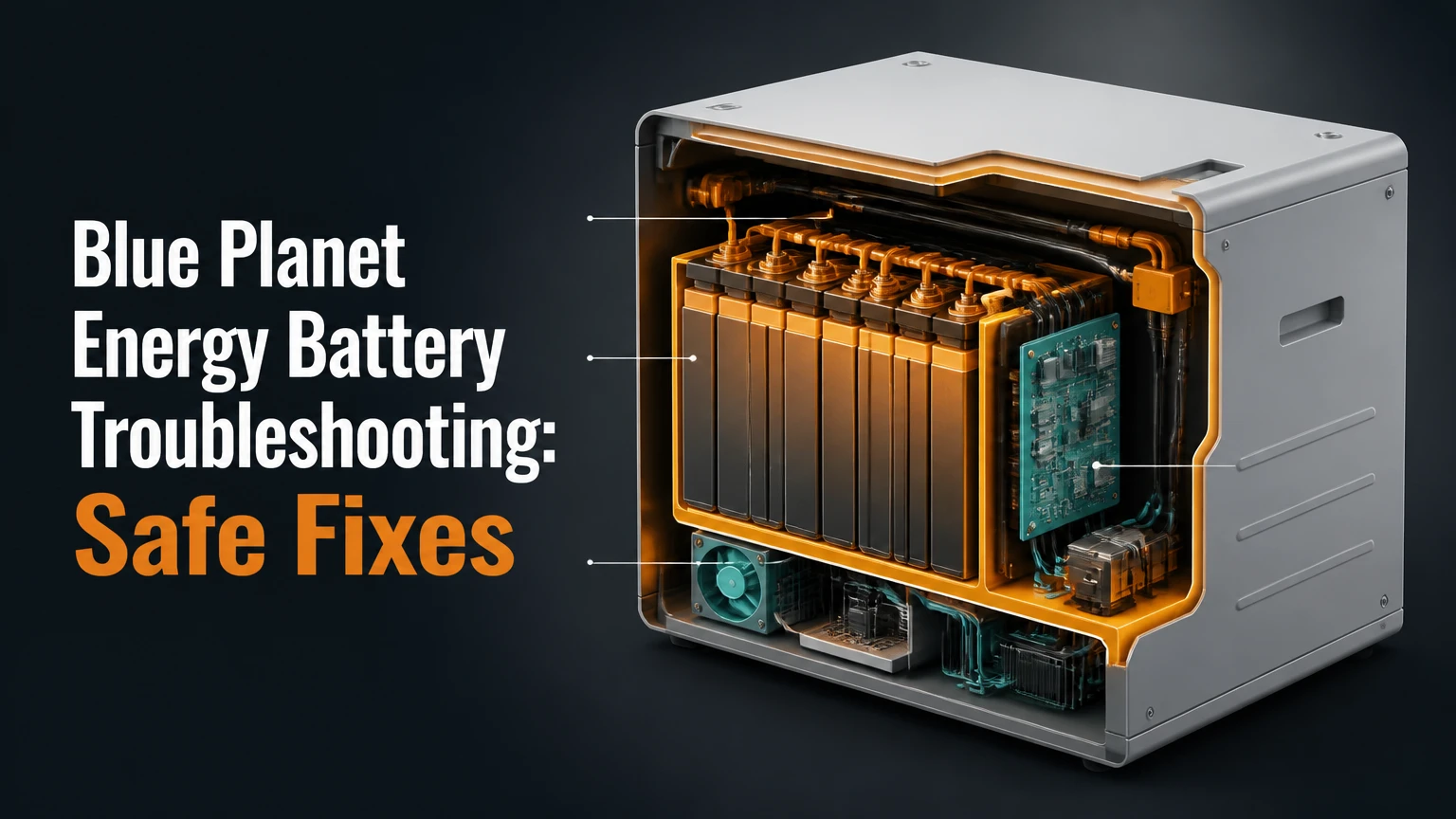
Blue Planet Energy battery troubleshooting starts with identifying the exact Blue Ion model, reading the Nāmaka or local BMS message, and separating a battery fault from an inverter, wiring, network, or load problem. Owners can safely collect symptoms, inspect external conditions, and perform only the manufacturer-approved restart; internal battery work requires a qualified installer or Blue Planet Energy dealer.
Key facts at a glance
Blue Planet Energy systems use lithium iron phosphate, commonly abbreviated LFP or LiFePO₄, rather than nickel-manganese-cobalt chemistry.
A battery that will not charge may be protecting itself from low voltage, high temperature, excessive current, communication loss, or an inverter configuration error.
Nāmaka data is useful only when communications, power, timestamps, and sensor readings are current.
LFP chemistry has strong thermal stability, but no lithium battery should be described as immune to fire or thermal runaway.
A repeated reset will not repair a failed contactor, damaged cable, incorrect firmware, or a cell imbalance.
The safest owner-level diagnosis records the fault, checks the external environment, verifies system status, and escalates before opening covers.
What Does Blue Planet Energy Battery Troubleshooting Cover?
Blue Planet Energy battery troubleshooting covers the complete storage system, not only the battery cabinet. The diagnostic chain includes the Blue Ion battery modules, internal battery-management system, Nāmaka monitoring, hybrid inverter, solar charge equipment, AC and DC disconnects, communication cables, generator, loads, and utility connection.
A useful diagnosis identifies where normal energy flow stops. Solar may be available while the inverter refuses to charge. The battery may report a healthy state of charge while the inverter has lost its enable signal. Nāmaka may show an old value because the gateway is offline, not because the cells stopped operating.
Start with the system identity label and installation records. Record the model, module count, inverter make and model, firmware versions if visible, date and time of the fault, recent weather, load changes, and whether the grid or generator was available. These details prevent a dealer from treating a configuration issue as a cell failure.
Which system details change the diagnosis?
| Detail to record | Examples | Why it matters |
|---|---|---|
| Battery platform | Blue Ion HI, Blue Ion LX | Different cabinets, controls, and service procedures may apply |
| Nominal capacity | 8 kWh, 12 kWh, 16 kWh | Capacity does not establish charging voltage or maximum current |
| Inverter | Schneider, Sol-Ark, Victron | Each platform uses different battery profiles and communications |
| Operating mode | Grid backup, off-grid, time-of-use | A shutdown may be programmed behavior rather than a fault |
| Recent event | Storm, generator start, deep discharge, installation work | Timing narrows the likely failure domain |
| Monitoring state | Live data, stale data, no connection | Cloud status cannot replace local electrical verification |
How Does a Blue Planet Energy Battery System Work?
A Blue Planet Energy battery stores electricity electrochemically in LFP cells, while the BMS supervises voltage, temperature, current, balancing, and contactor states. The inverter controls most system-level charging and discharging, so a battery alert can originate from a protective decision rather than a failed cell.
During charging, the inverter converts available AC or DC power into the voltage and current profile accepted by the battery. During discharge, the inverter converts battery DC into usable AC for the building. The BMS can interrupt either direction when measured conditions exceed a safe limit.
Nāmaka may provide local or cloud-based visibility into alarms, state of charge, historical energy, and communications. A displayed state of charge is an estimate derived from current, voltage, and battery history. It is not a direct measurement of remaining chemical energy.
What safety claims are accurate?
LFP generally resists oxygen release and heat propagation better than many cobalt-containing lithium chemistries. That characteristic lowers risk, but it does not make a Blue Planet Energy battery fireproof or eliminate hazards from damaged cells, short circuits, overcurrent, water intrusion, or external heat.
The U.S. Department of Energy describes thermal runaway as a condition in which heat generation exceeds heat dissipation inside a battery. That mechanism is relevant to any lithium-ion installation, including LFP systems. Blue Planet Energy’s published safety certifications and testing should be checked against the exact product and installation, rather than generalized across every cabinet revision.
Do not drill the enclosure, bypass a disconnect, short a terminal, apply an unapproved charger, or spray liquid or compressed air into energized equipment. A cabinet that smells of solvent, vents gas, becomes abnormally hot, swells, leaks, or produces smoke requires evacuation and emergency services, not troubleshooting.
Why Is a Blue Planet Energy Battery Not Charging?
A Blue Planet Energy battery that will not charge most often has a disabled charging path, an active BMS protection state, absent solar or grid input, an inverter setting mismatch, or a communication fault. Confirm the charge source and inverter status before assuming that the battery modules are defective.
Check whether the building has utility power, whether the solar array is producing, and whether the inverter shows a charge command. A battery can remain idle because it has reached its programmed upper state-of-charge limit, because time-of-use scheduling has blocked charging, or because backup reserve settings are holding capacity for an outage.
The following table separates symptoms that look similar but require different actions.
| Observed symptom | Likely system area | Safe owner check | Escalation trigger |
|---|---|---|---|
| State of charge stays unchanged | Schedule, inverter, communications | Check live timestamp and charge mode | No change after a permitted charge window |
| Inverter reports battery offline | Cable, BMS, addressing, gateway | Photograph status and external connections | Repeated communications alarm |
| Battery charges only from grid | Solar controller or PV input | Check solar production and inverter PV status | PV voltage or inverter fault persists |
| Charging stops below expected level | Reserve limit, temperature, BMS | Check programmed reserve and temperature | Active protection message |
| Battery charges, then opens contactor | Current, voltage, cell, temperature | Stop repeated restart attempts | Any recurring trip under normal settings |
| Nāmaka shows old data | Network, gateway, power supply | Compare timestamp with local indicators | Data remains stale after network recovery |
Which inverter settings matter?
The inverter must use the current Blue Planet Energy voltage, current, communications, and shutdown parameters for the installed model. “Lithium” or “generic LFP” is not a sufficient configuration because two batteries with the same chemistry can use different charge limits, contactor logic, CAN or Ethernet mappings, and low-voltage behavior.
Do not copy values from a different Blue Ion manual, online forum, or unrelated LFP battery. The correct settings depend on the battery revision, module count, inverter firmware, ambient conditions, and approved integration method. A certified installer should verify the profile against both manufacturers’ documentation.
A common practitioner error is changing several settings at once. That destroys the diagnostic baseline. Save or photograph the original values, change only an approved parameter, then record the result and timestamp.
How Do You Diagnose Communication Faults?
A BMS communication fault means the inverter, battery controller, gateway, or module network is not exchanging valid data. The cause may be a loose connector, damaged cable, incorrect addressing, incompatible firmware, failed network hardware, or a powered device on the wrong side of a shutdown sequence.
Owners may inspect visible external communication leads for obvious disconnection, crushed cable, water, or an unplugged gateway. Owners should not open the battery cabinet or alter DIP switches unless the exact installation manual and dealer instructions authorize that work.
| Communication observation | Probable interpretation | Next safe action |
|---|---|---|
| Nāmaka is offline, inverter remains normal | Monitoring path failure | Check network status and timestamp |
| Inverter and Nāmaka both lose battery data | Battery controller or power path issue | Record alarms, then contact dealer |
| Fault began after module expansion | Addressing or compatibility issue | Stop changes and provide module layout |
| Fault appears after router replacement | Network credentials or gateway path | Restore approved network settings |
| Fault clears after reboot, then returns | Intermittent cable, firmware, or controller fault | Request logged service diagnosis |
How should you restart the system?
Use the exact Blue Planet Energy and inverter shutdown sequence for the installed equipment. In general, a controlled restart isolates loads and charging sources, turns off the designated AC and DC disconnects in the documented order, waits for indicators to go dark, then restores battery, inverter, and AC power in the approved order.
The safe sequence is not a universal five-second reset recipe. Some installations have multiple battery disconnects, an external rapid-shutdown device, generator controls, or inverter-specific precharge requirements. Blindly pressing a reset button or rapidly cycling breakers can create new alarms and may leave a contactor closed when the owner believes the system is isolated.
Before any restart, save screenshots of every alarm. Confirm that no smoke, heat, odor, water, or physical damage exists. If the manual does not clearly describe the restart sequence, stop and call the installer.
What Should You Do After Under-Voltage Lockout?
Under-voltage lockout means the BMS has opened the battery path because one or more measured voltage conditions crossed a protective threshold. A certified technician must determine whether controlled recovery is permitted, because an improvised charger can damage cells, defeat protection, or void warranty coverage.
Under-voltage commonly follows extended cloudy weather, an oversized standby load, a failed generator start, incorrect inverter low-voltage settings, or an inaccurate state-of-charge estimate. A battery can reach lockout even when Nāmaka previously displayed a nonzero percentage, because the weakest cell may reach its limit before the pack estimate reaches zero.
Do not connect a car charger, bench supply, solar panel, or another battery directly to the terminals. Do not repeat a reset loop to force contactors closed. Provide the dealer with the lowest recorded voltage if available, the time of shutdown, inverter model, recent load history, and whether the system was exposed to freezing or excessive heat.
How Do Temperature Alarms Develop?
Temperature alarms arise when cell, cabinet, inverter, or ambient temperature exceeds an operating limit, or when a sensor reports an implausible value. Published product guidance commonly distinguishes a preferred operating range near 18-28°C from a broader permitted range near 0-40°C, but the exact guarantee and cutoff values belong to the installed product manual.
Measure ambient temperature near the enclosure without touching live equipment. Check for blocked manufacturer-required clearances, direct sun, nearby heaters, dust on external ventilation paths, and a high sustained inverter load. A cool room does not rule out an internal hotspot caused by a loose connection or a failing cell.
Allow the system to return to normal temperature before any approved restart. Do not remove covers or blow debris inside the cabinet. If the alarm returns at moderate ambient temperature, or if one module reports a materially different temperature from the others, treat the event as a service fault.
| Temperature condition | Typical interpretation | Owner response | Service urgency |
|---|---|---|---|
| Ambient 18-28°C, no alarm | Preferred conditions | Continue monitoring | Routine |
| Ambient 0-40°C, normal operation | Broad operating envelope may be available | Follow product manual | Routine |
| Cabinet warm during high load | Heat from inverter or battery current | Reduce nonessential load if safe | Monitor closely |
| Alarm at moderate ambient | Sensor, airflow, connection, or cell issue | Stop repeated resets | Prompt service |
| Smoke, swelling, odor, or rapid heating | Potential hazardous failure | Leave area and call emergency services | Immediate |
Which Physical Checks Are Safe?
Safe owner checks are external, visual, and non-invasive. Inspect the cabinet for impact, corrosion, water, swelling, discoloration, abnormal noise, blocked clearance, and damaged conduits; then inspect only accessible disconnect positions and cable exteriors without loosening terminals.
High-current lugs and bus bars require documented torque values and qualified tools. A loose connection can create heat and voltage drop, but an owner should never retorque a battery terminal based on feel, a generic torque chart, or an internet post. The circuit may remain energized even when one breaker is off.
Capture photographs from a safe distance. Include labels, indicator lights, breaker positions, cable entry points, and the inverter screen. Photographs often reveal a tripped upstream disconnect or a blank gateway power supply without exposing the owner to cabinet hazards.
What tools and information should you prepare?
| Item | Typical quantity or format | Purpose | Owner-safe? |
|---|---|---|---|
| Phone camera | 1 device | Record labels, alarms, and indicators | Yes |
| Installation manual | Current product revision | Confirm shutdown and operating limits | Yes |
| Fault timeline | Date and time for each event | Correlate load, weather, and alarms | Yes |
| Thermometer | 1 non-contact room thermometer | Record ambient conditions | Yes |
| Multimeter | 1 rated instrument | Only for trained, authorized technicians | Usually no |
| Torque wrench | 1 calibrated tool | Terminal verification to manufacturer value | No without authorization |
What Are the Most Common Troubleshooting Mistakes?
The most damaging troubleshooting mistakes are bypassing the BMS, applying a generic inverter profile, repeatedly cycling protection faults, and treating cloud data as proof of live battery condition. Each mistake can convert a recoverable configuration problem into a safety event or warranty dispute.
A second counterintuitive mistake is reducing the battery reserve to zero while trying to maximize usable capacity. Blue Planet Energy systems may support high usable depth of discharge, but reserve settings protect outage readiness and can prevent a system from spending long periods at an extreme state.
Use these recovery rules:
- Do not hot-wire a locked battery. Request controlled recovery from an authorized service provider.
- Do not use a generic LFP profile. Verify model-specific limits and communications.
- Do not clear alarms before recording them. The event history is diagnostic evidence.
- Do not blame the battery for every outage. Test the inverter, AC source, PV input, generator, and loads as separate domains.
- Do not clean inside the cabinet casually. Dust removal is a qualified service task unless the manual expressly permits external cleaning.
- Do not expand a stack without compatibility confirmation. Module age, firmware, addressing, and state of charge can affect commissioning.
Which Blue Planet Energy System Fits Each Use Case?
Blue Ion HI is generally associated with residential and light-commercial installations, while Blue Ion LX is intended for larger commercial, microgrid, and rack-based deployments. The correct troubleshooting path depends on cabinet architecture, module count, inverter integration, and whether parallel strings or multiple zones are present.
Nominal energy alone does not determine performance. A system’s usable energy depends on programmed reserve, temperature, inverter conversion losses, maximum charge or discharge current, and the building load profile.
| System attribute | Blue Ion HI context | Blue Ion LX context | Troubleshooting implication |
|---|---|---|---|
| Typical application | Home backup, light commercial | Commercial, microgrid, industrial | LX faults may affect a subsystem rather than one cabinet |
| Module arrangement | Stackable cabinet | Rack or customized multi-cabinet | Addressing and isolation procedures differ |
| Common capacity references | 8 kWh, 12 kWh, 16 kWh | Scaled multi-rack configurations | Confirm installed nameplate, not online listings |
| Expansion scale | Published configurations up to hundreds of kWh | Multi-cabinet and larger projects | Commissioning records become essential |
| Inverter relationship | One or several hybrid inverters | Coordinated power-conversion system | One controller may report another cabinet’s fault |
| Service approach | Dealer-led cabinet diagnosis | Site-level electrical commissioning | Commercial operators need an outage plan |
Blue Planet Energy’s published materials have described 100% depth-of-discharge capability and long cycle-life targets, including 8,000 cycles in some product literature. Those values are performance specifications under defined conditions, not permission to ignore temperature, current, installation, maintenance, or warranty requirements.
How Do Off-Grid and Generator Systems Change Diagnosis?
Off-grid Blue Planet Energy systems add generator controls, charge sources, transfer equipment, and seasonal energy management to the diagnostic chain. A battery that appears faulty may actually be waiting for a valid generator start signal, acceptable generator voltage and frequency, or an inverter charge command.
Test the generator under the actual connected load, not only while idling. Confirm that the generator can remain within the inverter’s accepted voltage and frequency window, that its neutral and grounding arrangement match the installation design, and that automatic-start controls have fuel and battery support.
Extended cloudy periods create a predictable under-voltage risk when standby loads continue around the clock. Configure alarms, generator start thresholds, and low-state-of-charge behavior with the installer rather than adding an unapproved trickle charger.
Grid-connected owners face a different failure mode. Time-of-use schedules, backup reserves, export limits, and utility demand controls can intentionally prevent charging or discharging at a particular hour.
What Do Repair and Service Visits Cost?
Typical residential diagnostic costs range from approximately $150-$350 for remote or initial troubleshooting and $250-$750 for an on-site electrical service visit, excluding replacement equipment. Certified recovery, rewiring, inverter commissioning, or module replacement can raise the total to $500-$2,500 or more depending on location and access.
These are planning ranges, not Blue Planet Energy price quotes. Warranty eligibility, travel distance, system age, installer status, and whether the fault involves a battery module or third-party inverter determine the final invoice.
| Service situation | Typical time | Typical cost range | Usually performed by |
|---|---|---|---|
| Remote log review | 30-90 minutes | $0-$250 | Dealer or installer |
| External visual inspection | 1-2 hours | $150-$400 | Qualified electrician |
| Inverter configuration correction | 1-3 hours | $250-$750 | Certified installer |
| Low-voltage recovery assessment | 2-5 hours | $300-$1,000 | Authorized battery technician |
| Module or contactor diagnosis | 3-8 hours | $500-$2,500 | Authorized service provider |
| Replacement installation | 1-2 days | Project-specific | Certified dealer and electrician |
The physical mounting of a modular cabinet may take only a few hours, but diagnosis, permitting, parts, and commissioning can extend service over several business days. Never judge repair complexity from cabinet installation time alone.
What Information Should You Send the Dealer?
Send the dealer a complete fault packet rather than a single statement that the battery is dead. A useful packet contains the exact fault text, screenshots with timestamps, battery and inverter model numbers, module count, firmware information, recent weather, operating mode, and a timeline of what changed before failure.
Include whether the system powers the building, whether solar or grid charging works, whether the generator starts, and whether the problem affects all modules or one cabinet. State every action already taken, including breaker cycling or settings changes.
Keep the original alarm history if Nāmaka provides exports. Do not factory-reset the gateway before support reviews the records. If the system is under warranty, preserve installation invoices, commissioning documents, and photographs of labels.
When Should You Stop Troubleshooting?
Stop immediately when the Blue Planet Energy cabinet shows smoke, swelling, liquid, a burning odor, arcing, exposed conductors, rapid heating, or repeated loud contactor activity. Leave the area, keep people away, and contact emergency services or the installer according to the hazard.
Stop owner-level diagnosis when a cover must be removed, a terminal must be measured, a lug must be torqued, a DIP switch must be changed, firmware must be loaded, or a locked battery must be charged. These actions require training, appropriate personal protective equipment, and product-specific authorization.
A battery that remains offline after one documented, manufacturer-approved restart also merits escalation. Repeated resets reduce evidence and rarely fix a hardware problem.
FAQ
Can a Blue Planet Energy battery be reset from Nāmaka?
Nāmaka can display status, alarms, and monitoring controls, but a software command does not replace the manufacturer’s electrical restart procedure. Record the event first, verify that the system has no heat or physical damage, and use only a reset function documented for the exact battery and inverter combination.
Why does the battery show a percentage but deliver no power?
A displayed state of charge is an estimate, not proof that contactors are closed or that the inverter has permission to discharge. Under-voltage protection, communication loss, an inverter shutdown, reserve settings, or a failed contactor can leave a nonzero percentage on screen while output remains unavailable.
Can cold weather cause a Blue Ion battery fault?
Cold conditions can reduce available charging and discharging performance and may activate protective limits. Check the battery temperature rather than relying only on outdoor temperature, then follow the model-specific limits. Do not apply external heat or charge a cold battery outside the approved operating procedure.
Is a Blue Planet Energy battery maintenance-free?
Blue Planet Energy batteries reduce routine maintenance compared with fuel generators, but the complete installation still needs inspection. Owners should monitor alarms, keep required clearances open, review cable and enclosure condition visually, and arrange qualified service for firmware, torque, sensor, and electrical checks.
How long should a Blue Planet Energy battery last?
Published Blue Planet Energy materials have cited long-life targets such as 15-year performance coverage and 8,000 cycles for certain configurations. Actual service life depends on model, temperature, current, state-of-charge history, installation quality, and warranty conditions, so the nameplate and current warranty document control.
Is Blue Planet Energy better than Tesla Powerwall or Enphase 5P?
Blue Planet Energy may suit buyers prioritizing LFP chemistry, modular architecture, third-party inverter flexibility, and dealer-configured systems. Tesla Powerwall and Enphase 5P may offer simpler proprietary integration or different footprint and software experiences. Compare installed cost, power, warranty terms, service availability, and inverter compatibility for the specific project.
The Bottom Line
Blue Planet Energy battery troubleshooting is a system diagnosis, not a sequence of blind resets. Identify the model, preserve the alarm history, verify external conditions, check inverter and monitoring status, and use the approved restart procedure once. Treat under-voltage lockout, recurring temperature alarms, communication failures, damaged cabinets, and internal electrical work as certified-service events. That approach protects the equipment, preserves warranty evidence, and gives the dealer enough information to locate the real fault.