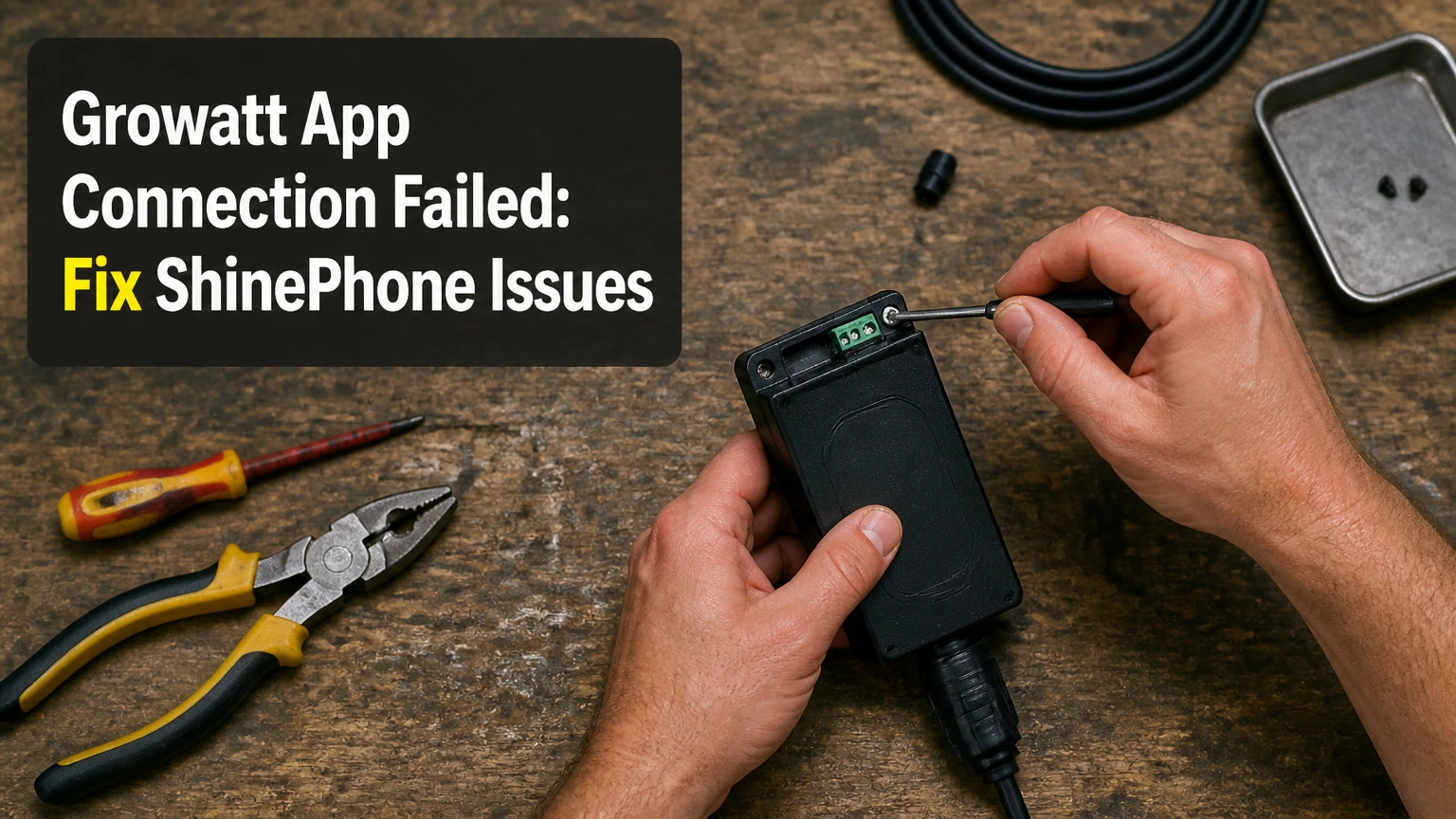
A Growatt app connection failed message usually means ShinePhone cannot reach the inverter’s data logger, the logger cannot reach the local network, or Growatt’s cloud cannot accept the upload. Check the logger power, 2.4 GHz Wi-Fi, plant binding, and cloud status in that order; the inverter may still produce electricity while monitoring remains offline.
Key Facts at a Glance
- ShinePhone displays monitoring data only after the inverter logger uploads information to Growatt’s cloud.
- Most ShineWiFi loggers use 2.4 GHz Wi-Fi, not a dedicated 5 GHz connection.
- A router replacement often breaks monitoring because the logger retains the old SSID or password.
- A red or rapidly changing LED is a diagnostic clue, but LED meanings vary by logger model and firmware.
- Growatt communication normally uses outbound internet traffic; opening inbound router ports is generally unnecessary and can create security risk.
- A logger replacement typically costs about $35-$130 before labor, depending on Wi-Fi, Ethernet, or cellular hardware.
What Does a Growatt App Connection Failure Mean?
A Growatt app connection failure is a monitoring communication fault, not proof that the solar inverter has stopped generating power. ShinePhone depends on a chain from the inverter to a Shine data logger, from the logger to Wi-Fi, Ethernet, or cellular service, and then from that network to Growatt’s cloud platform.
The failure can occur at four distinct points:
| Failure point | Observable symptom | First check | Typical recovery |
|---|---|---|---|
| ShinePhone app | Login error, blank plant, loading loop | Account and plant list | Re-login or select the correct plant |
| Logger and inverter | Logger has no light or no fresh data | USB or RS485 seating | Reinsert, lock, and restart safely |
| Logger and local network | Red or network-search light | 2.4 GHz SSID and password | Reconfigure Wi-Fi or Ethernet |
| Cloud connection | Logger appears online but data is stale | Internet and Growatt status | Wait, check service, or contact support |
A blank app does not distinguish these faults by itself. The fastest diagnosis comes from comparing the inverter’s front-panel output with the logger LED and the “last update” time in ShinePhone. If the inverter display shows production but the app is stale, prioritize communications rather than electrical generation.
How Does the Growatt Communication Chain Work?
Growatt monitoring uses a three-stage path: inverter to logger, logger to network, and network to Growatt cloud. Each stage has a different remedy, so replacing a Wi-Fi dongle will not fix a plant-account error or a disabled cellular SIM.
The inverter powers and exchanges data with a plug-in Shine device through a compatible USB, RS485, or manufacturer-specific interface. The logger then sends data through a 2.4 GHz wireless network, Ethernet, or a cellular modem. Growatt’s cloud stores the upload and makes it available to ShinePhone and web monitoring portals.
| Component | Connection method | Data responsibility | Failure example |
|---|---|---|---|
| Solar inverter | USB, RS485, or approved port | Produces operating values | Loose connector or unsupported logger |
| Shine logger | Wi-Fi, Ethernet, or cellular modem | Collects and uploads values | Lost SSID, bad SIM, damaged hardware |
| Home network | Router, access point, or cable | Provides local internet access | WPA incompatibility or DHCP failure |
| Growatt cloud | Outbound internet session | Stores and serves monitoring data | Service interruption or account mismatch |
Growatt installation manuals for ShineWiFi and ShineLan devices describe logger configuration through the device serial number and verification code, but the exact screens and LED behavior differ by hardware generation. Use the manual for the logger model printed on the device rather than treating every color pattern as universal.
Before You Reconnect the Growatt Logger
Set aside 10-20 minutes for a normal Wi-Fi reconnection, 20-45 minutes for Ethernet or cellular diagnosis, and the logger purchase cost if hardware has failed. You need the logger serial number, verification code, router credentials, phone, and access to the inverter without removing covers or touching high-voltage wiring.
| Requirement | Typical value | Why it matters |
|---|---|---|
| Wi-Fi setup time | 10-20 minutes | Includes configuration and verification |
| Ethernet diagnosis | 20-45 minutes | Includes cable, DHCP, and router checks |
| Replacement Wi-Fi logger | $35-$60 | Typical hardware-only range |
| Replacement Ethernet logger | $45-$75 | Typical hardware-only range |
| Replacement cellular logger | $80-$130 | Excludes SIM data service |
| Phone battery | At least 20% | Prevents interruption during provisioning |
Use only the external logger connection and router controls that the manufacturer exposes to users. Do not open an inverter enclosure, disconnect DC wiring, or alter grid settings to repair an app connection. Electrical work belongs to a qualified solar technician.
How Do You Fix a Growatt App Connection Failed Error?
Reconnect the system by identifying the failed link, confirming logger power, configuring the correct network, and verifying the plant association. A successful repair usually takes six steps, and the most important factor is matching the phone and logger to a compatible 2.4 GHz setup without mobile-network switching during provisioning.
Step 1: Confirm the Inverter Is Operating
Check the inverter screen or status indicators during daylight and compare the displayed power with the app’s last recorded value. Record the inverter model, logger model, logger serial number, and the time of the last successful upload before changing settings.
You will know the inverter is operating when it shows a normal operating state and a nonzero daytime power value, although zero output can be normal at night or during heavy shading. The common mistake is assuming a monitoring error proves a DC, AC, or grid fault.
Step 2: Inspect and Reseat the Logger
Switch off equipment only according to the inverter manual, then inspect the logger plug, locking collar, cable, and housing for moisture or mechanical damage. Reinsert the device firmly and secure any threaded collar, because a partially seated connector can provide power without reliable data communication.
You will know the logger receives power when its indicator activates after the inverter supplies power. A dark LED can indicate a loose connection, incompatible port, failed logger, or inverter-side issue, so do not jump directly to router reconfiguration.
Step 3: Prepare a Compatible Wi-Fi Network
Create or select a dedicated 2.4 GHz SSID and temporarily disable band steering, fast roaming, or automatic mesh optimization if the logger cannot complete setup. Connect the phone to that same 2.4 GHz SSID, disable cellular data temporarily, and remain near the router during provisioning.
| Network setting | Recommended test value | Reason |
|---|---|---|
| Wireless band | 2.4 GHz | Common requirement for ShineWiFi devices |
| Security mode | WPA2-Personal | Broad legacy-device compatibility |
| SSID visibility | Broadcast enabled | Simplifies logger discovery |
| DHCP | Enabled | Supplies the logger an IP address |
| Captive portal | Disabled | Loggers cannot complete browser sign-in |
| Phone connection | Same 2.4 GHz SSID | Keeps setup on the intended network |
The claim that every Growatt logger rejects special characters or passwords longer than 30 characters is too broad. Firmware and model revisions differ; if a normal password fails, test a temporary letters-and-numbers password, then restore the stronger household password after configuration if the logger supports it.
Step 4: Reconfigure ShinePhone
Open the current ShinePhone app, sign in to the account that owns the plant, and use the logger configuration or plant-management workflow specified for your model. Scan the logger serial number and enter the verification code exactly as printed, checking commonly confused characters such as zero and the letter O.
You will know the configuration reached the logger when the app reports a completed network setup rather than merely saving the Wi-Fi credentials. The frequent mistake is adding a second plant instead of repairing the existing plant, which can make the inverter appear missing even though its data remains tied to the original account.
Step 5: Check the Logger LED Without Overinterpreting It
Observe the indicator for at least 60 seconds after configuration. Growatt LED colors are model-specific, so use the device manual as the authority; the table below gives a practical interpretation, not a universal code.
| LED observation | Likely state | Next action | Confidence |
|---|---|---|---|
| No light | No power or failed hardware | Check connector and inverter supply | Medium |
| Red or network-search pattern | Cannot join local network | Recheck SSID, band, password | Medium |
| Connected pattern, stale app | Network works, upload or account issue | Check cloud, plant binding, time | Medium |
| Stable online pattern | Logger has network access | Wait for next upload | Medium |
| Repeating startup cycle | Boot or firmware fault | Power-cycle per manual, then support | Low |
A stable online indicator does not prove that ShinePhone has the correct plant association. The logger can reach the internet while uploading to another account, another plant, or a cloud region that the app session is not displaying.
Step 6: Verify Fresh Data and Plant Binding
Wait 5-15 minutes after a successful upload attempt, then refresh the plant and compare the latest timestamp with the inverter’s current operating state. Growatt documentation and installer workflows commonly treat the logger serial number as the identity link, so a replacement device may require reassignment rather than simple Wi-Fi setup.
You will know the repair worked when the app shows a current timestamp, today’s power curve begins updating, and the logger remains online after the phone leaves the house. Historical data may not immediately populate after a logger replacement, and a missing older curve does not necessarily mean the new connection failed.
Which Growatt Logger Fits Your Installation?
ShineWiFi is usually the lowest-cost option for a nearby router, ShineLan is the most predictable choice when cable installation is practical, and Shine4G is appropriate where fixed broadband is unavailable. None is universally best because the useful attribute is the reliability of the available connection at the inverter.
| Logger family | Network | Typical cost | Best distance condition | Ongoing fee |
|---|---|---|---|---|
| ShineWiFi-X or ShineWiFi-S | 2.4 GHz Wi-Fi | $35-$60 | Router or access point within strong range | Usually none |
| ShineLan-X | Cat5e or Cat6 Ethernet | $45-$75 | Cable route under about 100 m | Usually none |
| ShineGPRS-X | 2G or supported cellular | $80-$110 | Valid legacy cellular coverage | SIM plan |
| Shine4G | 4G LTE cellular | $80-$130 | Reliable 4G signal at the site | SIM plan |
Prices are typical retail ranges, not fixed Growatt prices, and regional taxes, installers, shipping, and model availability change the total. Confirm connector type and regional cellular bands before ordering, since a visually similar logger can be electrically or geographically incompatible.
Is Ethernet Better Than Wi-Fi for ShinePhone?
Ethernet is generally more stable when a suitable cable can reach the inverter, while Wi-Fi is faster to install and easier to use in a typical home. Ethernet does not solve an account, logger, cloud, or damaged-port problem, and a poor cable route can make the installation less maintainable.
A ShineLan installation still depends on router power, DHCP, internet service, and outbound access. Use outdoor-rated cable and appropriate sealing where the route passes through exposed areas; do not leave an indoor patch cable in direct weather. For most homes, a properly positioned 2.4 GHz access point is less expensive than a long, unprotected cable.
How Much Does a Growatt Logger Replacement Cost?
A replacement typically costs $35-$130 for hardware, while professional diagnosis or installation can add a local service charge. Cellular models also require a compatible SIM and data plan, so their lifetime cost exceeds the purchase price.
| Replacement scenario | Hardware range | Typical labor time | Additional cost |
|---|---|---|---|
| ShineWiFi swap | $35-$60 | 15-30 minutes | Usually no monthly fee |
| ShineLan swap | $45-$75 | 20-60 minutes | Cable and connectors if needed |
| Shine4G swap | $80-$130 | 30-60 minutes | SIM and cellular data |
| Installer diagnosis | Not applicable | 30-90 minutes | Local service rate |
Replace the logger only after testing power, network credentials, and plant binding. A new dongle cannot repair a router with no internet, a cloud outage, an account-access problem, or an inverter that is not supplying the logger.
Why Does ShinePhone Still Show No Data?
ShinePhone can remain empty after network repair when the logger is assigned to another plant, the account uses the wrong region, the inverter has no production to report, or the cloud has not processed the first upload. The timestamp is more useful than the app’s generic connection wording.
| Symptom after repair | Most probable cause | Test | Corrective action |
|---|---|---|---|
| Logger online, no plant | Wrong account or plant | Search by logger serial | Contact owner or installer |
| Plant visible, old timestamp | Upload or cloud delay | Compare LED and router client list | Wait, then restart logger |
| Data appears under another plant | Duplicate plant creation | Review plant list and serial | Remove duplicate only after verification |
| Values show zero in daylight | Inverter or sensor condition | Read inverter display | Escalate electrical fault |
| App login fails | Credentials or region endpoint | Test web portal | Reset account or use correct region |
| Wi-Fi drops daily | Weak signal or mesh roaming | Check RSSI or move access point | Use fixed 2.4 GHz SSID or Ethernet |
Growatt cloud availability can change independently of the household network. Check whether the inverter’s web monitoring portal, installer portal, or other users report an outage before repeatedly resetting a correctly configured logger.
What If You Changed the Router or Wi-Fi Password?
A router change is the most common non-hardware trigger because the logger stores the previous network identity and credentials. Restore the old SSID and password temporarily, or re-run logger configuration using the new 2.4 GHz network.
Mesh routers deserve extra attention. Many combine 2.4 and 5 GHz under one name, move clients between access points, or enable WPA3-only mode; a temporary IoT SSID using WPA2-Personal, visible broadcasting, and fixed 2.4 GHz operation gives older loggers a cleaner provisioning path.
Does Growatt Require Ports 5279 and 5280?
Do not assume that TCP ports 5279 and 5280 must be opened on a home router. Growatt logger requirements vary by model, firmware, server endpoint, and region, and ordinary monitoring normally uses outbound sessions rather than inbound port forwarding.
The AI Overview’s instruction to “open” those ports lacks an important security distinction. Outbound firewall permissions and inbound port forwarding are different; never forward external traffic to a solar logger unless current Growatt documentation or a qualified installer specifically requires it. If a managed firewall blocks unknown outbound traffic, ask Growatt support for the exact destination hostnames and ports for the logger model.
When Should You Replace the Logger?
Replace a Growatt logger after confirming inverter power, connector integrity, compatible network settings, and correct account binding, especially when the device remains dark or repeatedly reboots on a known-good network. A replacement is not justified by one stale app refresh or a temporary Growatt cloud outage.
Use this decision sequence:
- Test the router with another device at the inverter location.
- Confirm the logger model matches the inverter and regional network.
- Reconfigure on a simple 2.4 GHz WPA2 test SSID.
- Check whether the router assigns the logger an IP address.
- Compare the logger behavior with the model’s manual.
- Replace the device if it fails on power or a verified network.
A damaged logger may show a light yet fail to upload, so LED activity alone cannot establish hardware health. Conversely, a dark light can result from inverter shutdown, a loose connector, or a disabled port, which is why replacement should follow testing rather than precede it.
Growatt App Alternatives and Escalation
The Growatt web monitoring portal can help separate an app problem from a logger problem, but it does not replace the logger-cloud path. If both ShinePhone and the web portal show the same stale timestamp, the fault is probably upstream of the phone.
Contact the installer or Growatt support with the inverter model, logger model, logger serial number, plant name, account email, last successful update, LED pattern, router change date, and screenshots. Do not send passwords or expose your home network credentials. Support can check server-side binding, device activation, firmware, and regional registration details that a homeowner cannot see.
Frequently Asked Questions
Can the inverter produce power when ShinePhone is offline?
Yes. Growatt monitoring and solar energy production are separate functions. The inverter can continue converting available DC energy while its logger lacks Wi-Fi, cellular service, or cloud access, although remote visibility and some configuration features will be unavailable. Confirm generation on the inverter display and use qualified service personnel for electrical faults.
Does ShinePhone need Bluetooth to connect to a Growatt inverter?
Usually no. Many ShineWiFi setup procedures use the phone’s local Wi-Fi connection and the logger’s configuration process rather than a permanent Bluetooth link. Bluetooth permissions may appear on some app versions or hardware generations, so allow only the permissions requested by the official app and follow the logger-specific manual.
Why does Growatt show yesterday’s data but not today’s?
Yesterday’s data proves that the logger previously communicated, not that the current network path works. Check whether the router changed, the logger lost its IP address, the inverter is operating today, or Growatt cloud processing is delayed. A current inverter power value plus an old app timestamp points toward communications.
Can a Wi-Fi extender fix a failed Growatt connection?
A Wi-Fi extender can help when the logger has a weak 2.4 GHz signal and the extender presents a stable, compatible SSID. It cannot fix an incorrect plant serial number, cloud outage, damaged logger, or incompatible security mode. Test the extender with a simple SSID first, because some mesh systems still steer legacy devices between bands.
How long should I wait after reconnecting a logger?
Wait 5-15 minutes for a normal first update, then refresh the plant and inspect the latest timestamp. Some systems take longer during cloud delays or after account reassignment. If no new data appears after 30-60 minutes on a confirmed online logger, stop repeating setup and investigate plant binding, server status, or hardware.
What information does Growatt support need?
Provide the inverter model, logger model and serial number, verification code only through the official support channel when requested, plant identifier, account email, last successful upload, LED pattern, network type, and exact error text. Include the date of any router, password, internet provider, or logger change to reduce diagnostic delays.
The Bottom Line
A Growatt app connection failed message usually identifies a communication break, not a failed solar inverter. Start with inverter operation and logger power, configure a dedicated 2.4 GHz WPA2 network, verify the existing plant binding, and allow 5-15 minutes for a fresh upload. Choose ShineWiFi for a strong nearby network, ShineLan for a practical wired route, and Shine4G for remote sites with dependable cellular coverage. Do not open inbound ports or replace hardware until the connection path has been tested. If ShinePhone remains offline after these checks, provide Growatt support with the logger identity, LED pattern, timestamp, and network changes.