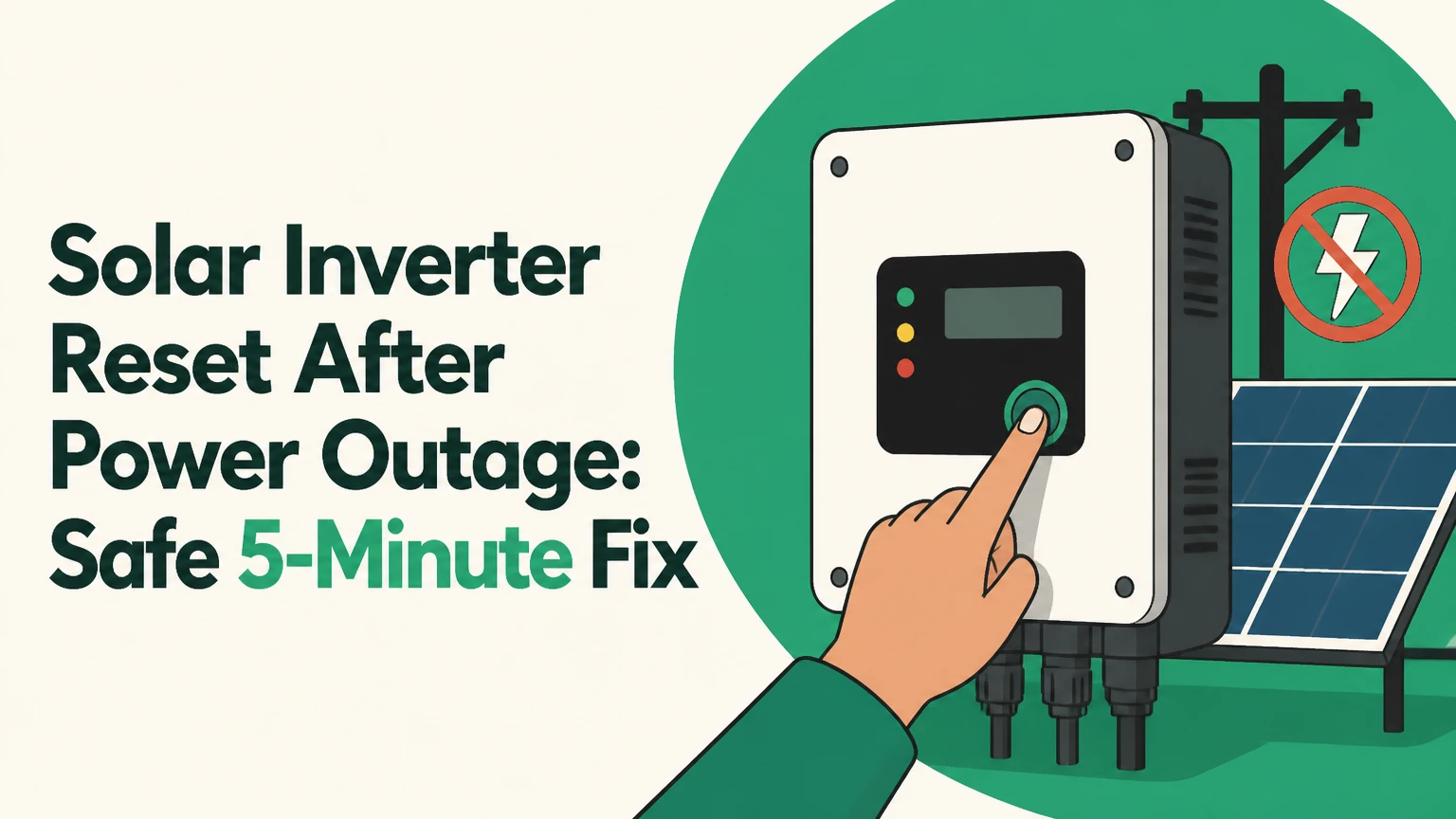
A solar inverter reset after a power outage usually means allowing the inverter to detect stable utility power and reconnect automatically, or performing a manufacturer-approved power cycle when it remains offline. Turn off unsafe equipment first, confirm the grid has returned, wait through the qualification timer, and use the exact procedure in the inverter manual rather than assuming every system uses the same switch order.
Key facts at a glance
A grid-tied solar inverter must stop exporting electricity when utility power fails because anti-islanding protection protects line workers.
Many inverters wait about 5 minutes after stable grid power returns, but the exact timer varies by model, firmware, and local interconnection rules.
A manual reset does not repair a blown fuse, insulation fault, damaged surge protector, failed relay, or unstable utility voltage.
Never open the inverter enclosure or remove covers. Solar DC circuits can remain energized in daylight even when the screen is blank.
AC and DC isolator order is manufacturer-specific. The printed shutdown label and installation manual override generic internet instructions.
A persistent isolation fault, burning smell, water ingress, arcing, or repeated reboot cycle requires a qualified solar technician.
What Does a Solar Inverter Reset Do?
A solar inverter reset restarts the control electronics and repeats the inverter’s checks for grid voltage, frequency, insulation, communications, and power availability. The restart may clear a temporary “grid lost” condition, but it cannot correct a hardware failure or an unsafe electrical condition.
A residential photovoltaic system normally includes PV modules, DC wiring, an inverter, AC protection, and sometimes a battery and backup gateway. The inverter converts the panels’ direct current into alternating current that matches the home and utility supply. When the utility disappears, a standard grid-following inverter must disconnect even if sunlight remains available.
A reboot differs from a full isolation procedure. Pressing a front-panel reset or cycling a software command may restart firmware while leaving hazardous conductors energized. Opening a DC isolator, AC breaker, or battery disconnect is a physical isolation action, and only the steps authorized for that installed system should be used.
Why Does the Inverter Shut Down During a Blackout?
Anti-islanding protection disconnects a grid-tied inverter when utility voltage or frequency leaves permitted limits. The protection prevents a private generation system from energizing a supposedly de-energized distribution line while utility workers restore service.
IEEE 1547-2018 defines interconnection and interoperability requirements for distributed energy resources in North America, while UL 1741 evaluates applicable inverter equipment. Exact trip values and reconnection delays depend on the certified product, utility settings, and jurisdiction. A five-minute wait is common, not a universal legal constant.
The National Fire Protection Association’s electrical safety framework also treats photovoltaic conductors as a distinct hazard, particularly because DC voltage can persist in sunlight. OSHA’s worker-safety instruction is concise: “Treat all power lines as energized.” Homeowners should apply the same caution to unfamiliar PV wiring and never test exposed conductors.
How Long Should a Solar Inverter Take to Restart?
A solar inverter commonly reconnects within 5-15 minutes after stable utility power returns, including its internal qualification timer and startup checks. A longer delay can be normal after repeated voltage fluctuations, a battery protection event, a communication failure, or a utility-side fault.
The inverter first confirms that the grid is present. It then checks voltage and frequency, closes internal switching devices, verifies PV input, and begins power conversion. Some displays show “waiting,” “synchronizing,” “grid monitoring,” or “reconnecting” during this period.
Do not repeatedly toggle the system during the timer. Rapid cycling can create additional fault records, interrupt battery contactor sequencing, and make a utility disturbance appear to be an inverter failure. If the inverter still shows a grid fault after 15-30 minutes of stable household power, begin the external checks below.
| Observed condition | Typical duration | Likely interpretation | Next action |
|---|---|---|---|
| “Grid lost” immediately after outage | 0-5 minutes | Qualification timer active | Wait without cycling |
| “Synchronizing” after grid returns | 5-15 minutes | Voltage and frequency checks | Check status once after 15 minutes |
| Repeated restart every 1-10 minutes | More than 15 minutes | Unstable grid or internal fault | Contact installer or utility |
| No recovery after 30 minutes | 30+ minutes | Breaker, isolator, surge, or inverter fault | Perform only approved external checks |
How Do You Reset a Solar Inverter Safely?
Use the inverter manufacturer’s shutdown and startup sequence, confirm that utility power is stable, and keep all covers closed. A typical residential sequence takes 5-15 minutes, but the safe switch order can differ between SMA, Fronius, SolarEdge, Enphase, Tesla, Sol-Ark, and other systems.
Before You Start
| Item | Typical value | Why it matters |
|---|---|---|
| Homeowner inspection time | 5-10 minutes | Covers breaker and display checks |
| Full restart time | 10-20 minutes | Includes discharge and reconnection |
| Required tools | 0 tools | Use labeled switches only |
| Minimum condition | Dry weather, stable grid | Avoid storm and surge exposure |
| Professional service cost | $150-$300 typical | Varies by region and warranty |
First, switch off sensitive electronics if the outage involved repeated flickering or a suspected surge. Confirm that ordinary utility circuits have power, and check whether the inverter display, status LEDs, monitoring gateway, or battery controller has any indication of life.
Do not proceed if there is smoke, a hot enclosure, crackling, visible damage, water inside equipment, a burning odor, or an active lightning storm. Do not remove covers, probe terminals, or climb onto a roof.
Step 1: Check the Utility Supply
Confirm that the main service, solar AC breaker, and relevant RCD, GFCI, or residual-current device have not tripped. Reset a household protective device only if the panel is dry, undamaged, and you can do so without opening equipment or touching exposed conductors.
You will know this step worked when ordinary household circuits operate normally and the inverter reports a grid-related waiting state rather than total loss of power. A common mistake is assuming that restored lights prove the solar circuit is energized, because the solar breaker may remain off.
Step 2: Read the Inverter Status
Record the exact message, LED color, event number, and time. Photographing the display helps the installer distinguish “grid lost” from “isolation fault,” “arc fault,” “PV overvoltage,” or “battery reserve.”
You will know the diagnosis is useful when the message is copied exactly from the screen or app. A common mistake is treating a red light as a single diagnosis, because manufacturers assign different meanings to red, amber, blue, and flashing patterns.
Step 3: Follow the Approved Shutdown Sequence
Locate the labeled AC isolator, DC isolator, battery disconnect, backup gateway, and main solar breaker. Use the installation manual or the shutdown label attached to the system, because some battery inverters require battery shutdown first while other systems require AC isolation before DC isolation.
If the manual is unavailable, stop at the external inspection stage and call the installer. Generic eight-step sequences published online can be wrong for systems with high-voltage batteries, integrated rapid-shutdown equipment, or a separate backup controller.
You will know the system has entered shutdown when the manufacturer’s status indicator changes as specified in its manual. A common mistake is operating unlabeled switches or moving AC and DC handles simultaneously, which can increase arc risk and invalidate a service diagnosis.
Step 4: Wait for the System to Discharge
Observe the manual’s waiting interval, commonly 2-10 minutes. The waiting period allows internal circuits and battery contactors to reach their intended state, but it does not guarantee that PV conductors or battery terminals are safe to touch.
You will know the wait is complete only when the manufacturer’s documented interval has elapsed. A common mistake is believing that a blank screen proves the inverter is de-energized; daylight PV input and battery circuits may remain live.
Step 5: Restore Power in the Documented Order
Re-enable the battery, DC isolator, AC isolator, or breakers only in the order specified for the exact model. Keep people away from the equipment while relays engage, and stop immediately if the inverter clicks repeatedly, smells hot, displays an insulation fault, or trips a protective device.
You will know startup is progressing when the display shows boot, waiting, synchronizing, or a comparable manufacturer status. A common mistake is turning every switch on at once, which can create unclear fault conditions and obscure the original event.
Step 6: Confirm Normal Operation
Allow the full grid qualification period, then verify that the inverter reports normal operation, PV power, battery charging or discharging, and monitoring communication. Compare production with the sunlight available, not with the inverter’s maximum rating.
You will know the reset succeeded when the device remains online for at least 10-15 minutes without a new fault and the monitoring portal receives a current timestamp. A common mistake is declaring success when the screen lights up, even though the inverter has not yet exported energy.
How Do Inverter Types Behave After an Outage?
Grid-tied string inverters and microinverters normally stop producing during a blackout, while hybrid and off-grid systems can supply selected loads when correctly configured with batteries and transfer equipment. Solar panels alone do not provide safe household backup through a conventional grid-tied inverter.
| Inverter architecture | Blackout output | Typical restart behavior | Main limitation |
|---|---|---|---|
| String inverter | 0 kW to home loads | 5-15 minute grid check | Entire array can stop from one inverter fault |
| Microinverter system | 0 kW without backup controller | Panel units reconnect separately | Monitoring may depend on router and gateway |
| Hybrid inverter | 1-15 kW to configured loads | Transfer in about 10-60 seconds | Battery and gateway settings determine operation |
| Off-grid inverter | Battery and PV loads remain powered | No utility reconnection cycle | Requires sufficient battery and load management |
Can Solar Panels Work Without the Grid?
Solar panels can power a home during an outage only when the system includes grid-forming equipment, energy storage, and a compliant transfer or backup controller. A standard grid-following inverter cannot create a stable reference for household AC loads after the utility disconnects.
A hybrid system may maintain a dedicated backup-load panel while leaving large appliances disconnected. Whole-home backup requires correctly sized inverter output, transfer equipment, battery capacity, and load management. A battery at 20% state of charge may intentionally stop backup output even though the panels are producing energy.
Microinverters require additional architecture, such as an approved backup controller and a battery-forming source. Without that equipment, panel-level design improves monitoring and fault isolation but does not defeat anti-islanding shutdown.
Which Faults Need More Than a Reset?
A reset helps with a temporary grid event, but persistent faults indicate an electrical, environmental, communications, or hardware problem. The message and behavior determine whether a homeowner can observe further or should isolate the system and request service.
| Symptom or code family | More likely cause | Safe homeowner action | Escalation point |
|---|---|---|---|
| “Grid fault” or “grid lost” | Utility voltage or breaker issue | Confirm utility and solar breaker status | Still present after 30 minutes |
| Blank display in daylight | AC loss, DC isolator, fuse, or electronics | Check labeled external switches only | No LEDs after documented checks |
| “Isolation fault” or “earth fault” | Moisture, cable damage, or insulation failure | Do not reset repeatedly | Call a qualified technician |
| Repeated reboot loop | Voltage fluctuation, firmware, relay, or hardware | Record timing and code | Three or more cycles |
| “Arc fault” | Detected series arcing or wiring issue | Leave system off as instructed | Immediate professional inspection |
| Battery communication error | Gateway, state of charge, or cable issue | Check app and battery status | Persists after one approved restart |
What Does a Red Inverter Light Mean?
A red inverter light usually indicates a fault or warning, but the exact meaning belongs to the manufacturer’s LED table. Fronius, SMA, SolarEdge, Enphase, Tesla, and other brands use different colors, flash patterns, and event labels.
A red light with “grid lost” after a neighborhood outage often needs waiting rather than resetting. A red light with “isolation fault,” “arc fault,” or “overtemperature” should not be repeatedly cleared, because the underlying hazard may remain active.
What If the Inverter Screen Is Blank?
A blank screen means the interface has no visible operating power, not that the entire PV system is safe. The cause may be a tripped AC supply, switched-off DC input, failed auxiliary power supply, battery shutdown, blown protective component, or damaged inverter electronics.
Check only clearly labeled external breakers and isolators, according to the manual. If the screen remains blank in daylight after utility power returns, record the condition and arrange service; do not open the enclosure to inspect fuses.
What Should You Do After a Storm Surge?
Do not reset a solar inverter during active lightning, flooding, or visible equipment damage. Storm conditions can create simultaneous risks from wet electrical equipment, utility instability, rooftop access, and surge-damaged components.
A surge protective device may sacrifice itself while the inverter appears normal, or a surge may damage the inverter without an immediate visible mark. Repeated resets can turn an intermittent insulation or relay problem into a larger failure. Photograph the inverter, isolators, battery, and any damage before making changes, then contact the installer and insurer if appropriate.
Water ingress requires particular caution. “Isolation fault” can result from wet connectors, damaged cable insulation, or a failing inverter input stage. Dry weather alone does not prove the system is safe, because moisture can remain inside connectors and conduit.
How Much Does Inverter Troubleshooting Cost?
A basic homeowner status check costs $0, while a typical technician visit costs $150-$300 before parts. Replacement costs vary widely by capacity, battery integration, labor, scaffolding, switchgear, and local electrical requirements.
| Service or outcome | Typical residential cost | Typical timeframe | Cost driver |
|---|---|---|---|
| Homeowner status check | $0 | 5-15 minutes | No tools or parts |
| Technician diagnostic visit | $150-$300 | 1-3 hours | Travel and testing |
| Surge protection replacement | $200-$700 | Same day to 2 weeks | Device and panel access |
| String inverter replacement | $1,500-$3,500 | 1-4 weeks | Capacity, labor, permits |
| Hybrid inverter replacement | $3,000-$8,000+ | 2-8 weeks | Battery and gateway integration |
| Battery or gateway repair | $300-$2,000+ | 1-6 weeks | Warranty and component availability |
These are typical practitioner ranges, not a quote. Manufacturer warranty coverage can reduce equipment cost, although labor, diagnosis, shipping, and code upgrades may remain chargeable. A surge claim may also require utility records, installer documentation, and photographs.
Which System Needs the Least Manual Resetting?
A correctly configured hybrid system generally provides the best outage continuity, while microinverters reduce the impact of a single panel-level failure. A conventional string inverter is usually simpler and less expensive, but one central fault can stop the complete array.
| Decision factor | String inverter | Microinverters | Hybrid inverter | Off-grid inverter |
|---|---|---|---|---|
| Typical residential capacity | 3-15 kW | 2-10 kW total | 5-15 kW | 3-15 kW |
| Backup during blackout | No | No without controller | Yes, with battery | Yes, by design |
| Single-unit fault impact | Entire array | One module | Solar and battery path | System bus or battery path |
| Monitoring dependency | Wi-Fi or cellular gateway | Gateway and router | Gateway, battery, grid meter | Local controller or gateway |
| Manual reset complexity | Low to medium | Low per unit, gateway dependent | Medium to high | Medium |
| Best operating context | Reliable grid, lower budget | Shaded or modular roofs | Frequent outages | No utility or unreliable utility |
A practitioner rule of thumb is to buy backup capability for the loads that matter, not for an abstract maximum. Refrigeration, medical equipment, communications, and heating controls may need a smaller, well-managed backup panel rather than an oversized whole-home system.
What Is the Limitation of Remote Monitoring?
Cloud monitoring can identify a fault but cannot prove that the inverter is electrically safe or that the utility supply is stable. An Enphase, SolarEdge, Tesla, or SMA app may show stale data when the home router, cellular gateway, or backup communications equipment lost power.
Use the local display and physical status indicators when available. Note the last successful communication time, because a portal showing yesterday’s production does not establish present operating status.
When Should You Call a Solar Technician?
Call a qualified solar electrician or the original installer for an isolation fault, arc-fault message, exposed wiring, water ingress, repeated breaker trips, burning smell, damaged enclosure, high-voltage battery warning, or no recovery after documented external checks. Utility voltage problems should also be reported to the utility provider.
A technician can test insulation resistance, DC string voltage, AC voltage and frequency, protective devices, surge components, relay operation, battery communication, and event logs. Those tests require equipment and procedures that a homeowner should not improvise.
Use this escalation checklist:
- Stop resetting after three failed attempts.
- Record every code, LED pattern, time, and weather condition.
- Photograph the external equipment without removing covers.
- Contact the installer, inverter manufacturer, or utility in that order.
- Ask whether the event qualifies for warranty or surge-related insurance review.
Frequently Asked Questions
Will solar restart automatically after a power outage?
Most grid-tied solar inverters restart automatically after utility voltage and frequency remain within approved limits for the manufacturer’s qualification period. The process commonly takes 5-15 minutes. A tripped solar breaker, unstable grid, battery fault, communications failure, or damaged equipment can prevent automatic reconnection.
Can I reset an inverter at night?
You can inspect the inverter at night, but nighttime does not make the equipment safe to open or dismantle. PV input may be absent while AC and battery circuits remain energized. Perform only labeled external switching described by the manufacturer, and arrange professional service for internal faults or persistent blank displays.
Why is my solar inverter still offline when the house has power?
The home can have utility power while the solar circuit remains disconnected. Common causes include a tripped solar AC breaker, RCD or GFCI operation, an inverter grid fault, a failed surge component, or a communications problem. Compare the local inverter status with the monitoring app before deciding that generation has stopped.
Does a power outage damage solar panels?
A normal utility outage does not usually damage solar panels because the inverter disconnects them from the grid. Lightning, induced surges, switching transients, hail, water ingress, and pre-existing connector faults can damage modules, wiring, surge protection, or inverter electronics during the same weather event.
How long should I wait before calling the installer?
Wait through the documented reconnection period and allow approximately 15-30 minutes after stable utility power returns for ordinary grid-loss conditions. Call sooner for smoke, heat, arcing, water, an isolation fault, an arc-fault message, or repeated breaker trips. Persistent failure after one approved restart also merits service.
The Bottom Line
A solar inverter reset after power outage normally begins with confirming stable utility power and allowing automatic reconnection, not with immediate switch cycling. If a manufacturer-approved restart is necessary, use the exact AC, DC, battery, and gateway sequence for that model, wait the documented discharge period, and verify normal production after the grid qualification timer ends.
A five-minute reconnection interval is common but not universal. A reset cannot repair surge damage, insulation failure, unstable grid voltage, or a failed battery controller. Stop when the inverter reports a safety fault, the equipment shows physical damage, or the system fails after one documented procedure, then contact a qualified technician.