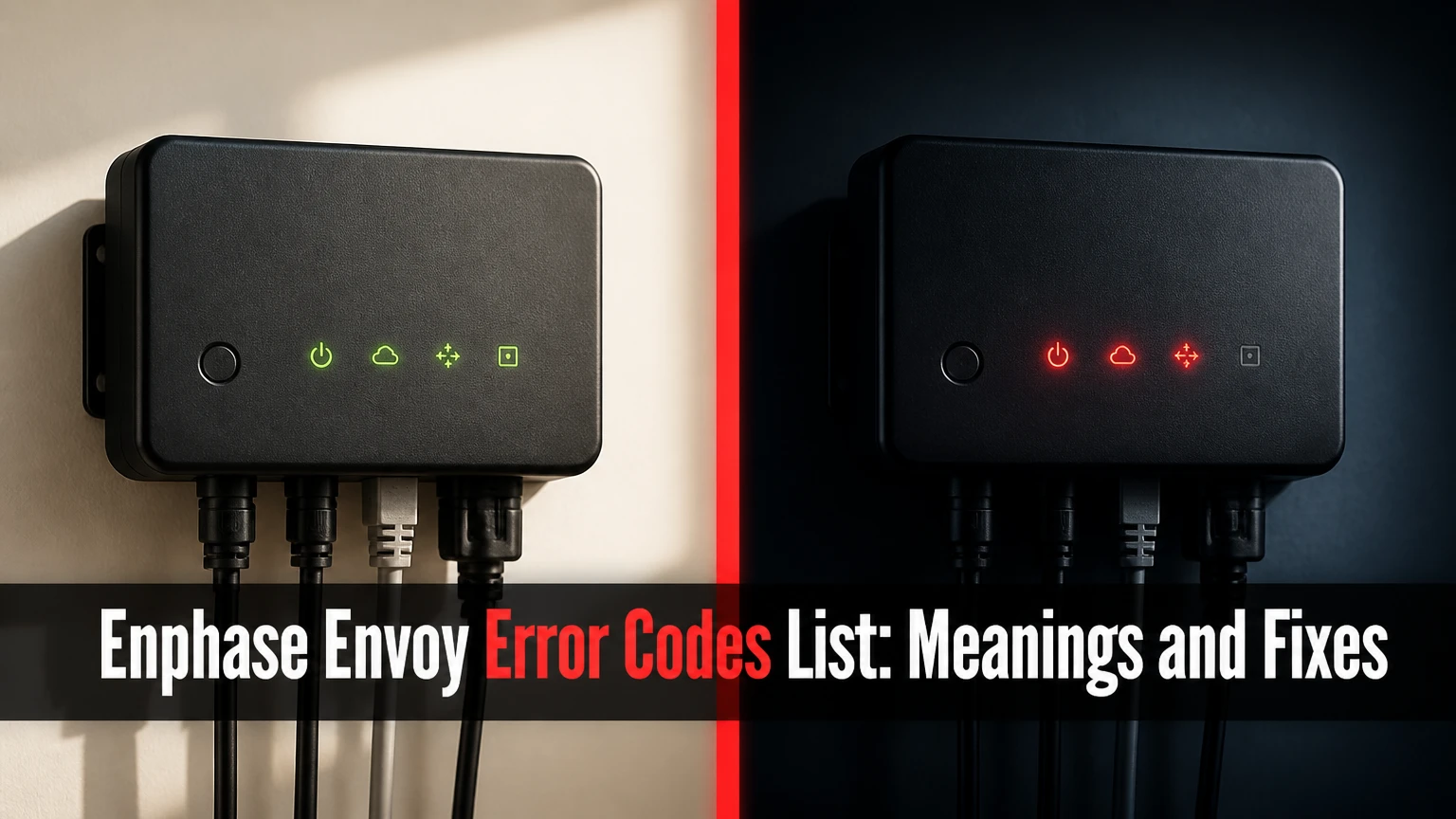
The Enphase Envoy error codes list includes gateway alerts, microinverter communication faults, grid-voltage errors, and DC-resistance safety faults. Enphase now uses the name IQ Gateway for newer Envoy hardware. The fastest diagnosis starts with the gateway LEDs, then confirms the alert in Enphase App or Enlighten before any reset or electrical work.
Key facts at a glance
The Enphase Envoy collects microinverter data over power line communication, commonly called PLC.
A gateway that is not reporting can leave solar production running while cloud monitoring is unavailable.
Error 001 generally identifies missing microinverter data, not automatically a failed microinverter.
Error 008 indicates an AC grid-voltage or grid-profile condition that requires electrical verification.
Error 120, DC Resistance Low, is a safety fault that should be investigated before reset.
Homeowners can reconnect network settings, but rooftop wiring, grid profiles, and latched safety faults require qualified service.
What Is the Enphase Envoy?
The Enphase Envoy is the communications gateway in an Enphase solar system. It gathers operating data from individual microinverters, sends that information to Enphase Enlighten, and can provide system-level control and diagnostics.
The name depends on the hardware generation. Older installations may use an Envoy or Envoy-S with a screen or simple LEDs, while later installations use an IQ Envoy or IQ Gateway. An IQ Gateway Metered adds current transformers for consumption and production metering.
Which Enphase gateway do you have?
| Gateway name | Typical generation | User interface | Main communication paths |
|---|---|---|---|
| Envoy | Legacy | Backlit LCD and buttons | Ethernet, Wi-Fi, or cellular accessory |
| Envoy-S | Legacy monitoring gateway | Front LEDs and local interface | Ethernet, Wi-Fi, or cellular accessory |
| IQ Envoy | IQ microinverter generation | Front LEDs and app commissioning | Wi-Fi, Ethernet, or cellular |
| IQ Gateway | Current naming | Front LEDs and Enphase App | Wi-Fi, Ethernet, or cellular |
| IQ Gateway Metered | Current metered model | Front LEDs, CT inputs | Wi-Fi, Ethernet, or cellular |
The model label matters because LED locations, local-interface behavior, firmware menus, and reset procedures vary. Do not apply an Envoy-S LCD instruction to an IQ Gateway solely because both products appear as “Envoy” in older installer records.
How Does an Enphase Envoy System Communicate?
An Enphase Envoy receives data from microinverters through the home’s AC wiring using PLC, then forwards that data to Enlighten through an internet or cellular connection. The two links have different failure symptoms: PLC problems affect device visibility, while internet problems affect cloud reporting.
A gateway can therefore show normal device communication but still report a network failure. Conversely, the gateway may have internet access while one or more microinverters remain invisible because electrical noise, a wiring change, or a failed device disrupts PLC.
| Communication layer | What it connects | Common symptom | First diagnostic |
|---|---|---|---|
| Microinverter PLC | Microinverters to gateway | Device Communications amber or missing units | Check device count and daytime production |
| Local network | Gateway to router | Network warning after Wi-Fi change | Test router connection and credentials |
| Internet service | Router to Enphase cloud | Gateway connected locally but not reporting | Test another device on the same network |
| Cellular backhaul | Cellular modem to Enphase cloud | Reporting loss despite working home internet | Check modem status and signal conditions |
| Enphase cloud | Gateway data to Enlighten | Delayed or absent app data | Compare local LED status with portal timestamp |
Enphase installation documentation describes the Envoy as a device that communicates with microinverters and transmits system information to the Enphase monitoring service. The gateway is not a string inverter and does not convert solar electricity. A gateway outage is often a monitoring outage, not proof that every panel has stopped producing.
What Do Enphase Envoy LED Colors Mean?
Enphase gateway LEDs provide a first-level status diagnosis, but the exact color behavior depends on the model and firmware. The four common indicators represent network communications, AP mode, power production, and device communications.
| LED or indicator | Green state | Amber state | Red state or flashing state |
|---|---|---|---|
| Network communications | Cloud connection operating | Local or internet connection problem | Cloud communication failure or gateway fault |
| AP Mode | Access point available or active | Model-specific setup state | Usually not a normal operating indication |
| Power production | Microinverters producing or system status normal | Production issue requiring daytime review | Production fault or gateway-detected system problem |
| Device communications | Microinverters communicating | One or more devices not communicating | Severe communication or gateway condition |
| All indicators | Normal boot or operating sequence | Not usually a steady operating pattern | Startup, firmware, or internal fault condition |
A single amber indicator is more informative than an entire panel of flashing lights. Record the color, whether it is solid or flashing, the time observed, and whether the array was in daylight production. Nighttime readings can falsely suggest a production problem because microinverters normally stop generating after sunset.
What does all four Envoy lights flashing red mean?
All four Enphase Envoy or IQ Gateway LEDs flashing red usually indicates a startup, firmware, or internal gateway fault rather than a specific panel-level code. Allow the gateway to complete startup, then perform one controlled restart if the pattern persists. Repeated red flashing after a full boot cycle warrants installer or Enphase support diagnosis.
A firmware update can temporarily alter LED behavior. Interrupting power during that process may create a larger recovery problem, so avoid repeated breaker cycling every few minutes. If the gateway remains in the same condition for about 30-60 minutes after a restart, document the serial number, firmware version if available, and LED sequence before escalating.
The exact replacement threshold is not universal across all models. An installer should confirm the hardware-specific procedure rather than treating “60 minutes” as a guaranteed warranty rule.
Enphase Envoy Error Codes List and Meanings
The following Enphase Envoy error codes list covers the alerts most frequently associated with gateway monitoring, microinverter communication, grid conditions, and safety shutdowns. Enphase may display different wording by product generation, region, firmware, and whether the message appears in Enlighten, Enphase App, or a legacy LCD.
| Code or alert | Meaning | Typical cause | Safe first action |
|---|---|---|---|
| Gateway Not Reporting | Cloud has not received current gateway data | Wi-Fi password, router, internet, breaker, or modem issue | Check Network LED and local internet |
| Reporting Error | Monitoring data is delayed or absent | Cloud path interruption or gateway offline | Compare app timestamp with gateway LEDs |
| Envoy Failure | Legacy gateway failed initialization | Repeated firmware startup failure | Record message and contact installer |
| Error 001 | Microinverter data is missing | PLC noise, wiring issue, or failed microinverter | Check affected devices during daylight |
| Error 008 | AC voltage outside permitted range | Utility fluctuation or incorrect grid profile | Stop changing settings and request electrical review |
| Error 120 | DC resistance low, power off | Insulation, connector, cable, or module fault | Keep fault under investigation; do not bypass |
| Device not communicating | Gateway cannot read a specific unit | PLC path, branch circuit, or microinverter fault | Check whether the issue affects one branch or many |
These labels are diagnostic categories, not universal international standards. A code shown by one firmware release may have a different descriptive label in another release, so the complete message and affected device serial number matter more than the number alone.
What does Enphase Error 001 mean?
Enphase Error 001 generally means the gateway has detected a microinverter but is not receiving usable data from it. Electrical noise from variable-speed drives, EV chargers, LED dimmers, workshop equipment, or switching power supplies can disrupt PLC, although a failed microinverter or branch-circuit problem remains possible.
A useful field distinction is scope. If many microinverters disappear at once, investigate PLC noise, a tripped solar circuit, phase coupling, or gateway placement before replacing devices. If one unit remains absent while neighboring units communicate, the installer should inspect that branch, connector path, and microinverter.
Do not assume Error 001 means zero production. Some microinverters may continue operating while communications are unavailable, but the app cannot confirm their output until data returns.
What does Enphase Error 008 mean?
Enphase Error 008 indicates that measured AC voltage has moved outside the microinverter’s permitted operating range, or that the installed grid profile does not match the required utility settings. The condition may originate at the utility, service entrance, branch circuit, or commissioning configuration.
Grid voltage is not safely diagnosed by changing an installer setting at random. A qualified electrician or installer should measure voltage under relevant operating conditions, compare it with the utility requirements, and verify the country and grid profile assigned to the system.
Repeated Error 008 during high production can indicate a voltage-rise problem on a long or undersized circuit. A one-time utility event has a different remedy from a persistent voltage condition.
What does Enphase Error 120 mean?
Enphase Error 120, commonly described as DC Resistance Low, Power Off, means a microinverter detected insufficient resistance between the DC conductors and ground. Water in a connector, damaged cable insulation, a module fault, or degraded panel materials can trigger the protective shutdown.
Error 120 is not a nuisance notification to clear blindly. The fault may return immediately, and repeated resets can expose equipment to an unresolved insulation hazard. Enphase microinverter status documentation provides installer procedures for reviewing and resetting the sensor after the physical cause has been assessed.
Only a qualified installer should test rooftop DC wiring or use the installer portal to reset a latched protection state. A successful reset confirms only that the unit restarted. It does not prove that the array is electrically safe.
How Do You Troubleshoot an Enphase Envoy Error?
Troubleshoot an Enphase Envoy error by identifying the LED layer first, checking the app timestamp and affected devices second, and power-cycling only the gateway when the procedure is appropriate. Most network faults take 10-15 minutes to isolate, while rooftop and grid faults require professional testing.
Before you start
| Requirement | Typical value | Why it matters |
|---|---|---|
| Diagnostic time | 10-15 minutes | Enough for app, router, and LED checks |
| Gateway restart wait | 2-3 minutes off | Allows a controlled restart |
| Tools | Phone, gateway serial number, router credentials | No electrical tools for homeowner checks |
| Best observation period | Daylight, preferably 10 a.m.-2 p.m. | Confirms whether microinverters are producing |
| Safety boundary | No rooftop or live-panel work | Prevents exposure to DC and AC hazards |
Step 1: Isolate the status layer
Open Enphase App or Enlighten and compare the last reporting time with the gateway LEDs. A stale cloud timestamp plus a Network warning points toward connectivity; a current timestamp plus missing microinverters points toward PLC or device communication.
Write down the exact alert, affected serial numbers, LED colors, and whether the system was in daylight. You will know this step worked when the fault belongs to one layer instead of the vague category “Envoy error.”
The common mistake is diagnosing production from an app outage. Monitoring and generation are related but not identical.
Step 2: Check power and the solar circuit
Confirm that the gateway has power and that the dedicated gateway circuit or supply remains on. Do not open electrical equipment or reset a breaker repeatedly if the breaker trips again.
You will know this step worked when the gateway returns to its normal boot sequence and stays powered. A breaker that trips immediately indicates an electrical issue requiring service, not a software reset.
Step 3: Restart the gateway once
If the installation manual and installer instructions permit it, switch the dedicated gateway circuit off for approximately 2-3 minutes, then restore power. Allow the complete boot process to finish, which may take several minutes before the LEDs settle.
You will know the restart worked when the gateway reaches a stable LED pattern and the app begins receiving newer timestamps. The common mistake is restoring power after only a few seconds and interpreting an incomplete boot as hardware failure.
Never disconnect rooftop solar circuits as a substitute for restarting the gateway. Gateway power and photovoltaic isolation are separate controls.
Step 4: Reconnect Wi-Fi through AP Mode
For supported models, press the AP Mode button to activate the gateway’s local access point, then use the Enphase App to select the gateway network, often shown with an Envoy identifier, scan for the home network, and enter the current password.
You will know the network repair worked when the Network LED stabilizes and Enlighten receives a new timestamp. Wi-Fi names, menus, and button behavior vary by gateway generation, so follow the model-specific Enphase guide if the app does not detect AP Mode.
A frequent failure occurs after replacing a router while keeping the same network name but changing its security settings. The gateway may retain old credentials even when phones reconnect normally.
Step 5: Check the affected microinverters
Review the device list during daylight and identify whether one unit, one branch, or the entire array is absent. An isolated missing unit suggests a local device or branch problem; a system-wide loss suggests gateway power, PLC interference, or a solar circuit condition.
You will know the diagnosis is useful when the installer can see a repeatable pattern rather than a generic code. Do not climb onto the roof to inspect connectors, because photovoltaic modules can produce hazardous DC voltage whenever light is present.
Step 6: Escalate safety and grid faults
Leave Error 120, repeated Error 008, recurring breaker trips, burning smells, damaged conduit, and exposed wiring for qualified service. Installer tools may be needed to measure insulation resistance, verify grid voltage, inspect connectors, update a profile, or clear a latched protection state.
You will know escalation is complete when the service request includes the exact code, gateway model, microinverter serial number, timestamp, and prior restart result. The common mistake is asking for a replacement gateway when the actual fault is a roof-side insulation problem.
Which Envoy Problems Can Homeowners Fix?
Homeowners can usually fix network credentials, router association, app access, and basic gateway observation. Homeowners should not modify grid profiles, open energized panels, reset DC safety faults without diagnosis, replace microinverters, or perform rooftop connector work.
| Problem | Homeowner action | Installer action | Typical resolution time |
|---|---|---|---|
| Wi-Fi password changed | Reconfigure supported gateway network | Confirm firmware or network compatibility | 10-15 minutes |
| Router offline | Restore router or internet service | Test gateway configuration | 10-30 minutes |
| Gateway not powered | Check accessible switch or breaker position | Diagnose recurring trip or wiring fault | 1-3 hours |
| Error 001 | Record affected units and remove obvious noise sources if safe | PLC testing, filtering, branch inspection | 1-7 days |
| Error 008 | Contact installer or utility | Measure voltage and verify grid profile | 1-14 days |
| Error 120 | Do not reset blindly | Test insulation and repair fault | 1-7 days |
| Dead gateway | Record LEDs and serial number | Firmware recovery or replacement | 1-14 days |
A gateway that is offline is not automatically dangerous, but an alert involving insulation, voltage, overheating, or damaged wiring deserves a higher priority than an ordinary reporting outage.
Envoy Versus IQ Gateway: What Changes?
Envoy and IQ Gateway describe different generations and naming conventions within the Enphase monitoring ecosystem, not two interchangeable software error lists. The most reliable choice is to identify the hardware label and use its installation guide, because buttons, displays, metering inputs, and communication accessories differ.
| Feature | Legacy Envoy | Envoy-S | IQ Envoy | IQ Gateway Metered |
|---|---|---|---|---|
| Display | LCD on some units | Usually no LCD | No LCD | No LCD |
| Microinverter family | Earlier Enphase units | Earlier and mixed deployments | IQ microinverters | IQ microinverters |
| Consumption CT support | Model-dependent | Metered variant only | Metered variant only | Integrated CT inputs |
| Local setup | LCD or browser | Installer app or browser | Enphase App | Enphase App |
| Error presentation | Text alerts and LEDs | LEDs and Enlighten | LEDs and Enlighten | LEDs, app, and metering data |
The IQ Gateway name does not mean every older Envoy error has been renamed. Legacy LCD messages such as Envoy Failure may remain relevant to older systems, while newer systems usually expose descriptive alerts through Enphase App or Enlighten.
Why Do Envoy Errors Return After a Reset?
Envoy errors return after a reset when the reset removes the symptom but not the underlying cause. A router credential problem can be corrected permanently, while PLC interference, utility voltage, water intrusion, or a failed microinverter will recur until the physical condition changes.
Common recurring patterns include:
- Error 001 appears whenever an EV charger begins charging.
- Error 008 appears during midday export but not at night.
- Error 120 returns after every installer reset.
- Gateway Not Reporting returns after each router reboot.
- Device Communications drops when a workshop tool starts.
The timing supplies valuable evidence. Correlation with a household appliance supports an interference investigation, while correlation with solar output supports a voltage-rise or grid review.
An Enphase power line filter may help in installations with verified PLC noise, but filtering is not a universal fix. The installer must confirm compatibility and locate the interfering equipment before adding hardware.
What about consumption CT errors?
Consumption CT problems usually distort energy-flow or usage readings rather than stop microinverter production. A reversed CT, incorrect phase association, loose connection, or incompatible installation can make Enlighten show implausible import and export values.
| Metering symptom | Likely cause | Production impact | Correct response |
|---|---|---|---|
| Consumption always negative | CT orientation reversed | Usually none | Installer corrects CT direction |
| One phase reads zero | Loose or misplaced CT | Usually none | Inspect with power isolated |
| Export exceeds generation | Phase mapping error | Usually none | Verify phase association |
| Consumption spikes at night | CT wiring or configuration error | Usually none | Recommission metering |
| Production also disappears | Gateway or system fault | Possible | Diagnose LEDs and device status |
Do not treat inaccurate CT data as proof of a failed microinverter. Metering and generation channels can fail independently.
How Much Do Envoy Repairs Cost?
Typical homeowner costs range from $0 for app or router reconnection to approximately $150-$300 in labor for an on-site service visit, excluding parts and warranty coverage. Remote installer support may cost $0-$125, while gateway replacement pricing depends on model, installation labor, shipping, and warranty status.
| Resolution path | Typical cost | Typical time | Suitable for |
|---|---|---|---|
| Home network reconnection | $0 | 10-15 minutes | Wi-Fi password or router change |
| Remote installer diagnosis | $0-$125 | 24-48 hours | Firmware, profile, and portal review |
| On-site diagnostic visit | $150-$300 labor | 1-3 hours | Gateway, wiring, or device testing |
| Gateway replacement | $300-$900 installed, typical range | 1-4 hours | Failed or obsolete gateway |
| Rooftop electrical repair | $250-$1,500+, typical range | 1-2 visits | Connector, cable, or insulation fault |
These are typical service ranges, not Enphase price guarantees. Warranty coverage, regional labor rates, roof access, travel distance, and the availability of the original installer can change the total substantially.
The least expensive action is usually accurate diagnosis. Replacing a gateway cannot cure Error 120, and replacing a microinverter cannot cure a router password mismatch.
When Should You Contact Enphase or an Installer?
Contact an installer when an error involves grid voltage, DC resistance, repeated breaker trips, rooftop equipment, a dead gateway, or a microinverter that remains absent after communication checks. Contact Enphase support when the installer cannot resolve a gateway firmware, cloud-account, warranty, or replacement-commissioning issue.
Provide these details in the first request:
- Gateway model and serial number.
- Exact LED colors and whether they are solid or flashing.
- Exact app or Enlighten wording.
- Error number and affected microinverter serial numbers.
- Last successful reporting timestamp.
- Router or utility changes made before the fault.
- Results of one controlled gateway restart.
Enphase installation manuals include a direct safety boundary: “Do not attempt to repair the Envoy.” That instruction matters because a gateway enclosure, service panel, and photovoltaic equipment can involve hazardous voltage even when monitoring has stopped.
Common Mistakes That Make Diagnosis Slower
Replacing hardware during a firmware update
Flashing LEDs during startup do not identify a failed component by themselves. Wait for the documented boot period, perform one controlled restart, and preserve the LED sequence before ordering replacement equipment.
Resetting Error 120 repeatedly
A reset can clear the software latch while leaving the insulation fault intact. Repeated resets increase confusion and can delay correction of water-damaged connectors or deteriorated cable insulation.
Changing the grid profile to stop Error 008
The grid profile encodes operating limits required for a utility jurisdiction. Selecting a different profile without authorization can create a compliance problem and does not correct high voltage at the service entrance.
Blaming every Error 001 on a microinverter
PLC noise can affect groups of devices and often appears after an EV charger, inverter-driven appliance, or electrical remodel is added. Determine the number and location of missing microinverters first.
Using nighttime data to judge production
Microinverters normally stop producing after sunset. Evaluate Power Production and device communication during daylight, preferably when the array should be generating measurable power.
Frequently Asked Questions
Does an Envoy error stop my solar panels from working?
An Envoy or IQ Gateway error does not necessarily stop solar production. A network or cloud reporting fault can leave microinverters operating while the app shows stale data. Grid, insulation, and microinverter faults can reduce or stop production, so the code, LED pattern, and daytime device status must be evaluated together.
How long can Enphase monitoring be offline?
Enphase monitoring can remain offline indefinitely while the array may continue producing, but the owner loses timely visibility and alerts during the outage. A short router interruption may resolve within minutes. A gateway failure, cellular outage, or uncorrected PLC fault can persist until an installer restores communication.
Can I reset an Enphase Envoy without shutting off solar?
You can often restart the gateway through its accessible power supply without operating rooftop photovoltaic disconnects, but the exact method depends on the model and installation. Do not shut down solar circuits casually. If the gateway breaker is inaccessible or repeatedly trips, stop and request qualified service.
Why does my Enphase app show no production at night?
The Enphase app can show zero production at night because microinverters stop generating without sunlight. Nighttime is useful for checking whether the gateway reports consumption or network status, but it cannot confirm that every microinverter communicates correctly. Perform production diagnosis during daylight.
Can a new router cause Gateway Not Reporting?
A new router can cause Gateway Not Reporting when its Wi-Fi password, security mode, network name, DHCP behavior, or internet service differs from the previous configuration. Reconnect a supported gateway through AP Mode and the Enphase App. If local connection works but cloud reporting fails, test internet and DNS access.
How do I find the affected microinverter?
Open Enphase App or Enlighten and inspect the device list, production graph, and alert details for the microinverter serial number. Compare missing units with their physical array positions using the installer map. Homeowners should record the identifier rather than accessing rooftop equipment.
The Bottom Line
The Enphase Envoy error codes list is easiest to use when errors are separated into four layers: gateway power, cloud connectivity, PLC device communication, and electrical safety. Start with the LEDs and exact app message, then reconnect the network or restart the gateway only when appropriate. Treat Error 008 and Error 120 as professional diagnostic issues, not settings to bypass. For a reporting outage, restore communication; for a production or safety fault, preserve the evidence and involve an installer.