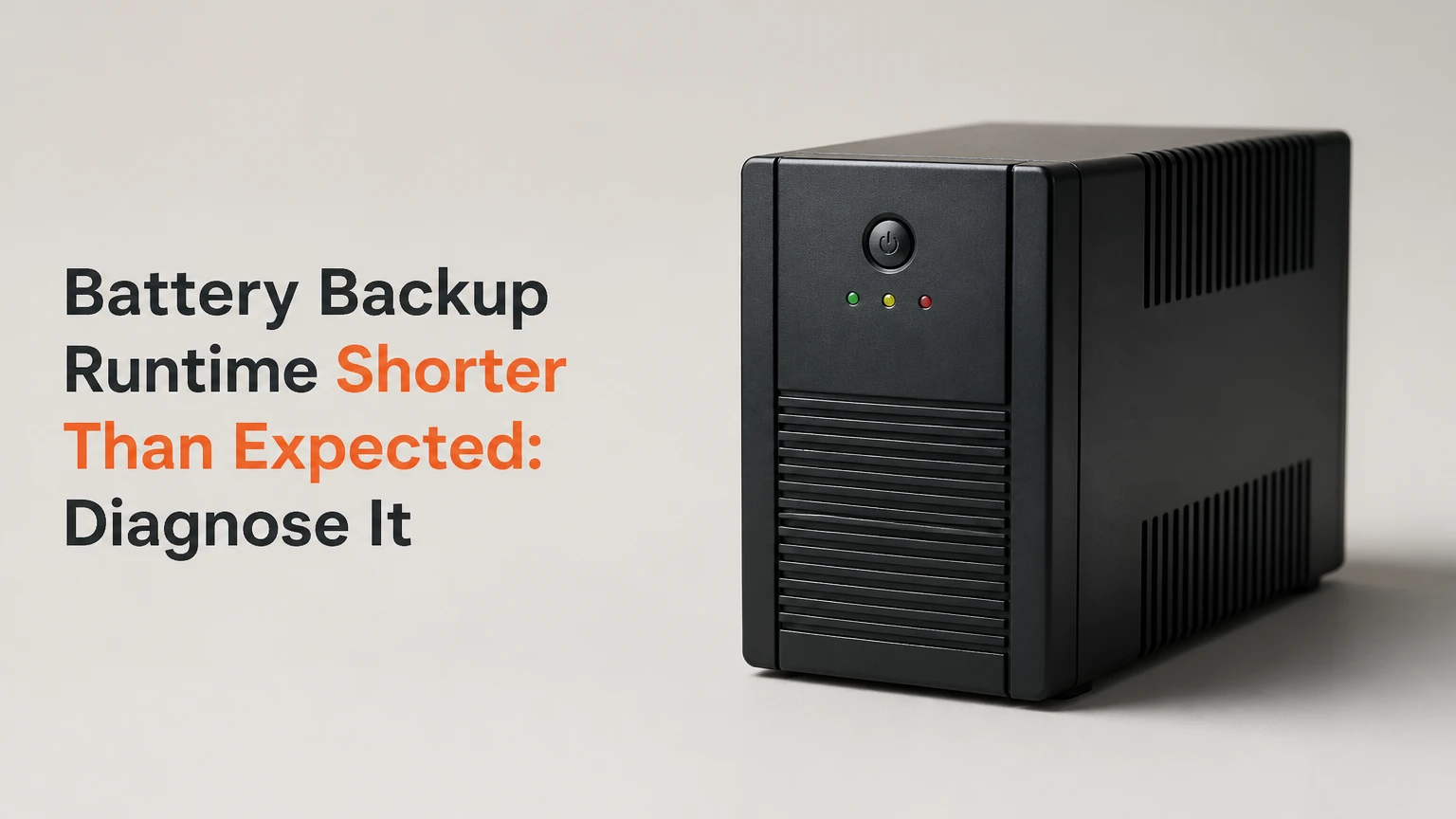
Battery backup runtime shorter than expected usually indicates excessive load, an aging battery, voltage sag, charging failure, or unrealistic manufacturer runtime assumptions. Measure actual watts first, compare usable watt-hours with the manufacturer’s runtime curve, then test battery voltage under load before recalibrating or replacing the battery.
Key Facts
A UPS runtime rating applies to a specified load, battery condition, and cutoff voltage, not every connected device.
A 1,500 VA UPS can shut down quickly when its real load approaches its watt limit or includes a high startup surge.
Sealed lead-acid batteries commonly require replacement after about 3-5 years, with heat shortening that interval.
Voltage sag can trigger low-voltage shutdown while measurable chemical energy remains inside a damaged battery.
Calibration can correct an inaccurate runtime estimate, but calibration cannot restore lost battery capacity.
Laser printers, heaters, pumps, compressors, and shredders should not use typical UPS battery-backed outlets.
Why Is Battery Backup Runtime Shorter Than Expected?
Battery backup runtime becomes shorter than expected when the system delivers fewer usable watt-hours than the runtime estimate assumes. The leading causes are a heavier real load, degraded battery cells, high internal resistance, inverter losses, insufficient charging, and temperature outside the battery’s rated range.
A UPS does not measure runtime as a simple clock. During an outage, the battery supplies direct current to an inverter, which creates alternating current for the load. The inverter consumes energy, the battery voltage falls, and the UPS disconnects the load at a programmed low-voltage threshold.
A manufacturer’s runtime chart is therefore a controlled reference. APC, CyberPower, Eaton, and other manufacturers typically publish separate runtime values for 25%, 50%, 75%, and 100% load. A unit rated for 20 minutes at 300 watts may provide only 7 minutes at 700 watts, even though both loads are connected to the same UPS.
The practical diagnosis is straightforward: measure watts, calculate a realistic energy baseline, inspect charging and connections, and test the battery under load. Replacing a battery before measuring the load can waste money; recalibrating before checking battery health can hide a hardware failure.
What Does Backup Runtime Actually Measure?
Backup runtime measures the time a battery system can maintain acceptable output voltage for a defined load before the inverter reaches its low-voltage disconnect or another protection limit. Runtime is measured in minutes, while battery capacity is usually stated in ampere-hours or watt-hours.
A 12-volt, 100 Ah battery contains a nominal 1,200 watt-hours, but a UPS cannot normally deliver all 1,200 watt-hours to AC equipment. Conversion losses, reserve capacity, discharge rate, battery age, cutoff voltage, and temperature reduce usable output.
The distinction matters because ampere-hours alone do not determine runtime. A battery delivering 100 watts experiences a different discharge condition from the same battery delivering 1,000 watts. Lead-acid capacity falls at higher discharge rates, a behavior described by Peukert’s law.
| Measurement | Meaning | Typical limitation |
|---|---|---|
| VA rating | Maximum apparent-power handling | Does not equal available battery energy |
| Watt rating | Maximum real-power output | Overload can cause immediate shutdown |
| Ah rating | Charge capacity at a stated test rate | Does not show usable AC energy |
| Wh rating | Nominal stored energy | Actual output falls after inverter losses |
| Runtime rating | Minutes at a specified load | Not a universal promise for every load |
A runtime chart is more useful than a VA label. Always compare the connected load with the manufacturer’s chart for the exact model and battery configuration.
How Does a Backup System Lose Runtime?
A backup system loses runtime through four linked mechanisms: electrical conversion, battery discharge, voltage decline, and protective shutdown. The inverter converts DC energy to AC with an efficiency that varies by model and load, while the battery’s internal resistance creates additional heat and voltage loss.
At constant power, a lower battery voltage requires higher current. Higher current increases resistive loss according to the relationship between current and resistance, so a weak battery can collapse rapidly when a computer, network switch, or motor starts.
The UPS monitors voltage rather than directly measuring every chemical reaction in the battery. When terminal voltage falls below its cutoff threshold, the UPS disconnects the load to protect the cells and inverter. The threshold is model-specific, and a nominal “10.5 volts” value should not be treated as universal.
A new battery may provide nearly its rated capacity under a laboratory discharge test. An old battery may show normal resting voltage but fail under load because its internal resistance has increased. That is why a voltage check without a load is not a complete battery test.
What Should You Check Before Testing?
Before testing a UPS, identify the exact model, battery type, connected outlets, battery age, recent outage behavior, and any alarm codes. Disconnect nonessential loads before applying a controlled test, and never open a mains-connected UPS unless a qualified technician is performing the work.
| Item to record | Example value | Why it matters |
|---|---|---|
| UPS model | APC Back-UPS Pro BR1500MS2 | Determines runtime curve and battery pack |
| Battery age | 4 years | Strong replacement indicator for VRLA |
| Measured load | 420 W average, 680 W peak | Separates energy demand from startup surge |
| Room temperature | 30°C | Accelerates lead-acid aging |
| Battery configuration | 2 × 12 V, 9 Ah SLA | Determines series voltage and nominal energy |
| Shutdown time | 6 minutes | Enables comparison with the model chart |
Use a plug-in wattmeter for household equipment or the UPS management interface for supported models. A clamp meter is useful for fixed installations, but measurements around AC conductors require appropriate electrical training.
Do not use a space heater as a routine test load. A 40-100 watt incandescent lamp, approved load bank, or suitable electronic test load is safer for a small UPS, provided the load remains within the unit’s watt and VA limits.
Step 1: Measure the Real Load
Measure the actual active load at idle, normal operation, and peak demand. Do not use the wattage printed on a computer power supply, monitor adapter, or printer label as the operating load because those labels usually identify maximum capability rather than consumption.
Record at least three values:
- Idle load: equipment powered but inactive.
- Typical load: normal work, streaming, file access, or network activity.
- Peak load: startup, rendering, disk activity, motor operation, or other predictable surge.
A desktop computer labeled with a 750-watt power supply may draw 90 watts while browsing, 250 watts during sustained work, and 500 watts during a processor or graphics spike. A 1,500 VA UPS rated for 900 watts might handle the average load but shut down when the peak exceeds its limit.
| Load type | Example equipment | Typical measured range | UPS risk |
|---|---|---|---|
| Router and modem | Wi-Fi router, ONT, cable modem | 12-35 W | Low energy demand |
| Office workstation | Mini PC, monitor, speakers | 80-220 W | Moderate runtime variation |
| Gaming workstation | Desktop, display, speakers | 300-850 W | High peak and heat load |
| Laser printer | Printer with fuser | 500-1,500 W surge | Frequent overload |
| Refrigerator | Compressor motor | 100-800 W cycling | High startup current |
| Space heater | Resistive heater | 1,000-1,500 W | Unsafe for small UPS |
The first expert rule is simple: size the UPS from measured watts, not the power-supply label. A wattmeter reading often explains a disappointing runtime without any battery fault.
Check the VA and Watt Limits
Compare both apparent power and real power with the UPS specifications. Power supplies with poor power factor can consume more VA than watts, so a UPS may report overload even when measured watts appear acceptable.
Leave a practical margin of at least 20-30% below the UPS watt limit for computers and network equipment. Motor-driven loads need more margin because their startup current can exceed running current by several times.
Step 2: Calculate a Realistic Runtime Baseline
Estimate runtime with usable watt-hours rather than nominal battery capacity alone. A practical approximation is:
[ \text{Runtime in hours} = \frac{\text{Nominal battery volts} \times \text{Battery Ah} \times \text{Usable fraction} \times \text{Inverter efficiency}}{\text{Measured watts}} ]
For a 24-volt, 18 Ah battery bank supplying a 180-watt load, assume 80% inverter efficiency and a conservative 50% usable fraction for older lead-acid batteries:
[ \frac{24 \times 18 \times 0.50 \times 0.80}{180} = 0.96 \text{ hours} ]
The result is approximately 58 minutes under simplified conditions. A real UPS may deliver less because the battery’s Ah rating uses a specified discharge rate, the UPS reserves energy above cutoff, and aged cells lose capacity.
| Battery system | Nominal energy | Conservative usable AC energy | Runtime at 200 W |
|---|---|---|---|
| 12 V, 9 Ah SLA | 108 Wh | 40-60 Wh | 12-18 minutes |
| 24 V, 18 Ah SLA | 432 Wh | 170-250 Wh | 50-75 minutes |
| 48 V, 50 Ah LiFePO4 | 2,400 Wh | 1,700-2,050 Wh | 8.5-10 hours |
| 12 V, 100 Ah LiFePO4 | 1,200 Wh | 850-1,000 Wh | 4.25-5 hours |
These are typical engineering estimates, not model-specific guarantees. Manufacturer runtime charts remain authoritative for a particular UPS because they include inverter behavior, cutoff settings, thermal limits, and battery discharge curves.
Peukert’s law makes lead-acid estimates especially optimistic at high loads. A nominal 100 Ah SLA battery may provide substantially less effective capacity when discharged rapidly, so a 1,000-watt load can produce much shorter runtime than a simple watt-hour division predicts.
Step 3: Test Battery Voltage Under Load
Test the battery under a controlled load, not only at rest. A 12-volt lead-acid battery can show roughly 12.6-12.9 volts after charging and resting, yet fall sharply when current flows if a cell is sulfated, shorted, or internally damaged.
The exact readings depend on battery chemistry, charger behavior, temperature, and the instrument. Lithium iron phosphate batteries have a different voltage curve and must not be judged by lead-acid thresholds.
Use this sequence:
- Fully charge the UPS according to its manual, often 8-16 hours for a depleted SLA pack.
- Disconnect the UPS from utility power while keeping a noncritical, steady load attached.
- Observe the UPS display, alarm, and battery voltage during the first 60 seconds.
- Compare voltage behavior across individual battery blocks if the design permits safe access.
- Stop the test if the case swells, heats rapidly, leaks, smells unusual, or wiring becomes hot.
| Observation | Likely cause | Next action |
|---|---|---|
| Normal resting voltage, rapid collapse under load | High internal resistance or dead cell | Replace or professionally load-test battery |
| Low voltage before load begins | Incomplete charge or aged battery | Check charger, connections, and battery |
| Runtime normal, display estimate wrong | Calibration drift | Perform manufacturer-approved calibration |
| Battery voltage normal, UPS shuts down | Overload, inverter fault, or control fault | Review alarm log and service documentation |
| One series block differs greatly | Imbalance or failed block | Replace matched battery set |
A multimeter reading below 11 volts within the first minute is a warning sign for many 12-volt lead-acid systems, but it is not a universal pass-fail rule. The UPS manual and a proper conductance or load test should determine final battery condition.
Step 4: Inspect Charging and Connections
Inspect the charging path when a new or recently replaced battery also provides short runtime. A failed charger, loose terminal, oxidized connector, blown battery fuse, or incorrect replacement pack can leave the battery undercharged even though the UPS reports “100%.”
Check the following without opening hazardous sections of the unit:
- Charge indicator after a full charging period.
- Battery connector seating and visible corrosion.
- Correct battery part number, voltage, Ah rating, and connector polarity.
- Alarm history for battery, overload, temperature, or charger faults.
- Recharge time after the test.
- Individual battery block voltage in an accessible external cabinet.
A series battery string is limited by its weakest block. Two 12-volt batteries in series produce 24 volts, but the weaker battery reaches its low-voltage threshold first and can force the UPS to shut down while the other block still contains energy.
Battery replacement should use a matched set when batteries are connected in series or parallel. Mixing old and new SLA batteries can create unequal charging and discharge behavior, reducing the life of the replacement.
Step 5: Recalibrate the Runtime Estimate
Recalibrate a smart UPS only when the battery passes a health test and the problem is an inaccurate displayed estimate. Calibration teaches the UPS how long a known load takes to reach its normal cutoff; calibration does not increase watt-hours or repair sulfated plates.
A typical controlled calibration uses:
- A fully charged battery.
- A steady, noncritical load at approximately 30-50% of the UPS watt rating.
- Utility power disconnected through the UPS test function or approved procedure.
- A complete discharge until automatic shutdown.
- An uninterrupted full recharge afterward.
Schneider Electric’s UPS guidance distinguishes calibration from battery replacement, and many APC models document a runtime calibration procedure with limits on frequency. Follow the exact manufacturer instructions because some units require software, a front-panel command, or a specific load range.
Do not calibrate monthly. Repeated deep discharges consume battery life, especially in VRLA systems. A calibration is appropriate after battery replacement, major load changes, or a clearly inaccurate runtime estimate, not as a routine substitute for preventive maintenance.
Which Battery Technology Maintains Runtime Longer?
LiFePO4 generally maintains usable runtime and cycle life longer than sealed lead-acid, but SLA remains practical for low-cost standby UPS systems with short outages. The correct choice depends on charger compatibility, inverter approval, operating temperature, required cycle frequency, installation rules, and replacement budget.
| Attribute | VRLA or SLA | LiFePO4 | Practical consequence |
|---|---|---|---|
| Typical service life | 3-5 years | 8-15 years | Lithium reduces replacement frequency |
| Recommended routine DoD | 40-50% | 80-90% | Lithium provides more usable stored energy |
| Typical cycle life | 200-500 partial cycles | 3,000-5,000 cycles | Lithium suits frequent cycling |
| Recharge period | 8-16 hours | 2-5 hours, system dependent | Lithium recovers faster |
| Best operating temperature | Around 20-25°C | Commonly 15-30°C | Heat damages both chemistries |
| Upfront replacement cost | About $20-$150 per block | About $250-$1,000 or more | SLA costs less initially |
| Charging constraint | Generally tolerant above freezing | Do not charge below 0°C unless protected | BMS and heater requirements matter |
LiFePO4 does not eliminate voltage-related shutdowns. Its flatter discharge curve can improve usable runtime, but an incompatible charger, absent communication, incorrect low-voltage settings, or a BMS cutoff can still stop the inverter suddenly.
Do not install a lithium replacement in a lead-acid UPS merely because the voltage label matches. The UPS must support the chemistry, charge profile, protection system, thermal conditions, and battery communications. Manufacturer-approved lithium packs are the safer route.
What Battery Problems Cause Early Shutdown?
Battery problems cause early shutdown when stored capacity falls or internal resistance rises enough for terminal voltage to cross the UPS cutoff. Sulfation is common in lead-acid batteries that remain partially discharged, while lithium packs can lose capacity through aging, cell imbalance, high temperature, or BMS protection events.
| Failure mode | Physical mechanism | Typical symptom | Corrective action |
|---|---|---|---|
| Sulfation | Hardened lead sulfate reduces active plate area | Fast voltage drop under load | Replace battery; recovery is unreliable |
| Dry-out | Electrolyte loss raises resistance | Heat, low capacity, swollen case | Replace immediately |
| Dead cell | One cell contributes little voltage | Pack voltage falls abnormally fast | Replace matched pack |
| Cell imbalance | Series cells reach limits at different times | BMS or UPS cuts off early | Service or replace approved pack |
| Thermal aging | Heat accelerates chemical degradation | Runtime declines over months | Improve ventilation and replace pack |
| Connector resistance | Corrosion or loose contact creates voltage loss | Hot connector or intermittent alarm | De-energize safely and repair |
Lead-acid service life often halves for each 10°C increase above its reference temperature near 25°C, a rule widely used in stationary battery maintenance. The exact relationship varies by construction and manufacturer, but a UPS kept beside a server exhaust outlet will age faster than one in a ventilated 20-25°C room.
A swollen, leaking, cracked, or unusually hot battery is a safety failure, not a calibration problem. Disconnect equipment according to the manufacturer’s procedure and arrange approved battery recycling.
Which Loads Reduce Runtime Most Quickly?
High-wattage and high-surge loads reduce runtime most quickly. Heaters consume energy continuously, while printers, pumps, compressors, and shredders can overload the inverter during startup even when their average wattage appears moderate.
Move secondary monitors, speakers, lamps, and chargers to surge-only outlets when the UPS provides that option. Keep battery-backed outlets for equipment that must remain powered, such as a router, modem, NAS, workstation, or controlled shutdown server.
| Equipment | Typical power behavior | Recommended UPS treatment |
|---|---|---|
| Fiber ONT and router | 12-35 W continuous | Battery-backed |
| NAS with four drives | 45-120 W, startup peaks | Battery-backed with shutdown software |
| Desktop PC | 80-850 W, workload dependent | Measure and leave 20-30% headroom |
| Laser printer | 500-1,500 W heating surge | Surge-only or wall outlet |
| Refrigerator | 100-800 W cycling surge | Dedicated generator-rated solution |
| Space heater | 1,000-1,500 W continuous | Never use on small UPS battery output |
The counterintuitive rule is that a smaller, measured load often produces more useful outage protection than a larger UPS overloaded with peripherals. Runtime depends on watts, not the number of devices.
When Should You Replace the Battery?
Replace a UPS battery when runtime has materially declined, the battery is beyond its typical service interval, the UPS reports a battery fault, or a controlled load test shows rapid voltage collapse. For VRLA systems, a proactive replacement interval of about 3-4 years is reasonable in normal indoor conditions and shorter in sustained heat.
| Situation | Replace now? | Reason |
|---|---|---|
| VRLA battery is 5 years old | Yes | Capacity and reliability are uncertain |
| Battery is swollen or leaking | Immediately | Safety hazard |
| Runtime fell 50% with unchanged load | Usually | Strong capacity-loss indicator |
| Runtime display is wrong but measured runtime is normal | No | Calibrate or update monitoring |
| New battery fails immediately | Investigate first | Charger, wiring, overload, or bad pack |
| LiFePO4 pack reaches BMS cutoff early | Diagnose first | Could be imbalance, temperature, or settings |
Typical replacement costs range from $20-$150 for a small SLA block, $100-$400 for a larger matched UPS pack, and $250-$1,000 or more for an approved lithium pack. Labor, shipping, recycling, and downtime can add to those figures.
Replace the entire matched string when series-connected blocks have different ages or test results. Replacing only one block can leave the remaining old blocks as the next point of failure.
How Can You Prevent Short Runtime?
Prevent short runtime by controlling temperature, avoiding deep discharge, maintaining a measured load margin, restoring charge promptly after outages, and replacing batteries before failure. UPS monitoring software can record load, runtime estimates, temperature, battery age, and alarm history, which makes gradual degradation easier to identify.
Use these operating rules:
- Keep lead-acid UPS equipment near 20-25°C when possible.
- Leave 20-30% capacity below the UPS watt limit.
- Keep printers, heaters, and motor loads off battery-backed outlets.
- Recharge a discharged SLA battery promptly after an outage.
- Test runtime annually or after a battery replacement, not monthly.
- Replace batteries by condition and age rather than waiting for a blackout.
- Store portable power stations at the manufacturer’s recommended charge level.
- Install only batteries approved for the inverter and charging system.
Battery monitoring is most useful when paired with a baseline. Record runtime at a known 25%, 50%, or 75% load after installation, then repeat the same test later. A comparison at different loads cannot reliably prove battery degradation.
Which Backup Setup Fits Your Situation?
A small VRLA UPS fits a desktop office when the goal is graceful shutdown over 5-20 minutes. A larger external-battery inverter or LiFePO4 power station fits multi-hour outages, provided the inverter supports the intended load and the battery system has appropriate protection.
Home office and internet equipment
Use a 600-1,500 VA UPS for a modem, router, small computer, and one display. A measured 50-150 watt load can often achieve useful short-duration protection, while removing a second monitor and speakers may extend runtime substantially.
Gaming or workstation computer
Choose a UPS by measured peak watts and power factor, not by the computer’s power-supply label. Pure sine-wave output is preferable for modern active-power-factor-correction supplies, and automatic operating-system shutdown prevents the battery from reaching a damaging deep discharge.
NAS, server, or homelab
Prioritize network management, USB or network shutdown signaling, replaceable batteries, and an external battery option. A NAS may consume modest average power but still needs enough runtime for orderly shutdown and enough reserve for disk spin-up.
Solar inverter or multi-hour backup
Use a purpose-built inverter and battery bank with compatible charge settings, fusing, cable sizing, ventilation, and battery management. A portable power station is simpler to deploy, but its rated watt-hours still require derating for inverter efficiency and standby consumption.
Common Mistakes and How to Fix Them
Mistake: Comparing runtime with the VA number
Why it fails: VA identifies apparent-power capacity, not stored energy.
Fix: Compare measured watts and VA with the exact model’s runtime table.
Mistake: Testing with a laser printer
Why it fails: The fuser creates a large heating surge that can trigger overload or voltage sag.
Fix: Use a steady resistive or electronic load within the UPS rating.
Mistake: Recalibrating a damaged battery
Why it fails: Calibration changes the estimate, not the battery’s chemical capacity.
Fix: Perform a load or conductance test first.
Mistake: Replacing one battery in an old series string
Why it fails: Unequal age and resistance produce imbalance and early cutoff.
Fix: Replace the matched set when the manufacturer recommends it.
Mistake: Leaving the battery flat after an outage
Why it fails: Lead-acid sulfation accelerates while the battery remains discharged.
Fix: Restore charging promptly and investigate any charger failure.
Mistake: Installing LiFePO4 by voltage alone
Why it fails: Charge profiles and BMS cutoff behavior differ from SLA systems.
Fix: Use a manufacturer-approved compatible pack and charger.
Frequently Asked Questions
Can a UPS battery lose capacity while showing 100%?
Yes. A UPS percentage display usually reflects charging voltage or an internal estimate, not verified watt-hour capacity. A sulfated lead-acid battery can reach the charger’s voltage target quickly while delivering very little current under load. A controlled runtime test or professional conductance test reveals the difference.
How long should a UPS run a Wi-Fi router?
A small router and modem load of 15-35 watts may run for roughly 30 minutes to several hours, depending on battery watt-hours, UPS efficiency, battery age, and whether the unit powers an optical network terminal. Use the exact model’s runtime chart because standby consumption varies significantly.
Does a bigger UPS always provide longer runtime?
No. A higher VA rating usually supports a larger load, but runtime depends on battery watt-hours and the connected watts. Two 1,500 VA UPS models can have very different battery capacities. Compare battery voltage, Ah, external battery support, and manufacturer runtime curves.
Is a UPS runtime test safe to perform?
A controlled test is generally safe when the load is noncritical, remains below the watt and VA limits, and the manufacturer permits the procedure. Do not test with heaters, laser printers, overloaded power strips, damaged batteries, or equipment that cannot tolerate an abrupt shutdown.
Can cold weather cause short backup runtime?
Cold temperatures reduce available battery capacity, especially in lead-acid chemistry, while lithium batteries may trigger charging or discharge protection near freezing. Keep the system within its specified operating range. Do not charge a LiFePO4 battery below 0°C unless the pack has approved low-temperature protection.
Should I replace the UPS or only its battery?
Replace only the battery when the inverter, charger, outlets, and monitoring functions operate normally and the model supports economical battery replacement. Replace the UPS when it has repeated inverter faults, obsolete protection features, unavailable battery packs, severe heat damage, or insufficient watt capacity for the actual load.
The Bottom Line
Battery backup runtime shorter than expected is usually explained by real load, battery condition, temperature, charging, or an inaccurate runtime estimate. Measure watts first, compare the result with the manufacturer’s curve, test voltage under load, inspect the charging path, and recalibrate only after confirming battery health.
For most small UPS systems, an aging VRLA battery is the likely fault when the load has not changed and runtime has fallen sharply. For frequent cycling or multi-hour backup, an approved LiFePO4 system can provide more usable energy and longer service life, but compatibility with the charger, inverter, and BMS determines whether the upgrade is safe.